7 AI Sales Agents Compared for 2026
A comparison of seven AI sales agents for 2026, covering what each one automates, who it fits, and what it costs.
9 min read
MCP resources vs tools comes down to who decides when each is used: the model calls tools, the application loads resources. Here is how the two differ and when to use each.
A Model Context Protocol server can expose three kinds of building blocks: tools, resources and prompts. Developers who reach for tools by default often blur the other two, and the mixup shows up as an agent that quietly writes data it should only read, or a host application that expects the model to fetch content it was never meant to touch. MCP resources vs tools comes down to a question the specification answers directly: who decides when the thing gets used.
MCP tools are actions the model decides to call: schema-defined functions, like booking a hotel or querying a database, that the AI invokes mid-conversation. MCP resources are read-only data the host application or user chooses to load, such as a file, a database schema or a configuration document, addressed by a URI rather than called by name. That control distinction, model-controlled versus application-controlled, is what the Model Context Protocol specification itself uses to define the two.
The Model Context Protocol specification puts it plainly: tools "enable models to interact with external systems, such as querying databases, calling APIs, or performing computations," while resources "allow servers to share data that provides context to language models, such as files, database schemas, or application-specific information." Here is how the two compare on the points that matter when building a server.
| Aspect | MCP Tools | MCP Resources |
|---|---|---|
| Who decides when it's used | The model, during a conversation | The host application or the user |
| What it does | Performs actions: writes, calculations, API calls | Read-only access to existing data |
| How it's addressed | Called by function name with a JSON Schema of arguments | Identified by a URI (file://, https://, git:// or a custom scheme) |
| Discovery | tools/list, then tools/call | resources/list, then resources/read |
| Typical use | Booking a hotel, running a query, sending an email | A file, a database schema, an API doc, a config value |
| Change notification | notifications/tools/list_changed | notifications/resources/list_changed, plus per-resource subscriptions |
Zuplo's October 2025 explainer of MCP Resources frames the same split in one line: "Unlike MCP Tools, which perform actions, Resources provide read-only access to structured data. Think of them as the 'files' your AI can read, while Tools are the 'functions' it can execute."
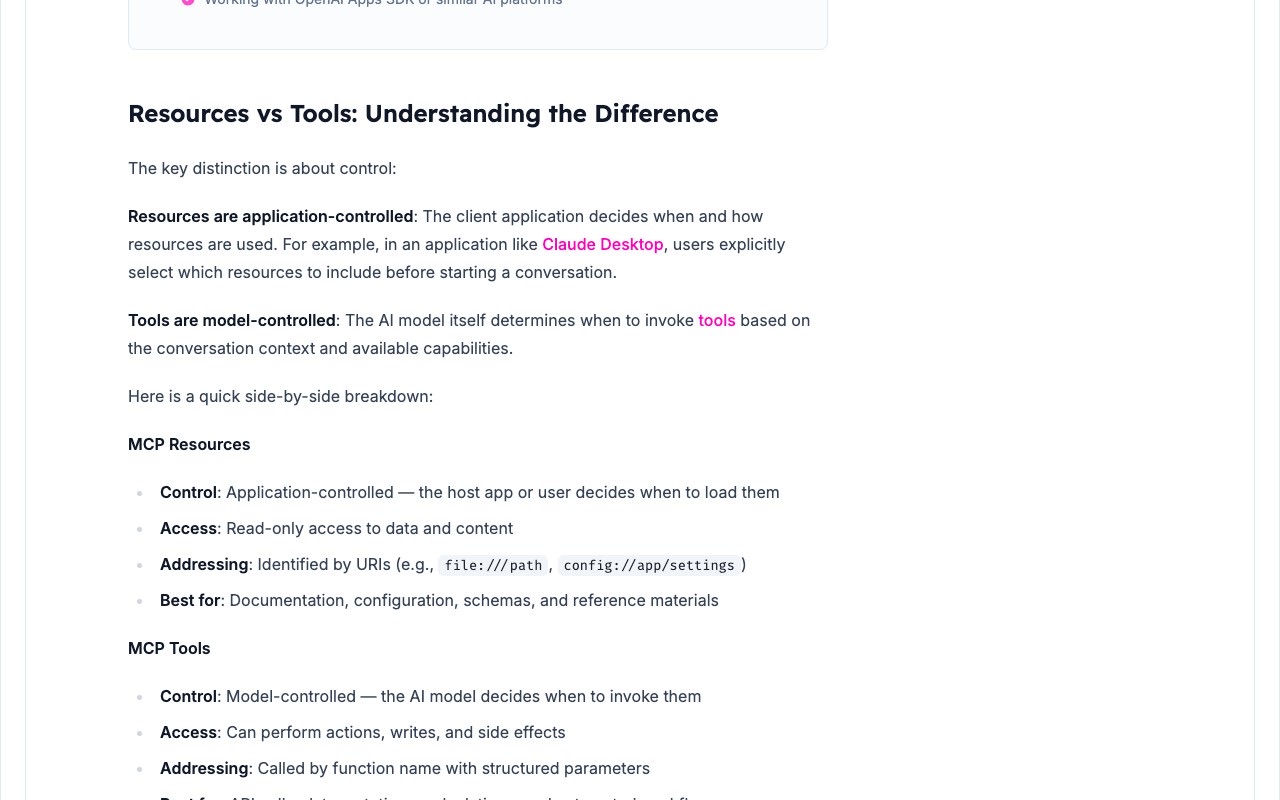
Per the spec, tools in MCP are "designed to be model-controlled, meaning that the language model can discover and invoke tools automatically based on its contextual understanding and the user's prompts." A server that supports tools must declare the tools capability, and a client discovers what is available with a tools/list request that returns each tool's name, description and JSON Schema inputSchema. Invocation happens through tools/call, with the arguments validated against that schema.
The spec's own example is a get_weather tool that takes a location string and returns a text result. Because the model chooses when to call a tool, the spec is explicit that "there SHOULD always be a human in the loop with the ability to deny tool invocations," and it requires servers to validate all tool inputs, implement access controls and rate limit invocations. Tool results can carry structured JSON in a structuredContent field alongside plain text, and as of the 2025-06-18 revision a tool can return outputSchema so clients can validate what comes back.
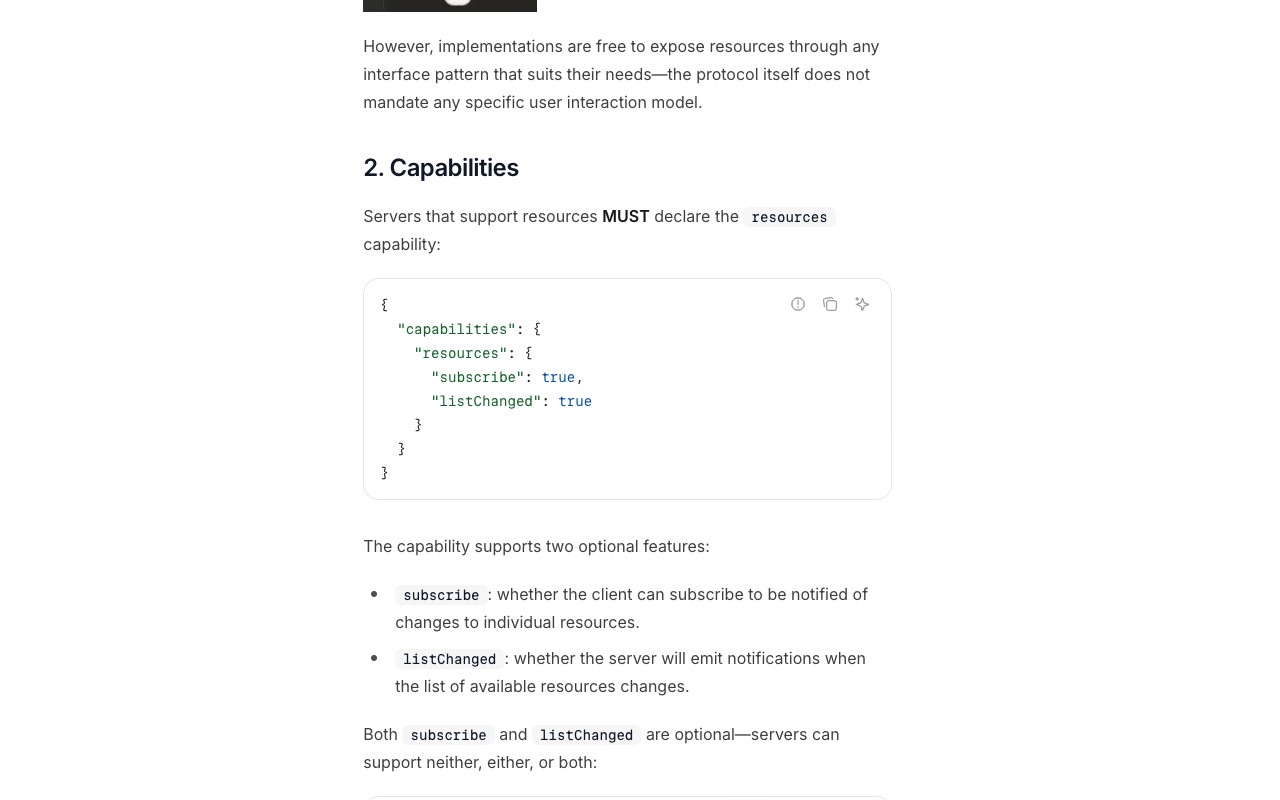
Resources work the other way. The spec describes them as "application-driven, with host applications determining how to incorporate context based on their needs," whether that means a UI picker, a search box, or automatic inclusion based on the model's selection. A server that supports resources declares the resources capability, which can optionally include subscribe (clients can watch a specific resource for changes) and listChanged (the server announces when the resource list itself changes).
Each resource has a unique URI, an optional MIME type and either text or base64-encoded binary content. The spec lists https://, file:// and git:// as common schemes, and lets servers define their own. Resource templates let a server expose parameterized resources through URI templates, such as file:///{path}, so clients can construct valid URIs without a server listing every possible file in advance.
One production use of resources goes beyond plain file reading: Zuplo's guide points to OpenAI's Apps SDK, which uses embedded resources to serve static UI code, for example URIs like ui://widget/kanban-board.html, that ChatGPT fetches and renders inside an iframe when a tool call needs a custom interface. The resource stays read-only; the tool call that triggers it is what performs the action.
Resources and tools aren't the whole picture. The spec defines a third primitive, prompts, which are "designed to be user-controlled," typically surfaced as slash commands the person picks explicitly rather than something the model decides to call. A dev.to piece on MCP's design, part of a six-part series by AWS Hero Guy Ernest, frames the three primitives as three separate control planes: tools are triggered by the model, prompts are triggered by the business user, and resources are pulled in by the host application. None of them decide when a resource is loaded except the app itself, which the piece calls "the one primitive in which two actors collaborate without either human being directly in the loop."
The stable spec revision remains 2025-06-18, but the latest spec draft, dated 2026-07-28, changes how resources and tools work at the transport level:
resources/subscribe/resources/unsubscribe with a single subscriptions/listen stream. Clients opt in to specific notification types, including resourcesListChanged and resourceSubscriptions, and the server tags each notification with a subscriptionId (SEP-2575).initialize/notifications/initialized handshake, making MCP stateless: every request now carries its protocol version and client capabilities in _meta fields, and a new server/discover RPC lets clients query a server's supported versions and capabilities up front (SEP-2575).tools/list in a deterministic order to enable client-side caching and improve LLM prompt cache hit rates," a minor change aimed at cutting repeated token cost.tools/list, resources/list, resources/read and resources/templates/list now require ttlMs and cacheScope fields via a new CacheableResult interface, giving clients an explicit freshness hint and a way to tell shared caches apart from private ones (SEP-2549).ui:// URIs to render custom interface components inside ChatGPT, a use of resources beyond plain file access.resources/subscribe with a single subscriptions/listen stream and drops the initialize handshake in favor of per-request _meta fields.Yes. The two capabilities, resources and tools, are declared and negotiated independently during the server's capability declaration, so a single server commonly supports both alongside prompts.
Yes. The specification is explicit that resources allow servers to "share data that provides context to language models" without performing an action, and Zuplo's guide summarizes the distinction as tools being the "functions" an AI executes and resources being the "files" it reads.
A resource template lets a server expose parameterized resources through a URI template, such as file:///{path}, so a client can construct a valid resource URI on demand instead of the server listing every possible resource up front. Template arguments can be auto-completed through the protocol's completion API.
According to Zuplo's Resources guide, applications like Claude Desktop let "users explicitly select which resources to include before starting a conversation," which is the application-controlled behavior the MCP spec's resources model is built around. Editors and IDE assistants such as Claude Code negotiate whichever resource and tool capabilities a connected MCP server declares.
Developers comparing how different servers implement tools, resources and prompts can browse the MCP servers directory on aiagentslisting.com.
One email a week. New agents, MCP servers and skills, and what is actually getting traction.
A comparison of seven AI sales agents for 2026, covering what each one automates, who it fits, and what it costs.
9 min read
AI agent guardrails are the enforceable checks that keep autonomous agents inside safe limits. How OpenAI, LangChain, NVIDIA and AWS build them, and when to use each type.
3 min read
MCP server examples worth reading: the seven official reference servers, the weather tutorial in Python and TypeScript, and how to run and debug each one.
8 min read