7 AI Sales Agents Compared for 2026
A comparison of seven AI sales agents for 2026, covering what each one automates, who it fits, and what it costs.
9 min read
MCP server examples worth reading: the seven official reference servers, the weather tutorial in Python and TypeScript, and how to run and debug each one.
The best MCP server examples are the small ones the protocol maintainers wrote to show how each feature works. This guide covers the seven reference servers in the official repository, the weather server from the build tutorial, and the vendor servers most agent teams end up connecting. Each entry says what it teaches and how to run it.
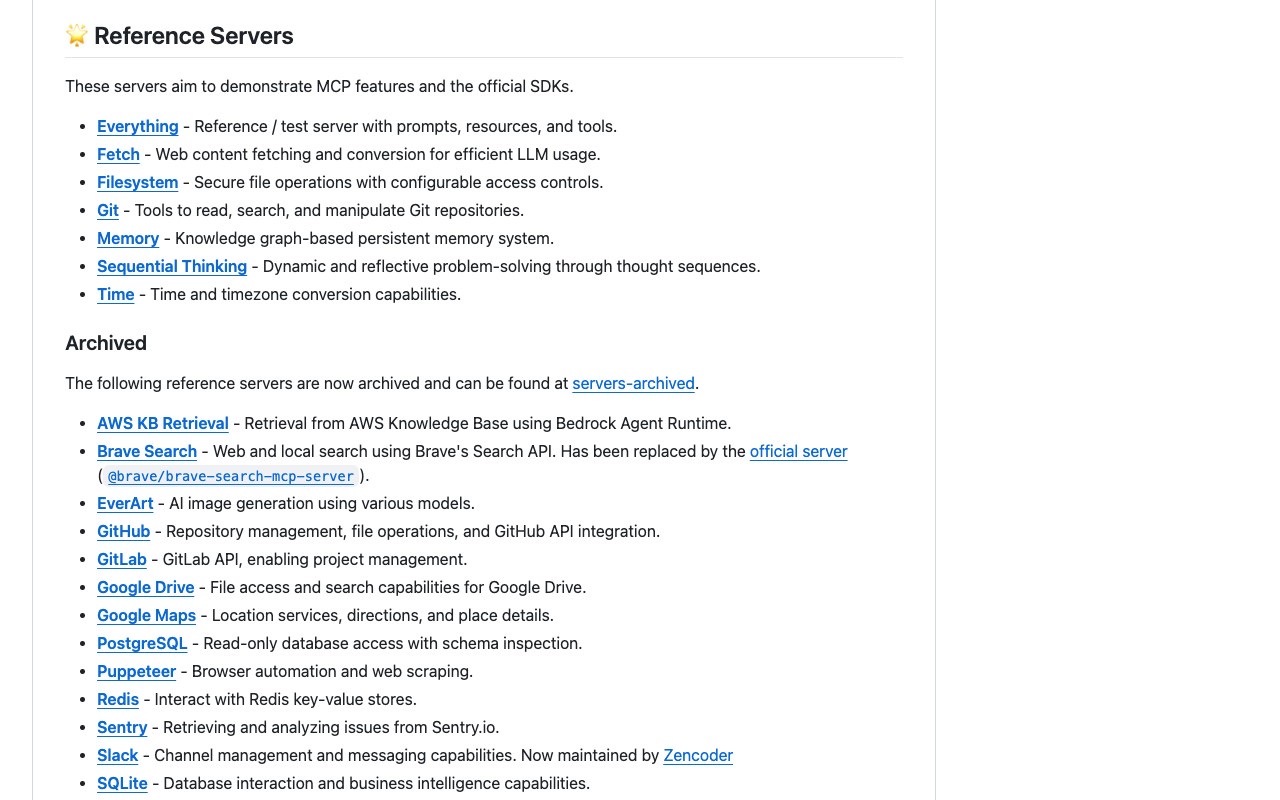
MCP server examples are small, working Model Context Protocol servers that show how a server exposes tools, resources and prompts to an AI client. The official starting set is the seven reference servers in the modelcontextprotocol/servers repository: Everything, Fetch, Filesystem, Git, Memory, Sequential Thinking and Time. The build-a-server weather tutorial is the standard example for writing your own.
The modelcontextprotocol/servers repository had 90.6k stars and 11.7k forks when we read it on 26 September 2026. Its README states that the servers are "reference implementations" meant as "educational examples", not production-ready solutions.
| Example | What the repo says it does | Best for learning |
|---|---|---|
| Everything | Reference and test server with prompts, resources and tools | Testing an MCP client against every feature |
| Fetch | Web content fetching and conversion for efficient LLM usage | A read-only tool that wraps HTTP |
| Filesystem | Secure file operations with configurable access controls | Scoping a server to allowed paths |
| Git | Tools to read, search and manipulate Git repositories | A Python server with a per-project argument |
| Memory | Knowledge graph-based persistent memory system | State that survives between sessions |
| Sequential Thinking | Dynamic and reflective problem-solving through thought sequences | A server that structures reasoning, not data |
| Time | Time and timezone conversion capabilities | The smallest useful server |
| Weather (tutorial) | Two tools, get_alerts and get_forecast, over the US National Weather Service API | Writing your first server in an SDK |
MCPServer from mcp.server.@modelcontextprotocol/server and zod, needs Node.js 20 or higher, and registers tools with server.registerTool.notifications/message) is deprecated as of protocol version 2026-07-28, according to the debugging guide. Local servers log to stderr and remote servers use their own log pipeline or OpenTelemetry.io.modelcontextprotocol/protocolVersion and io.modelcontextprotocol/clientCapabilities in its _meta field. A request missing either returns error -32602.Everything is the server to run when you are building or debugging an MCP client. Its README says it "attempts to exercise all the features of the MCP protocol" and is "not intended to be a useful server, but rather a test server for builders of MCP clients". It implements prompts, tools, resources and sampling.
Run it over stdio with npx:
npx -y @modelcontextprotocol/server-everythingThe README also documents the SSE and Streamable HTTP transports. It marks HTTP+SSE as deprecated as of the 2025-03-26 protocol version, so start with stdio or Streamable HTTP.
Filesystem gives an agent secure file operations with configurable access controls. The access control is the lesson: the server takes the directories it may touch as command-line arguments, so the host decides the boundary, not the model.
{
  "mcpServers": {
    "filesystem": {
      "command": "npx",
      "args": ["-y", "@modelcontextprotocol/server-filesystem", "/path/to/allowed/files"]
    }
  }
}
That block comes from the repository README. If you want file and storage servers beyond the reference one, the files and storage category on aiagentslisting.com lists the ones we have reviewed.
Git exposes tools to read, search and manipulate Git repositories. It is a Python server, so the README runs it with uvx, and it takes a --repository argument that pins it to one repo:
uvx mcp-server-git{
"mcpServers": {
"git": {
"command": "uvx",
"args": ["mcp-server-git", "--repository", "path/to/git/repo"]
}
}
}The README's alternative is pip install mcp-server-git followed by python -m mcp_server_git. Leave uvx entries unchanged on Windows; only the npx-based entries need the cmd /c wrapper. For more tools in this space, browse the developer tools category.
Fetch does web content fetching and conversion for efficient LLM usage. It shows the most common server shape: one narrow tool, no state, and output shaped for a model to read. Copy it when you need to turn a page or API into text an agent can use.
Memory is a knowledge graph-based persistent memory system, and the README uses it as its running example. Starting it takes one command:
npx -y @modelcontextprotocol/server-memoryRead it to see how a server keeps state that outlives a single conversation.
Sequential Thinking offers dynamic and reflective problem-solving through thought sequences. It returns no external data at all. That makes it a useful counterexample to the assumption that every MCP server wraps an API or a database.
Time provides time and timezone conversion. It has no credentials and no side effects, so it is the safest first server to connect when you only want to confirm that your client and config work.
The build-a-server tutorial builds a weather server with two tools, get_alerts and get_forecast, backed by the US National Weather Service API. The docs give the same server in Python, TypeScript, Java, Kotlin, C#, Ruby, Rust and Go, so you can read the version in the language you ship.
The Python setup uses uv:
uv init weather
cd weather
uv venv
source .venv/bin/activate
uv add "mcp[cli]"
touch weather.py
The server object and one tool look like this, taken from the tutorial:
from typing import Any

import httpx2
from mcp.server import MCPServer

mcp = MCPServer("weather")

NWS_API_BASE = "https://api.weather.gov"
USER_AGENT = "weather-app/1.0"


async def make_nws_request(url: str) -> dict[str, Any] | None:
    """Make a request to the NWS API with proper error handling."""
    headers = {"User-Agent": USER_AGENT, "Accept": "application/geo+json"}
    async with httpx2.AsyncClient() as client:
        try:
            response = await client.get(url, headers=headers, timeout=30.0)
            response.raise_for_status()
            return response.json()
        except Exception:
            return None


@mcp.tool()
async def get_alerts(state: str) -> str:
    """Get weather alerts for a US state.

    Args:
        state: Two-letter US state code (e.g. CA, NY)
    """
    url = f"{NWS_API_BASE}/alerts/active/area/{state}"
    data = await make_nws_request(url)
    if not data or "features" not in data:
        return "Unable to fetch alerts or no alerts found."
    if not data["features"]:
        return "No active alerts for this state."
    return f"{len(data['features'])} active alerts."


if __name__ == "__main__":
    mcp.run(transport="stdio")
The tutorial states that the MCPServer class uses Python type hints and docstrings to generate the tool definitions. In this trimmed version the tool returns only the alert count; the tutorial's full version also formats each alert. To connect the server to Claude Desktop, add it under mcpServers in claude_desktop_config.json:
{
  "mcpServers": {
    "weather": {
      "command": "uv",
      "args": ["--directory", "/ABSOLUTE/PATH/TO/PARENT/FOLDER/weather", "run", "weather.py"]
    }
  }
}
One rule from the tutorial applies to every stdio server you write: never write to stdout. In Python, print() writes to stdout and corrupts the JSON-RPC messages. Use the logging module, which writes to stderr. In TypeScript, use console.error() instead of console.log().
The examples above are mostly tool servers, but the server concepts page defines three building blocks and who controls each:
| Feature | What it is | Controlled by | Protocol methods |
|---|---|---|---|
| Tools | Functions the model can call | The model | tools/list, tools/call |
| Resources | Read-only data for context | The application | resources/list, resources/templates/list, resources/read, subscriptions/listen |
| Prompts | Reusable instruction templates | The user | prompts/list, prompts/get |
Everything is the reference for all three. The weather tutorial covers only tools, and says so.
Beyond the reference set, teams connect servers for the SaaS tools they already use. Merge, which sells hosted MCP servers, published a list of nine examples: Linear, Slack, Google Calendar, Salesforce, GitHub, Figma, Snowflake, Box and Firecrawl. Treat the list as a map of common tool shapes, since Merge recommends its own hosted servers over official and community ones.
The tool names it lists show what these servers usually expose. The Linear entry includes create_issue, list_issues and get_issue. The Firecrawl entry includes start_crawl, get_crawl_status, start_extract, start_batch_scrape and map_site. You can see how Firecrawl appears in our directory alongside other scraping and search servers.
These are third-party servers, so read their tool descriptions and permissions before you grant access. Reference servers are the safer place to learn; vendor servers are where the credentials live.
The debugging guide names the MCP Inspector as the first stop: an interactive, transport-agnostic UI for stdio and Streamable HTTP servers where you can invoke tools, prompts and resources and watch notifications.
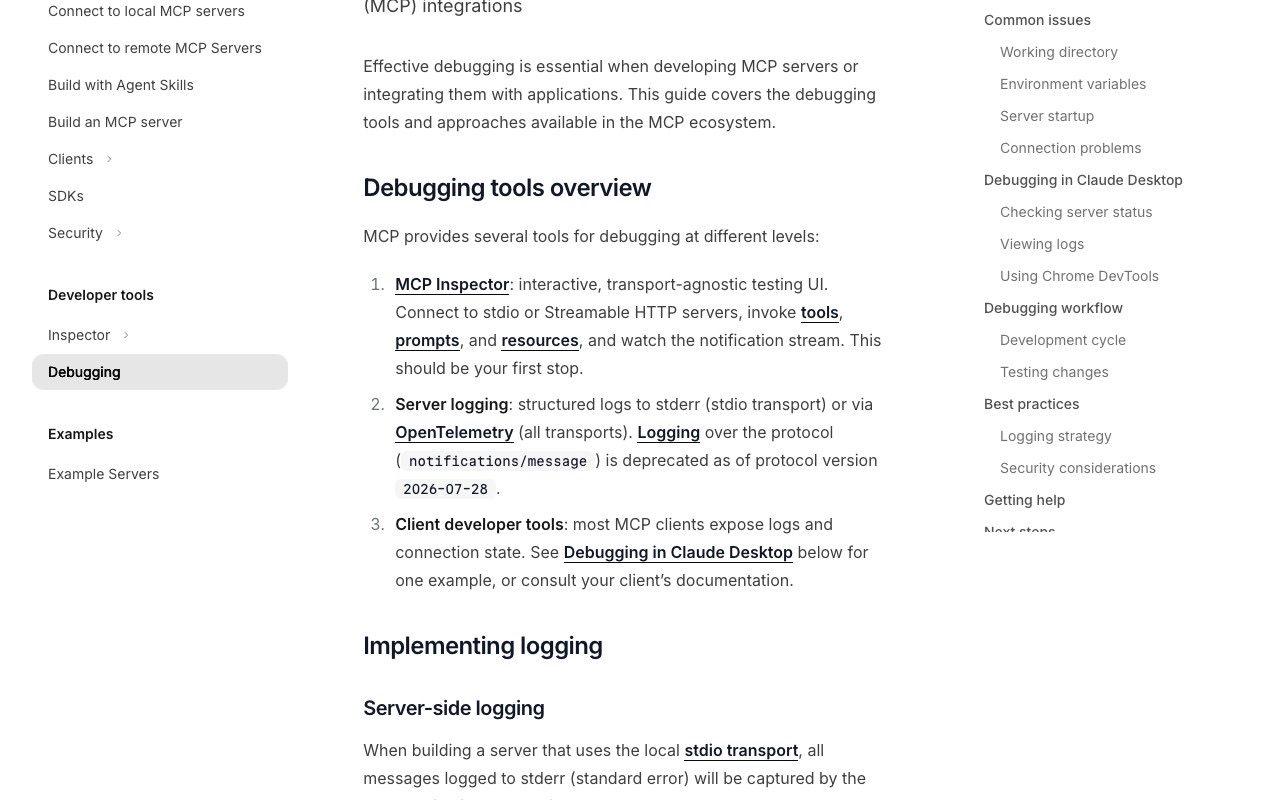
Work through these checks in order:
/ on macOS, so relative paths like ./data fail.env key. Stdio servers inherit only a limited, platform-dependent subset.command if the executable is not found. On Windows, wrap npx with cmd /c.~/Library/Logs/Claude on macOS and %APPDATA%\Claude\logs on Windows, and tail -n 20 -F ~/Library/Logs/Claude/mcp*.log follows them.server/discover. An UnsupportedProtocolVersionError (-32022) lists the versions the server supports, and a MissingRequiredClientCapabilityError (-32021) names the capabilities the client did not declare.The weather server in the official build tutorial is the standard example. It exposes two tools, get_alerts and get_forecast, that call the US National Weather Service API, and it connects to hosts such as Claude Desktop over stdio. The seven reference servers in the modelcontextprotocol/servers repository are the other official examples.
Try Time or Everything. Time has no credentials or side effects, so it only tests that your client and config work. Everything exercises prompts, tools, resources and sampling, so it tests the whole client. Both start with one npx command or one config entry.
No. The repository README says they are reference implementations meant as educational examples, not production-ready solutions. It tells developers to evaluate their own security requirements and add safeguards for their threat model before relying on one.
Run TypeScript reference servers with npx -y <package>, for example npx -y @modelcontextprotocol/server-memory. Run Python ones with uvx, for example uvx mcp-server-git. Then add the same command and arguments to your client's mcpServers config and restart the client.
The README lists AWS KB Retrieval, Brave Search, EverArt, GitHub, GitLab, Google Drive, Google Maps, PostgreSQL, Puppeteer, Redis, Sentry, Slack and SQLite as archived reference servers. It says the repository now houses only a small number of servers maintained by the MCP steering group, and that Brave Search has an official replacement.
Browse the MCP servers hub to compare hand-reviewed servers next to the examples you have just read.
One email a week. New agents, MCP servers and skills, and what is actually getting traction.
A comparison of seven AI sales agents for 2026, covering what each one automates, who it fits, and what it costs.
9 min read
AI agent guardrails are the enforceable checks that keep autonomous agents inside safe limits. How OpenAI, LangChain, NVIDIA and AWS build them, and when to use each type.
3 min read
MCP resources vs tools comes down to who decides when each is used: the model calls tools, the application loads resources. Here is how the two differ and when to use each.
6 min read