mi4uuv0.5.1TypeScriptAGPL-3.0384Open sourceUpdated 14 days ago
No reviews yet
Local-first markdown notes with a first-class MCP server. 16 tools + 2 resources for Claude Code
Local-first markdown notes with a first-class MCP server. 16 tools + 2 resources for Claude Code, Claude Desktop, Cursor and any MCP agent. Per-folder permissions, semantic RAG via LanceDB, single Bun binary. AGPL.
·
brain.md
A local-first second brain for you, and for your AI agents.
What you get
Obsidian-compatible markdown
Wikilinks, embeds, callouts, math, mermaid, tasks, frontmatter, aliases. Open your existing Obsidian vault and it just works.
Per-vault embedded vector store (pure JS, no external DB). Notes are chunked, embedded and indexed on every save.
Pluggable embedders
Default: bge-small-en-v1.5 running locally via bundled WASM ONNX, works in the prebuilt single binary, zero native deps. Or point at Ollama, LM Studio, or OpenAI: anything with /v1/embeddings.
MCP server (streamable HTTP)
17 tools and 2 resources mounted on the same port. Claude Desktop, Claude Code, Cursor and any MCP-compliant agent can read, search, query and write your notes.
Per-folder agent permissions
Right-click a folder → set {read, write} for the MCP surface. Keep Journal/Private/ out of agent reach without locking down the vault.
Optional password auth
argon2id, bearer tokens, 24-hour TTL, gates both HTTP API and MCP. Off by default, on with one click.
Git autocommit with a full audit trail
Every save lands in git, attributed to whoever (or whichever agent) made it. Full history, diff, restore, manual checkpoints. The vault is a real git repo on disk.
No vendor lock-in
Your vault is a folder of .md files. Open it in VSCode, Obsidian, cat, anything. brain.md is just one more way to view and query it.
Zero API keys required
Out of the box it runs fully offline. Cloud embedders are an opt-in, not a default.
Why brain.md
LLMs are only as smart as the context you give them. brain.md turns
your notes into that context, without dragging them into someone
else's cloud, without locking them inside a proprietary format, and
without asking you to plumb a vector database yourself.
You write markdown. brain.md gives you:
a polished editor + live preview with the full
Obsidian-flavor dialect (wikilinks, embeds, callouts, math, mermaid,
highlights, tasks, frontmatter, aliases),
a per-vault embedded vector store (pure JS, ships in the single
binary) with a local bge-small-en-v1.5 embedder by default
running via bundled WASM ONNX. Switch to Ollama,
LM Studio, OpenAI, or anything else with a /v1/embeddings
endpoint with one toggle,
an MCP server (streamable HTTP) mounted on the same port, so
Claude Desktop (or any MCP client) can read, search and write your
notes safely, with per-folder read/write permissions for the
agent surface,
optional password auth (or login via Google, GitHub, Keycloak or
Authentik) and git autocommit / restore with a per-path audit
trail for the whole vault.
Everything runs on your machine. The vault is a plain folder of .md
files you can open in any editor at any time.
How it compares
Obsidian
Logseq
Notion
brain.md
License
Proprietary
AGPL-3.0
Proprietary
AGPL-3.0
Local-first vault on disk
✓
✓
✗ (cloud)
✓
Plain .md files (no proprietary db)
✓
✓ (block model)
✗
✓
Built-in MCP server
✗ (3rd-party plugin)
✗
✗
✓ (17 tools)
Vector RAG built-in
✗ (paid plugin)
✗
✓ (cloud only)
✓ (embedded, local)
Per-folder agent permissions
n/a
n/a
n/a
✓
Single binary, no Electron
✗ (Electron)
✗ (Electron)
n/a
✓ (bun --compile)
Works fully offline (incl. embeddings)
✓ (no AI)
✓ (no AI)
✗
✓ (bundled WASM ONNX)
brain.md is not trying to replace Obsidian's plugin ecosystem or
Notion's databases. It's narrower on purpose: a markdown vault
designed from day one as a memory layer for AI agents over the
Model Context Protocol.
One line, no clone, no Bun, no Node: the installer detects your OS and
arch, downloads the matching prebuilt binary from the latest GitHub
release, drops it in ~/.local/bin (or %USERPROFILE%\.brain.md\bin
on Windows), and verifies it runs.
brainmd                  # serve on :3000, vault at $HOME/.local/share/brain.md/vault
open http://localhost:3000
Open http://localhost:3000. First run creates your vault at the
XDG default ($HOME/.local/share/brain.md/vault on macOS / Linux,
the equivalent on Windows).
To enable semantic search and the MCP similar_notes tool, open
Settings → AI / RAG and flip the switch. Default embedder is
bge-small-en-v1.5 running locally via bundled WASM ONNX (one-time
~34 MB quantized model download, then fully offline, no Ollama, no
Python, no native deps).
Want a tour? Point brain.md at the demo vault that ships with
the repo:
brainmd --vault-dir ./example/vault
Every screenshot below was taken against example/vault/.
Install
Option A: install script (recommended, see Quick start)
# macOS / Linux
curl -fsSL https://raw.githubusercontent.com/mi4uu/brain.md/main/install.sh | bash

# Windows
powershell -c "irm https://raw.githubusercontent.com/mi4uu/brain.md/main/install.ps1 | iex"
The script picks the right asset for your OS and CPU, downloads it
together with the release's SHA256SUMS, verifies the checksum
matches before installing anything, writes the binary to
~/.local/bin/brain (or %USERPROFILE%\.brain.md\bin\brain.exe),
chmod's it, and verifies it boots. Pin a version with
BRAIN_VERSION=v0.1.0, change the install dir with BRAIN_INSTALL=….
Option B: download the binary manually
Every release ships a single-file executable per platform with
the web UI embedded inside it, plus a SHA256SUMS file to verify them
against. No Bun runtime, no Node.js, no git clone, no bun install.
Just download, mark executable, run.
# macOS Apple Silicon: swap the URL suffix for your platform from the table above
curl -L -o brainmd \
  https://github.com/mi4uu/brain.md/releases/latest/download/brain-md-darwin-arm64
chmod +x brainmd
./brainmd                                # → serves on http://localhost:3000
# Optional: drop it on your $PATH so you can run `brainmd` anywhere
sudo mv brainmd /usr/local/bin/brainmd
brainmd --help                           # see all flags
brainmd --port 4000                      # custom port
brainmd --vault-dir ~/notes/my-vault     # custom vault location
One-liner: Windows (PowerShell)
iwr https://github.com/mi4uu/brain.md/releases/latest/download/brain-md-windows-x64.exe `
    -OutFile brainmd.exe
.\brainmd.exe                            # → serves on http://localhost:3000
.\brainmd.exe --help                     # all flags
First run: brain.md creates an empty vault at the XDG default
($HOME/.local/share/brain.md/vault on macOS/Linux, the equivalent
on Windows) and serves the editor at http://localhost:3000.
Want to try the demo vault first? Download
example/vault/ and pass it with
brain --vault-dir ./vault.
Untagged commits also produce binaries; they live as build
artifacts on the Actions page
with 30-day retention.
Option C: from source
git clone https://github.com/mi4uu/brain.md.git
cd brain.md
bun install
bun run start            # runs the production server on :3000
For development:
bun run dev:server       # backend on :3000
bun run dev:web          # vite on :5173 (with /api proxy)
If you run bun run start from a fresh source checkout (no compiled
binary, no web/dist), the server downloads the matching web bundle
from the GitHub release into
$XDG_CACHE_HOME/brain.md/web/<version>/ on first request and serves
from there. To always work offline, run bun run --cwd web build
once.
Requires Bun ≥ 1.3. brain.md uses Bun.password
(built-in argon2id) so you don't need a native crypto build.
The interface
Editor + preview
Two synchronised panes powered by CodeMirror 6 and a
unified / remark / rehype rendering pipeline. The active block
in the preview stays anchored to the cursor in the editor; a thin SVG
connector marks the link between them.
Need more room? The layout button in the pane header (or ⌘\ / Ctrl+\)
cycles editor + preview → editor only → preview only, and the
choice is remembered per device.
The right rail collects Bookmarks · Vault · Tags · Outline ·
Backlinks · Related. Each section is collapsible and remembers its
state per device (localStorage). The Tags panel splits into
In this note and Other tags the moment you open a note. The
Related panel powers itself from the RAG index, the same engine the
agents use, and after every save brain.md quietly suggests up to three
tags borrowed from your closest semantic neighbours.
Every - [ ] and - [x] in your notes is collected into a single
view, with filters for open / done / all and a click-through to the
source line.
Auto versioning & history
Every save is auto-committed to git in the background (debounced,
~15 s). Open any note's History panel to see every prior
revision, side-by-side unified diffs, and a one-click Restore
this version. Filter by the current note or by the whole vault.
No "save as", no daily snapshots cron: the vault is a real git
repo on disk, so git log, git blame, git diff all work from
the terminal too.
A restore only touches the one file you asked for and commits only
that path, never a sweep of whatever else happened to be dirty in the
vault at the time. See Audit trail for who a commit
is attributed to when more than one person or agent wrote to the vault
in the same save window.
Mobile
brain.md is not a desktop-only tool. The same vault, the same
self-hosted instance, the same editor work from your phone too, over
LAN, Tailscale, or a Cloudflare Tunnel (Zero Trust, no public
port, no DDNS). The server itself is tiny, a single Bun binary
that runs comfortably on the free tier of Oracle Cloud or
AWS (ARM micro instances, ≤1 vCPU / ≤1 GB RAM). Drop the binary
on a $0/month VPS, route a hostname to it through Cloudflare, and
you have a private second brain reachable from any device, anywhere.
Without a password the server only accepts requests whose Host
header is localhost/127.0.0.1/[::1] or an entry in
ALLOWED_HOSTS, as a guard against DNS rebinding. Set a password
(you want one anyway outside loopback) or add your LAN name or tunnel
hostname to ALLOWED_HOSTS. With a password set the check is off.
Behind a tunnel or reverse proxy, the login and OAuth-consent rate
limiter keys on the real TCP peer by default, which is the tunnel
itself (loopback), not the actual client: every request shares one
bucket. Set BRAINMD_TRUST_PROXY=cloudflare when a Cloudflare Tunnel
(cloudflared) runs on the same host and forwards to a local port,
to key on the CF-Connecting-IP header Cloudflare's edge sets
instead, only honoured when the direct peer is loopback. For any
other local reverse proxy, set BRAINMD_TRUST_PROXY to a
comma-separated list of its IPs to key on X-Forwarded-For instead
(the right-most entry that isn't itself one of those IPs), only
honoured when the direct peer is one of them. Leave it unset if
there's no local proxy in front of the server at all.
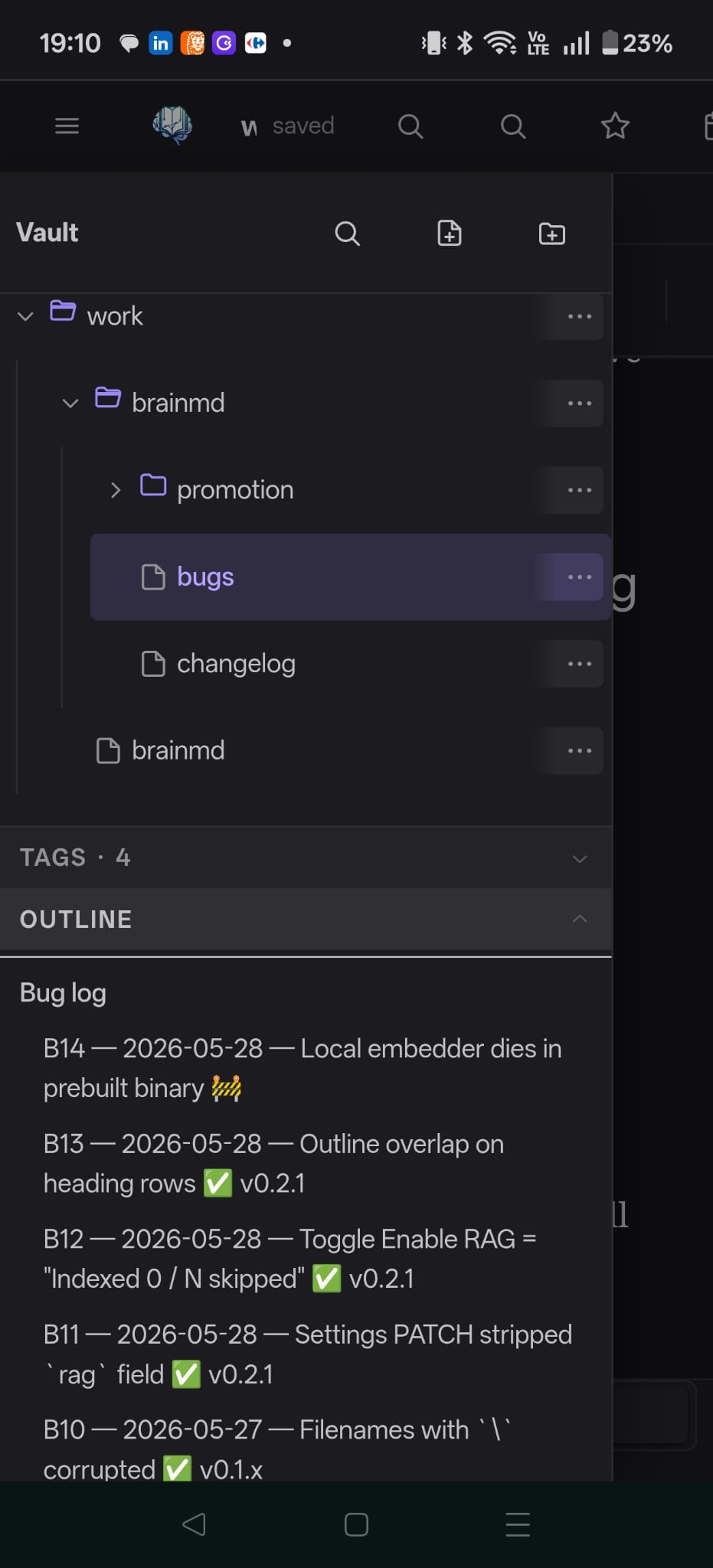
The mobile layout adapts: editor and preview swap in place via a
bottom tab, the topbar scrolls horizontally with a sticky brand +
hamburger, the sidebar slides in as a drawer.
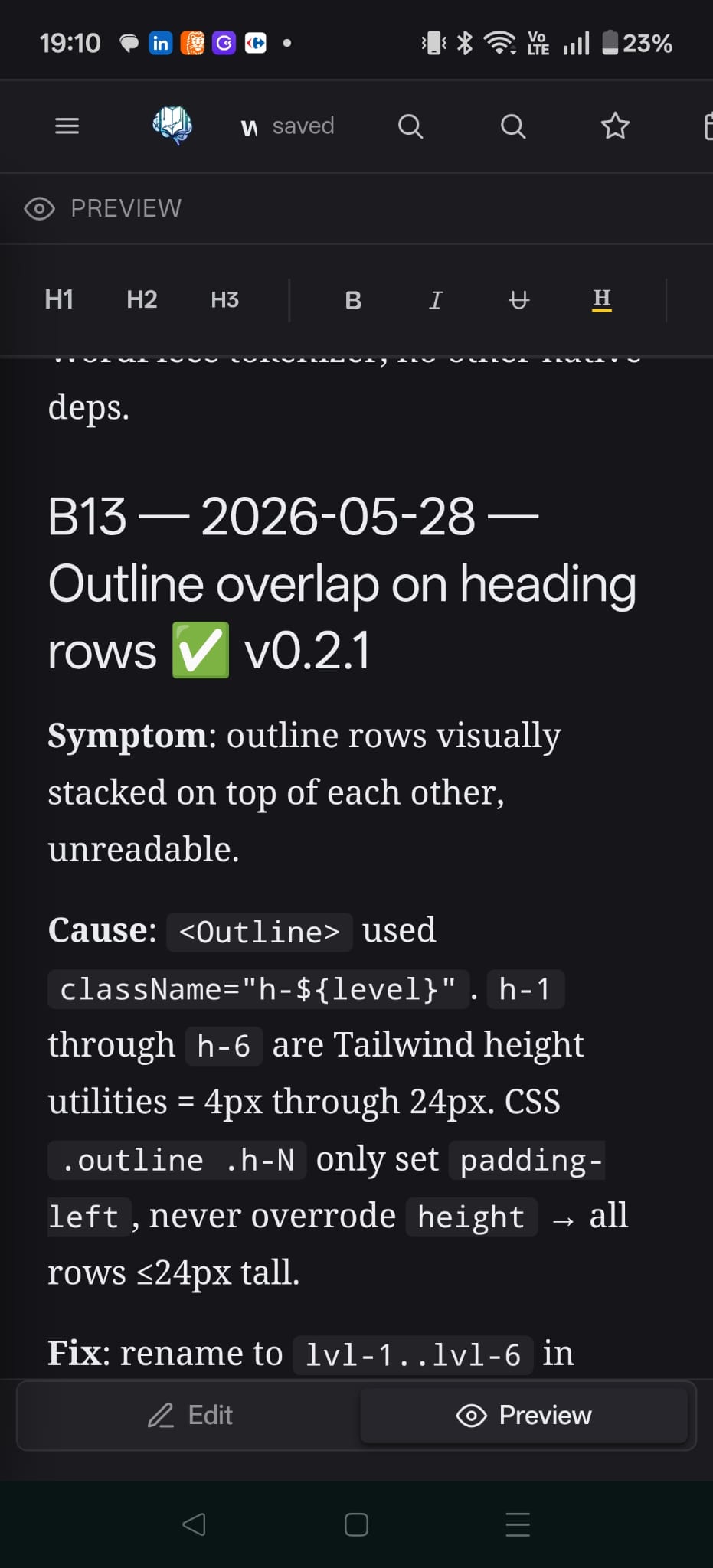
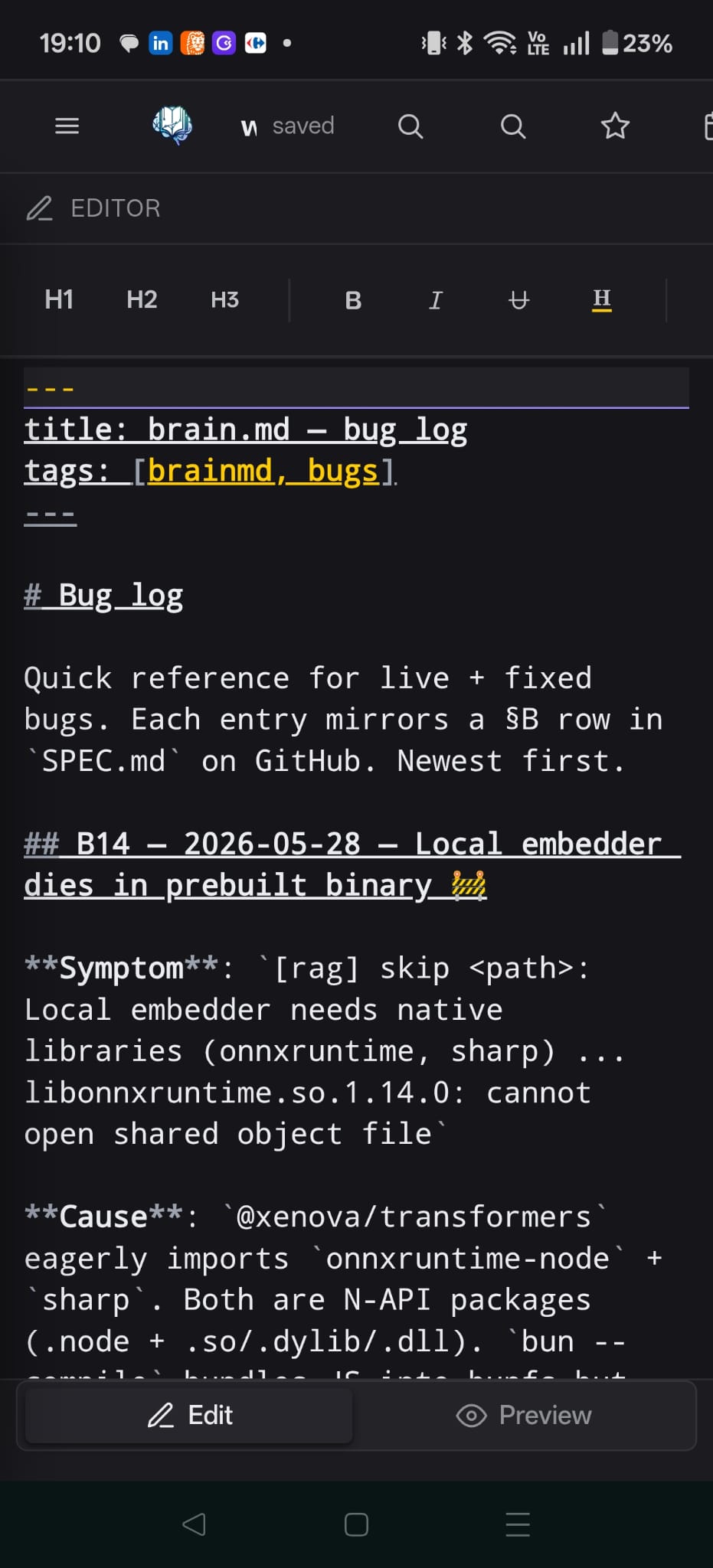
Real phone, not a Chrome DevTools emulator. Captures notes on the
move; the same RAG, tags, backlinks, and tasks you have on desktop.
AI for agents
This is what makes brain.md more than another markdown editor.
Semantic search (RAG)
When a note is saved, brain.md chunks it (≤ 512 tokens, ~64-token
overlap, paragraph-aligned, frontmatter excluded), embeds each chunk,
and upserts the vectors into a per-vault embedded store at
<VAULT>/.brain/vectors.json (pure JS, brute-force cosine, well
under 10ms for typical vaults).
Provider
Model
dim
Local?
API key
Local (default)
bge-small-en-v1.5 (WASM)
384
✓
no
Ollama
e.g. nomic-embed-text
768
✓
no
LM Studio
any served GGUF embedder
varies
✓
no
OpenRouter (free tier)
nvidia/llama-nemotron-embed-vl-1b-v2:free
2048
no
yes
OpenAI
text-embedding-3-small
1536
no
yes
Out of the box, in the prebuilt binary. The local embedder ships
as bundled WASM ONNX with a hand-rolled BERT tokenizer: no
onnxruntime-node, no sharp, no platform-specific .node
bindings. Toggle Enable RAG in Settings → AI / RAG, brain.md
fetches the ~34 MB quantized model once and works fully offline
after that, on macOS / Linux / Windows alike. Want to keep your
existing Ollama or hosted endpoint? Switch to OpenAI-compatible
in the same panel.
OpenRouter: free embeddings, zero local deps
If the WASM model doesn't fit your machine (constrained RAM / no
disk space for the cache) and you don't want to run Ollama either,
OpenRouter ships a free OpenAI-compatible embeddings endpoint
that requires no local model, no GPU, no setup beyond an API key.
Click Test connection, then Reindex vault. Indexes the whole
vault in seconds, multilingual, multimodal-aware (works on notes
mixing languages). Trade-offs: data leaves your machine on every
embed call; free tier has rate limits; works only when online.
Heads-up: the same applies to Ollama, OpenAI, or any HTTP embedder.
Switching Base URL, API Key, or DIM while staying on the same
provider and model takes effect immediately as of v0.3.1 / v0.4.0
(B17). Older
binaries needed a server restart for those fields to apply.
REST surface:
Method
Path
What
GET
/api/similar?q=…&k=…
Top-k semantic hits with snippet + line range
GET
/api/related/*path?k=…
Notes semantically close to a given path
POST
/api/context
Pack top chunks into a token-budgeted markdown block
GET
/api/orphans?limit=…
Notes with no backlinks AND low semantic neighbours
GET
/api/digest?since=7d
Topic clusters across recently modified notes
GET
/api/rag/status
Provider, model, dim, chunks, needsReindex
POST
/api/rag/reindex
Walks the vault and rebuilds the index
POST
/api/rag/test
Dry-run an embedder config without saving
Related notes, in the sidebar
The same engine the agents use also powers a Related panel in the
sidebar. Open any note → the panel lists semantically close neighbours
with score, line range and a snippet preview. Click jumps you there.
Tag suggestions on save
After every save, brain.md quietly looks at the closest neighbours'
frontmatter tags and suggests up to three you haven't used yet.
One click drops the tag into your frontmatter.
MCP server
brain.md mounts a Model Context Protocol server on the same Elysia
app at POST /mcp. Transport is the 2024-11-05 streamable HTTP
variant in stateless JSON-response mode: one POST returns the
full JSON-RPC response in a single round trip, no SSE stream, a fresh
McpServer and transport per request. That sounds wasteful, but it's
the only mode that survives clients that open and close a transport
per tool call. Claude Desktop and LM Studio both do this.
Tools (17):
Tool
Folder perm
What it does
search_notes
none
Full-text vault search
similar_notes
none
Semantic RAG (top-k chunks)
read_note
read
Note body + mtime
list_notes
read
Filtered vault tree
get_backlinks
read
Inbound wikilinks
list_tags
none
Tag → count map
get_tasks
none
Aggregate tasks (filter: open/done/all)
write_note
write
Create or overwrite a note
append_note
write
Append a paragraph (blank-line separator)
find_related
read
Notes semantically close to a given path (excludes self)
find_similar_tasks
read
Semantic search across task lines (filter: open/done/all)
semantic_outline
read
Cluster a note's chunks into topical groups (cosine ≥ threshold)
context_for_query
read
Pack top-relevant chunks into a markdown context block (token cap)
find_orphans
read
Notes with 0 backlinks AND low semantic neighbour density
weekly_digest
read
Topic clusters across notes modified in a recent window (e.g. 7d)
compare_notes
read
Cosine sim + unified diff + shared headings between two notes
current_datetime
none
Server date, time and timezone, so agents never guess "now"
Resources (2):
vault://tree: JSON {folders, notes} filtered by read perms
vault://note/<path>: markdown body
Drop this into the MCP config of any client that speaks streamable
HTTP natively: Claude Code, Cursor, Continue, Cline, Zed, the
official @modelcontextprotocol/inspector, and others.
The Claude Desktop app (macOS / Windows) only speaks stdio.
Streamable HTTP and SSE are not supported as of writing. Bridge it
through mcp-remote, which
runs as a stdio child of Claude Desktop and forwards every JSON-RPC
call over HTTP to your brain.md server:
Drop that into ~/Library/Application Support/Claude/claude_desktop_config.json
(macOS) or the equivalent on your OS, then restart Claude Desktop.
Note: mcp-remote upstream warns that Cursor and Claude Desktop
(Windows) have a bug where spaces inside args aren't escaped. Keep
URL and header values quote-clean, no embedded spaces.
Right-click any folder → MCP permissions… to set explicit
{read, write} flags. Resolution walks the parent chain to root;
nearest explicit override wins; default is read + write.
This is how you keep Journal/Private/ out of agent reach without
locking down the whole vault.
Optional password auth
Default: no auth. Set a password in Settings → Security to switch
on bearer-token authentication for both the HTTP API and the MCP
endpoints. Password is hashed with argon2id (Bun's built-in
Bun.password, no native crypto build needed); tokens live in memory
with a 24-hour TTL.
MCP config when auth is enabled
The plain-text MCP example earlier in the README assumes no auth.
When you turn auth on, every request to /mcp needs an
Authorization: Bearer <token> header. Most MCP clients have a
field for it:
Claude Code / Cursor / Continue / any streamable-HTTP client:
Paste the returned token into the headers.Authorization field
above, restart the MCP client, done.
Heads-up. Tokens have a 24-hour TTL and are persisted to
<VAULT>/.brain/tokens.json (only the SHA-256 hash, never the
plaintext), so a server restart does not log you out. If your agent
ever sees 401 Unauthorized, the token simply expired: get a fresh
one. Long-term: let your agent re-login on 401 instead of hardcoding
a token (most MCP clients don't do this yet, patches welcome).
If you're embedding the URL itself anywhere persistent, prefer a
secret-manager / .env over hard-coding the bearer string.
OAuth 2.1 for Claude.ai web Custom Connectors (v0.4+)
Static bearer tokens are rejected by Claude.ai's Custom Connector
spec (MCP authorization spec 2025-11-25 forbids ?token= in the URL
and Claude.ai's UI has no field for a static Authorization header).
You need full OAuth 2.1 with PKCE and Dynamic Client Registration.
brain.md ships all of it as of v0.4.0. Set a vault password in
Settings → Security (this is what gates the consent screen), then
in the Claude.ai Custom Connector dialog:
Field
Value
Name
brain.md (or anything you like)
Remote MCP server URL
https://your-brainmd.example.com/mcp
OAuth Client ID
leave empty, DCR mints one
OAuth Client Secret
leave empty, PKCE-only public clients need none
Claude.ai will:
Hit GET /.well-known/oauth-protected-resource and discover the
embedded authorization server.
POST /oauth/register to obtain a client_id (no human input).
Redirect you to GET /oauth/authorize?... where brain.md renders
the consent page. Type your vault password and click Allow.
Redirect back with ?code=..., exchange at /oauth/token with
PKCE verifier, get an access token + refresh token.
Use the access token for /mcp calls. Tokens are audience-bound
(RFC 8707): a token issued for brain.md cannot be used elsewhere.
Scopes advertised: vault:read, vault:write. Per-folder permissions
(set in the web UI) still apply on top. Scope grants the surface,
folder permissions grant the path, and the narrower of the two always
wins.
The same flow works with any spec-compliant MCP client: Cursor,
ChatGPT Apps, and future Anthropic clients. Claude Code and Claude
Desktop shipped before the spec stabilised, so they still want a
static bearer or the mcp-remote stdio bridge, both documented above.
Login with Google, GitHub, Keycloak or Authentik
Password auth above is one human sharing one secret. If more than one
person needs to sign in to the web app, or you want MFA without
rolling your own, point brain.md at an identity provider instead. It
is optional and sits next to password login, not instead of it:
password login stays the default and keeps working unless you
explicitly turn it off.
Every provider is an environment variable away. Set these, restart
the server:
Variable
Required
Notes
BRAINMD_PASSWORD_LOGIN
no
on (default) or off. Refuses to start if off and no provider below is configured.
BRAINMD_PUBLIC_URL
only with a provider
e.g. https://brainmd.example.com. Builds the redirect URI (<public-url>/api/auth/idp/<provider>/callback), register that exact URL with the provider.
A provider with no allowlist at all (no allowed emails, domains or
OIDC groups) refuses to start, brain.md will not let in anyone who
can simply reach the login page.
Google (OIDC): Google Cloud Console → APIs & Services →
Credentials → Create OAuth client ID → Web application. Authorized
redirect URI: https://brainmd.example.com/api/auth/idp/oidc/callback.
Issuer is https://accounts.google.com.
Keycloak / Authentik (both OIDC): create a client (confidential,
standard flow / authorization_code), redirect URI
https://brainmd.example.com/api/auth/idp/oidc/callback, issuer is
the realm/application's OpenID discovery base, e.g.
https://keycloak.example.com/realms/<realm> or
https://authentik.example.com/application/o/<slug>.
MFA is the identity provider's job, not brain.md's. Turn it on
in Google/Keycloak/Authentik/GitHub itself and every login through
that provider inherits it.
What happens on login: brain.md redirects to the provider, validates
the ID token (OIDC) or looks up the verified primary email (GitHub),
checks it against your allowlist, then issues the exact same kind of
session token password login does. Nothing about the rest of the app
changes, per-folder MCP permissions and the owner-only admin routes
work the same regardless of which door someone came in through.
No per-user restriction yet. This is single-owner auth with
multiple doors in, not multi-user access control. Everyone who gets
past login, password or any allowlisted OIDC/GitHub identity, is the
same unrestricted owner: full read/write on the whole vault (including
other people's notes) and the owner-only admin routes (folder perms,
settings, API keys). "Adding a user" today means "adding a second
owner". Per-identity roles (owner/editor/viewer) are planned for 0.6,
not in 0.5.x.
Audit trail
Every autocommit names who actually made the change, not just that
something changed. Each save window makes exactly one commit. When
every file in that window came from the same person or agent, that
identity is the git author directly: your name, an API key's name, or
an OAuth client's name. When a window mixes actors (you edit one note
while an agent writes another, in the same few seconds), the commit
is attributed to you, the owner, and carries one Changed-by: <path> <actor> trailer per file, naming exactly who touched what:
auto: notes/plan.md, notes/log.md

Changed-by: notes/plan.md Michał
Changed-by: notes/log.md ci-bot
An API key or OAuth client also gets Agent: and On-Behalf-Of:
trailers on its own commits, so git log tells you which credential
acted and for which subject, without a separate audit log to check.
History, diff and restore in the History panel read straight off
this git log, so the attribution you see there is the same one
git blame would give you from the terminal.
A restore commit touches only the one file you restored and names
only that path, never a blanket commit of whatever else happened to
be dirty in the vault at the time.
Comma-separated extra hostnames accepted on the Host header without a password, beyond localhost/127.0.0.1/[::1]. Not needed once a password is set. See Mobile.
BRAINMD_TRUST_PROXY
none
cloudflare, or a comma-separated list of trusted reverse-proxy IPs. Changes which header the login/OAuth-consent rate limiter trusts for the real client IP behind a tunnel or reverse proxy. Unset means forwarded headers are never trusted. See Mobile.
Backups
Git autocommit (see Auto versioning & history)
versions note content only: files directly under the vault root and its
subfolders. .brain/ is git-ignored entirely, so a restore from git history
alone does not bring back settings, per-folder MCP permissions, the password
hash, session tokens or the RAG index. To actually restore a working
instance, back up .brain/ separately (a plain file copy, no git needed):
Per-component documentation lives next to the code; see docs/
for the MCP reference.
Roadmap
Daily-note templates with variable interpolation
Snippet expansion in the editor (/ trigger)
Hybrid search (BM25 + dense), fused via RRF
Multi-vault support behind a single server
Encrypted vaults (age key per vault)
Docker image (multi-arch, < 200 MB compressed)
Notarised macOS .app wrapping the binary
Hosted read-only demo
Want to nudge one of these up the list? Open an issue or PR.
Sponsor
brain.md is a solo open-source effort. If it's useful to you and you
can chip in, sponsorship pays for the time that goes into new features,
docs and review.
The Sponsor ❤ button at the top of this repo and the small heart
in the brain.md topbar (next to About) both lead here.
Found brain.md useful? A star helps other people running local-first
agent workflows discover it. No newsletter, no tracking, no
follow-up email, just a signal that this exists.
License
GNU Affero General Public License v3.0 or later, see
LICENSE.
brain.md is, and will stay, free / libre / open-source. The AGPL was
picked over weaker permissive licenses for two specific reasons.
It closes the SaaS loophole: if you modify brain.md and run it as a
network service for others, hosted, multi-tenant, rebranded, whatever,
you must publish your modified source under the same AGPL. Strong
copyleft for a server-side tool means the community always gets the
improvements back. It also can't be relicensed under a permissive
license downstream, so forks stay open forever. Nobody can scoop the
project, slap a new logo on it, and ship a proprietary "Pro" cut.
You're free to:
run brain.md, personally or commercially, without limits;
fork, modify, redistribute, even rebrand, provided your fork stays
under the AGPL and you publish the source you're running.
You're not free to:
ship a closed-source product based on brain.md;
host a modified brain.md as a public service without publishing
your modifications under the AGPL.
Trademarks
The name brain.md and the brain.md logo are not covered by the
AGPL. If you fork the project, you're welcome to do almost anything
with the code, but please use your own name and your own mark for
your fork so users aren't confused about which project they're
running.
Runs as a hosted service. Your client connects over the network and nothing is installed locally.
Install with your agent
Paste this prompt into your agent. It reads this page and does the setup for you.
prompt
Read https://aiagentslisting.com/mcp/brain-md to learn what the "brain.md" MCP server does and how to install it. Add it to my coding agent's MCP configuration as documented on that page, then confirm the server connects and list the tools it exposes.
Agents can also browse this directory over MCP at https://aiagentslisting.com/api/mcp
This server doesn't publish a machine-readable tool manifest, and it doesn't expose a public endpoint we could ask. Connect the server locally to see what it exposes.
B92%
45 / 49 pointsGrade B
Required items: 2 / 24 of 5 checks passed
We could not run this server: it ships no npx package for our sandbox and no public endpoint. The four checks that need a live server are left out, and the grade tops out at B until one exists.
What's missing
Claimed by ownerThe maintainer proved ownership of this listing.
0/4
All 5 checks (4 passed)
Installation methodRequiredThe README documents at least one way to install or connect.
15/15
Has a READMERequiredThe repository ships documentation we could read.
10/10
Easy installA paste-ready client config (an mcpServers block) is documented.
12/12
Has a licenseThe repository declares a license.
8/8
Claimed by ownerThe maintainer proved ownership of this listing.
0/4
Verified liveNot checkableWe connected to the server and it answered a real MCP handshake.
—
Exposes toolsNot checkableThe server reports at least one tool, from its manifest or a live read.
—
Ships promptsNot checkableThe server exposes at least one prompt template.
—
Ships resourcesNot checkableThe server exposes at least one resource.
—
Maintain this server? Claiming proves you own the listing and earns the last 4 points.
Connect to the AI Agents Listing MCP server at https://aiagentslisting.com/api/mcp using the HTTP transport and complete the sign-in when it asks. Then call the submit_review tool for the listing "brain-md" with a rating from 1 to 5 and a short note on what worked and what did not.
No reviews yet
Be the first to share your experience with this tool.
Subscribe to our newsletter
One email a week. New agents, MCP servers and skills, and what is actually getting traction.

 mi4uu