
 Core-Nexis
Cashly API and MCP server: let ChatGPT, Claude, n8n or any AI agent track expenses, EMIs, debts and
Cashly API and MCP server: let ChatGPT, Claude, n8n or any AI agent track expenses, EMIs, debts and bills. REST API, webhooks and remote MCP (OAuth or API key).
·

Cashly API and MCP Server
Expense, EMI and debt tracker with a REST API and a remote MCP server.
Let ChatGPT, Claude, n8n or your own AI agent read and log your money, in any currency.
Website · MCP guide · API docs · Google Play · MCP Registry
What is Cashly?
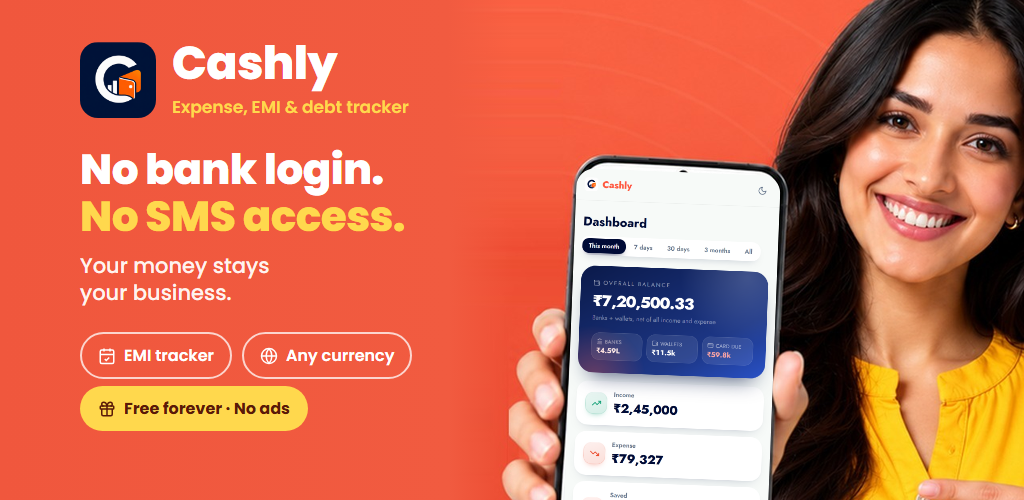
Cashly is a free personal finance app for Android and the web, used worldwide in any currency and time zone. It tracks expenses and income, real balances for banks, cards and wallets, EMIs and loans, money lent and borrowed, and bills before they are due. It never asks for a bank login, never reads SMS and has no ads.
This repository is the public home of Cashly's developer surface:
| MCP server | https://cashly.corenexis.com/api/mcp - remote, Streamable HTTP, OAuth 2.1 or API key |
| REST API | https://cashly.corenexis.com/api/v1 - JSON, x-api-key header |
| Webhooks | Signed event deliveries for every create, update and delete |
| n8n | Community node @corenexis/n8n-nodes-cashly |
| Registry name | com.corenexis/cashly on the Official MCP Registry |
The server is hosted by Corenexis. There is nothing to install or run: point your client at the URL.
What you can do with it
Ask an assistant things like:
- "Add 450 for groceries paid by UPI today."
- "How much did I spend on food this month compared with last month?"
- "Which bills are due in the next 7 days?"
- "Record this month's car loan EMI as paid."
- "Who owes me money, and how much is left on each?"
- "Create a credit card called Travel Card with a 2,00,000 limit."
Every action works on the signed-in user's own data, and nothing moves real money: recording a payment only updates the tracker.
Quick start
1. Get access
- ChatGPT and other OAuth clients: no key needed. You sign in to Cashly and approve access.
- Everything else: create an API key in Cashly under Settings -> Developer -> API keys. Keys look
like
cn_cashly_...and can be read and write or read only. Up to 5 keys per account.
API, MCP and webhook access are part of the Cashly Pro and Pro Plus plans.
2. Connect your client
ChatGPT (OAuth, no key)
- ChatGPT -> Settings -> Apps (Connectors) -> Advanced, turn on Developer mode.
- Create app (add a custom MCP server):
- Name:
Cashly - Server URL:
https://cashly.corenexis.com/api/mcp - Authentication: OAuth (leave client ID and secret empty - ChatGPT registers itself)
- Name:
- Press Connect, sign in to Cashly and press Allow. Tick Read only if ChatGPT should only look.
Claude Code
claude mcp add --transport http cashly https://cashly.corenexis.com/api/mcp \
  --header "x-api-key: cn_cashly_your_key_here"
Claude Desktop
Add this to claude_desktop_config.json (see examples/claude_desktop_config.json):
{
  "mcpServers": {
    "cashly": {
      "command": "npx",
      "args": [
        "-y", "mcp-remote", "https://cashly.corenexis.com/api/mcp",
        "--header", "x-api-key:cn_cashly_your_key_here"
      ]
    }
  }
}
Cursor, VS Code and other MCP clients
Any client that supports remote Streamable HTTP servers can connect with:
{
  "mcpServers": {
    "cashly": {
      "url": "https://cashly.corenexis.com/api/mcp",
      "headers": { "x-api-key": "cn_cashly_your_key_here" }
    }
  }
}
n8n
- Workflows: install the community node
@corenexis/n8n-nodes-cashly(Settings -> Community nodes). It has every Cashly action plus an instant webhook trigger. - AI Agent: add an MCP Client node (or the MCP Client Tool inside an AI Agent node), transport
HTTP Streamable, endpoint
https://cashly.corenexis.com/api/mcp, headerx-api-keywith your key.
curl / any HTTP client
# List the tools
curl -X POST https://cashly.corenexis.com/api/mcp \
  -H "x-api-key: cn_cashly_your_key_here" \
  -H "Content-Type: application/json" \
  -H "Accept: application/json, text/event-stream" \
  -d '{"jsonrpc":"2.0","id":1,"method":"tools/list"}'

# Log an expense
curl -X POST https://cashly.corenexis.com/api/mcp \
  -H "x-api-key: cn_cashly_your_key_here" \
  -H "Content-Type: application/json" \
  -H "Accept: application/json, text/event-stream" \
  -d '{
    "jsonrpc": "2.0",
    "id": 2,
    "method": "tools/call",
    "params": {
      "name": "create_transaction",
      "arguments": { "type": "debit", "amount": 500, "category": "Groceries" }
    }
  }'
MCP tools
71 tools. Reads are marked read-only and deletes destructive, so clients can ask before acting.
| Area | Tools |
|---|---|
| Account | get_profile, health_check, get_rate_limit_status, get_usage, get_user, update_user, get_billing_status, get_billing_payments, list_signed_in_devices, list_connected_apps, update_notifications |
| Reference and stats | get_categories, get_payment_methods, get_stats |
| Transactions | list_transactions, get_transaction, create_transaction, update_transaction, delete_transaction |
| Debts (lend and borrow) | list_debts, get_debt, create_debt, update_debt, delete_debt, record_debt_payment, settle_debt, add_to_debt, unsettle_debt |
| Accounts | list_accounts, and list / create / update / delete for banks, credit cards, debit cards and wallets |
| EMIs and loans | list_emis, get_emi, get_emi_payments, create_emi, update_emi, delete_emi, record_emi_payment |
| Subscriptions | list_subscriptions, get_subscription, get_subscription_payments, create_subscription, update_subscription, delete_subscription, record_subscription_payment |
| Upcoming bills | get_upcoming_bills, record_bill_payment, skip_upcoming_bill |
| Webhooks | list_webhook_events, list_webhooks, get_webhook, create_webhook, update_webhook, rotate_webhook_secret, delete_webhook, send_webhook_test, list_webhook_deliveries |
Full list with arguments: docs/mcp.md.
REST API
Base URL https://cashly.corenexis.com/api/v1, header x-api-key: <key> (or Authorization: Bearer <key>).
curl https://cashly.corenexis.com/api/v1/transactions \
  -H "x-api-key: cn_cashly_your_key_here" \
  -H "User-Agent: my-app/1.0"
Resources: /me, /usage, /categories, /payment-methods, /stats, /transactions, /debts,
/accounts, /banks, /credit-cards, /debit-cards, /wallets, /emis, /subscriptions,
/upcoming-bills, /webhooks. Data resources support list, get, create, update and delete.
Details, rate limits and error codes: docs/rest-api.md. Webhooks: docs/webhooks.md.
Security and privacy
- OAuth 2.1 with PKCE and Dynamic Client Registration; access tokens last one hour.
- API keys can be read only; every request is scoped to the key owner's data.
- Keys and connected apps can be revoked any time in Settings -> Developer.
- No bank login, no SMS access, no card numbers. Data is never sold or shared with advertisers.
Links
- Website: https://cashly.corenexis.com
- Try the app without an account: https://cashly.corenexis.com/api/auth/demo
- Android: https://play.google.com/store/apps/details?id=com.corenexis.cashly
- MCP guide: https://cashly.corenexis.com/developer/mcp
- API docs: https://cashly.corenexis.com/developer/api
- Support: https://helpdesk.corenexis.com or [email protected]
Cashly is built by Corenexis. This repository holds documentation and examples; the Cashly service itself is hosted by Corenexis. Examples are released under the MIT License.
Pick your client and paste the snippet. Each one is the same server, written the way that client expects it.
- Run the command below in your terminal.
- Restart Claude Code, then check the connection with /mcp.
- Open your client's MCP config file, usually mcp.json.
- Merge this block into it.
- Restart the client to pick up the server.
- Run the command below in your terminal.
- Reload VS Code and check the MCP section of the Extensions view.
- Open ~/.codex/config.toml.
- Append this block.
- Restart Codex to pick up the server.
claude mcp add cashly -- npx -y mcp-remote https://cashly.corenexis.com/api/mcp --header x-api-key:cn_cashly_your_key_here{
"mcpServers": {
"cashly": {
"args": [
"-y",
"mcp-remote",
"https://cashly.corenexis.com/api/mcp",
"--header",
"x-api-key:cn_cashly_your_key_here"
],
"command": "npx"
}
}
}code --add-mcp '{"name":"cashly","args":["-y","mcp-remote","https://cashly.corenexis.com/api/mcp","--header","x-api-key:cn_cashly_your_key_here"],"command":"npx"}'[mcp_servers.cashly]
command = "npx"
args = ["-y", "mcp-remote", "https://cashly.corenexis.com/api/mcp", "--header", "x-api-key:cn_cashly_your_key_here"]Runs locally on your device. Your client starts the server itself, so nothing has to be hosted.
Install with your agent
Paste this prompt into your agent. It reads this page and does the setup for you.
Read https://aiagentslisting.com/mcp/list-the-tools to learn what the "List the tools" MCP server does and how to install it. Add it to my coding agent's MCP configuration as documented on that page, then confirm the server connects and list the tools it exposes.Agents can also browse this directory over MCP at https://aiagentslisting.com/api/mcp
From the project README
claude mcp add --transport http cashly https://cashly.corenexis.com/api/mcpThis server runs locally, so we can't read its tool list over the web yet.
We could not run this server: its endpoint did not list its tools to an anonymous client, which usually means it asks for an API key or a sign-in. The four checks that need a live server are left out, and the grade tops out at B until we can read its tools.
What's missing
- Claimed by ownerThe maintainer proved ownership of this listing.0/4
All 5 checks (4 passed)
- Installation methodRequiredThe README documents at least one way to install or connect.15/15
- Has a READMERequiredThe repository ships documentation we could read.10/10
- Easy installA paste-ready client config (an mcpServers block) is documented.12/12
- Has a licenseThe repository declares a license.8/8
- Claimed by ownerThe maintainer proved ownership of this listing.0/4
- Verified liveNot checkableWe connected to the server and it answered a real MCP handshake.—
- Exposes toolsNot checkableThe server reports at least one tool, from its manifest or a live read.—
- Ships promptsNot checkableThe server exposes at least one prompt template.—
- Ships resourcesNot checkableThe server exposes at least one resource.—
Maintain this server? Claiming proves you own the listing and earns the last 4 points.
Claim this listingShow this grade in your README

Paste this line near the top of your repository's README. The badge always renders the current score.
[](https://aiagentslisting.com/mcp/list-the-tools)Alternatives to List the tools
Nothing comparable is listed yet.
No tagged releases on record.
Send this prompt to your agent to leave a review
Connect to the AI Agents Listing MCP server at https://aiagentslisting.com/api/mcp using the HTTP transport and complete the sign-in when it asks. Then call the submit_review tool for the listing "list-the-tools" with a rating from 1 to 5 and a short note on what worked and what did not.No reviews yet
Be the first to share your experience with this tool.
Subscribe to our newsletter
One email a week. New agents, MCP servers and skills, and what is actually getting traction.