
 Zeptap
MCP server configs, skill and stdio relay for Zeptap: let AI agents operate a real iPhone from a
MCP server configs, skill and stdio relay for Zeptap: let AI agents operate a real iPhone from a Mac.
·
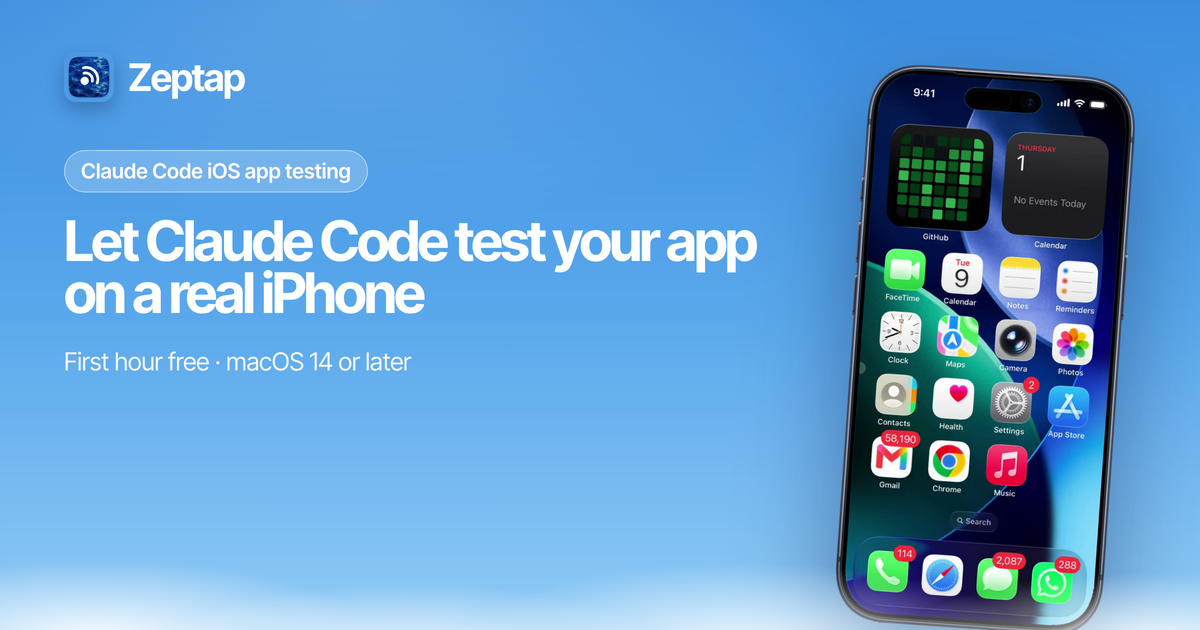
Let AI agents see, tap, swipe and type on a real iPhone.
MCP configs, a Claude Code plugin, an agent skill and a stdio relay for the Zeptap Mac app.
What it is
Zeptap is a Mac app that lets AI agents operate a real iPhone. The Mac reads the iPhone screen over USB and sends taps and typing over Bluetooth through AssistiveTouch. The app runs a local MCP server at http://127.0.0.1:47801/mcp (Streamable HTTP, loopback only, no auth). Every action returns a screenshot, so the agent checks its own work.
Use it to test your own iOS apps on a physical device, or to hand everyday phone tasks to the agent you already use.
"open my app and walk through signup" · "screenshot every screen in dark mode" · "turn on Low Power Mode" · "find the wifi password in Settings"
This repo holds the client configs, plugin, skill and relay. It does not contain the app.
Good to know
🔌 Nothing to install on the iPhone. No Xcode, no Developer Mode, no Apple Developer account. The only step on the phone is Bluetooth pairing.
📱 Real iPhone, not a simulator. App Store apps, Settings, Safari, Messages, TestFlight builds. If you can tap it, the agent can.
🔒 Local only. The MCP server only accepts connections from the same Mac. Screenshots go only to the agent you connect. See privacy.
💳 Paid Mac app, first hour free. The Mac app is closed source. After the first hour of live use: $25/month, $99 once, or $199 once for up to 5 iPhones. See pricing. Everything in this repo is MIT.
Get started
- Download Zeptap, or
brew install --cask zeptap/tap/zeptap. - Connect your iPhone with a USB cable, tap Trust, and pair Bluetooth in the setup assistant.
- Add the server to your agent (below), then ask it to take a screenshot.
You need: a Mac on macOS 14 or later with Bluetooth, an iPhone, and a USB cable.
Connect your agent
Claude Code
claude mcp add --transport http --scope user zeptap http://127.0.0.1:47801/mcpOr install the plugin, which adds the server and the skill:
/plugin marketplace add zeptap/mcp
/plugin install zeptap@zeptap
Cursor
~/.cursor/mcp.json:
{ "mcpServers": { "zeptap": { "url": "http://127.0.0.1:47801/mcp" } } }Codex
~/.codex/config.toml:
[mcp_servers.zeptap]
url = "http://127.0.0.1:47801/mcp"
VS Code
.vscode/mcp.json:
{ "servers": { "zeptap": { "type": "http", "url": "http://127.0.0.1:47801/mcp" } } }Claude Desktop and other stdio clients
{ "mcpServers": { "zeptap": { "command": "npx", "args": ["-y", "@zeptap/mcp"] } } }Or without Node:
{ "mcpServers": { "zeptap": { "command": "/Applications/Zeptap.app/Contents/MacOS/Zeptap", "args": ["--stdio"] } } }Check it works (with Zeptap open):
curl -s http://127.0.0.1:47801/mcp -H 'Content-Type: application/json' -H 'Accept: application/json, text/event-stream' -d '{"jsonrpc":"2.0","id":1,"method":"tools/list"}'Tools
| Tool | What it does |
|---|---|
list_phones | The iPhones connected to this Mac, with ids to pass as phone |
screenshot | Current iPhone screen as an image |
find_text | On-device OCR of screen text, optional filter |
wait | Wait, then return a settled screenshot |
load_skill | Return a built-in app guide |
tap, double_tap, long_press | Touch at x, y |
tap_text | Tap a visible text label |
drag, flick | Drag between points, or scroll in a direction |
type_text, press_key | Type text, or press a key with modifiers |
home, back, dismiss | Home Screen, go back, close sheets or keyboard |
open_app | Open an installed app by name |
lock, unlock | Lock over USB, unlock with a passcode saved in the Keychain (opt in) |
Every action returns a screenshot after the screen settles. Every tool except list_phones takes an optional phone; without it, tools act on the iPhone that is active in Zeptap. Full reference: zeptap.com/docs/agents/tools.
What's in this repo
| Path | What it is |
|---|---|
skills/zeptap/SKILL.md | Agent skill: connection check, look-act-verify loop, when to ask first. Copy to ~/.claude/skills/ or install the plugin |
.claude-plugin/ | Claude Code plugin and marketplace manifest |
.mcp.json | MCP config the plugin installs |
bin/zeptap-mcp.js | @zeptap/mcp, a stdio relay that starts Zeptap --stdio. Set ZEPTAP_BIN if the app is not in /Applications |
server.json, smithery.yaml | Registry manifests |
FAQ
Does it work with Android or the iOS Simulator?
No. Zeptap drives a real iPhone that is cabled to the Mac. Windows, Linux and remote phones are not supported either.
Can it run several iPhones?
Yes. Call list_phones, then pass phone on each call. Calls for different phones run side by side. Up to 5 iPhones need the Lifetime Plus license.
What is it for?
Testing your own iOS apps and automating your own accounts and apps. Not for fake engagement, bulk account creation or device spoofing.
Support
Email [email protected] or read the docs. Errors are covered in troubleshooting.
Made by Afterlume Labs
Pick your client and paste the snippet. Each one is the same server, written the way that client expects it.
- Run the command below in your terminal.
- Restart Claude Code, then check the connection with /mcp.
- Open your client's MCP config file, usually mcp.json.
- Merge this block into it.
- Restart the client to pick up the server.
- Run the command below in your terminal.
- Reload VS Code and check the MCP section of the Extensions view.
claude mcp add zeptap --transport http http://127.0.0.1:47801/mcp{
"mcpServers": {
"zeptap": {
"url": "http://127.0.0.1:47801/mcp"
}
}
}code --add-mcp '{"name":"zeptap","url":"http://127.0.0.1:47801/mcp"}'Runs as a hosted service. Your client connects over the network and nothing is installed locally.
Install with your agent
Paste this prompt into your agent. It reads this page and does the setup for you.
Read https://aiagentslisting.com/mcp/mcp-6 to learn what the "Mcp" MCP server does and how to install it. Add it to my coding agent's MCP configuration as documented on that page, then confirm the server connects and list the tools it exposes.Agents can also browse this directory over MCP at https://aiagentslisting.com/api/mcp
From the project README
claude mcp add --transport http --scope user zeptap http://127.0.0.1:47801/mcpThis server doesn't publish a machine-readable tool manifest, and it doesn't expose a public endpoint we could ask. Connect the server locally to see what it exposes.
We could not run this server: it ships no npx package for our sandbox and no public endpoint. The four checks that need a live server are left out, and the grade tops out at B until one exists.
What's missing
- Claimed by ownerThe maintainer proved ownership of this listing.0/4
All 5 checks (4 passed)
- Installation methodRequiredThe README documents at least one way to install or connect.15/15
- Has a READMERequiredThe repository ships documentation we could read.10/10
- Easy installA paste-ready client config (an mcpServers block) is documented.12/12
- Has a licenseThe repository declares a license.8/8
- Claimed by ownerThe maintainer proved ownership of this listing.0/4
- Verified liveNot checkableWe connected to the server and it answered a real MCP handshake.—
- Exposes toolsNot checkableThe server reports at least one tool, from its manifest or a live read.—
- Ships promptsNot checkableThe server exposes at least one prompt template.—
- Ships resourcesNot checkableThe server exposes at least one resource.—
Maintain this server? Claiming proves you own the listing and earns the last 4 points.
Claim this listingShow this grade in your README

Paste this line near the top of your repository's README. The badge always renders the current score.
[](https://aiagentslisting.com/mcp/mcp-6)Alternatives to Mcp
Nothing comparable is listed yet.
v1.0.1Release notesv1.0.0Release notes
Send this prompt to your agent to leave a review
Connect to the AI Agents Listing MCP server at https://aiagentslisting.com/api/mcp using the HTTP transport and complete the sign-in when it asks. Then call the submit_review tool for the listing "mcp-6" with a rating from 1 to 5 and a short note on what worked and what did not.No reviews yet
Be the first to share your experience with this tool.
Subscribe to our newsletter
One email a week. New agents, MCP servers and skills, and what is actually getting traction.