
 eternityspring
Learning notes and tooling skills for AI video - AI 视频相关的学习与工具 skill
Learning notes and tooling skills for AI video - AI 视频相关的学习与工具 skill
·
reelbench-skills
Claude Code / Codex skills for working with video.
English | 中文 | Telegram @ahao_dev | X @eternityspring
❤️ Sponsor
Click to collapse
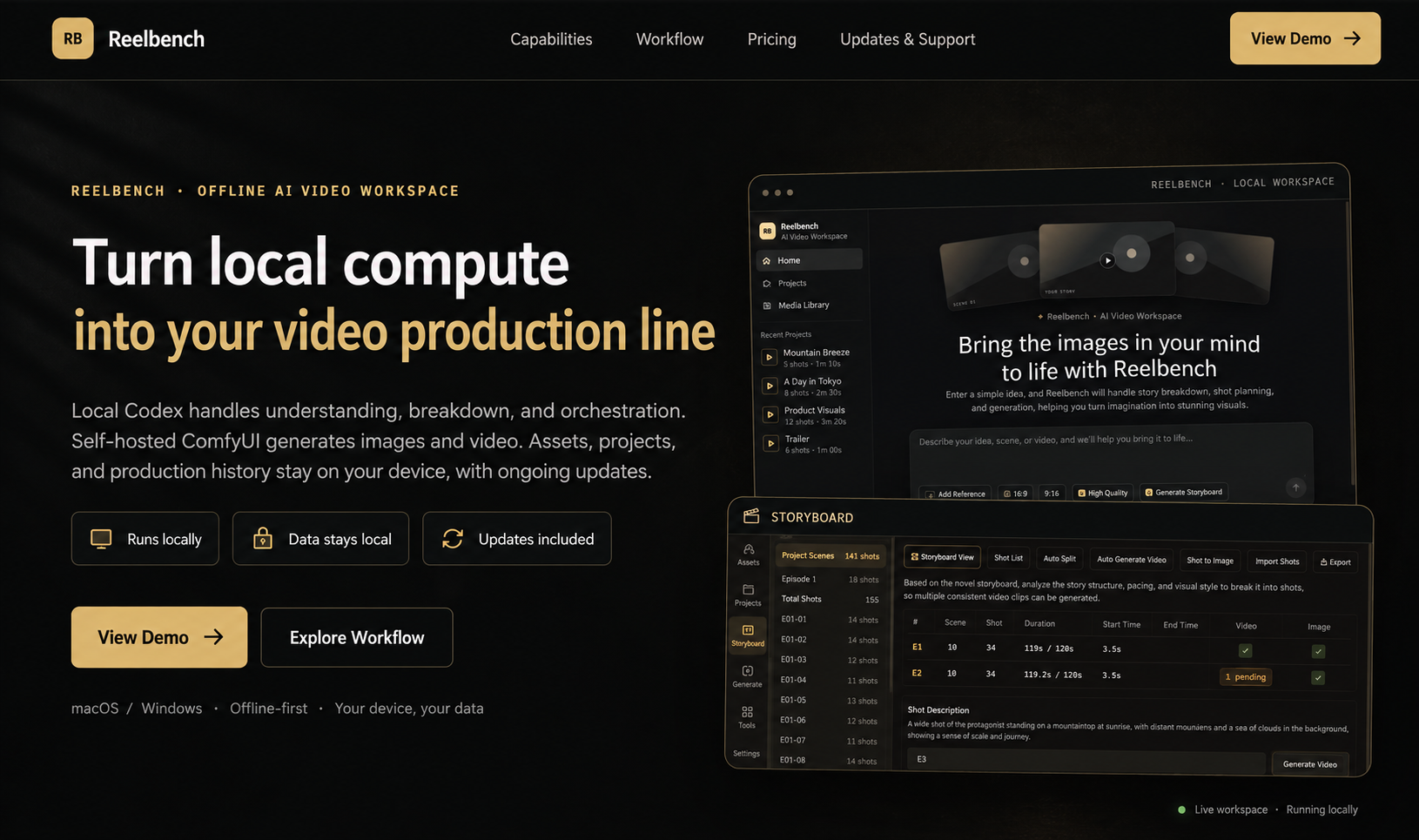 | Reelbench Studio is a paid AI video workspace built by the author of these skills, delivered as source code that runs offline. Local Codex handles understanding, breakdown and orchestration, a self-hosted ComfyUI generates the images and video, and your assets and projects stay on your own machine. |
 | 赛博班底 is a WeChat mini program built by the author of these skills: reference images for AI short video, covering characters, costumes, expressions and more, filterable by category and tag. Every image comes with a Chinese prompt you can copy in one tap, and you can long-press the full-size image to save it. Scan the code on the left in WeChat to open it. |
Skills
| skill | what it does |
|---|---|
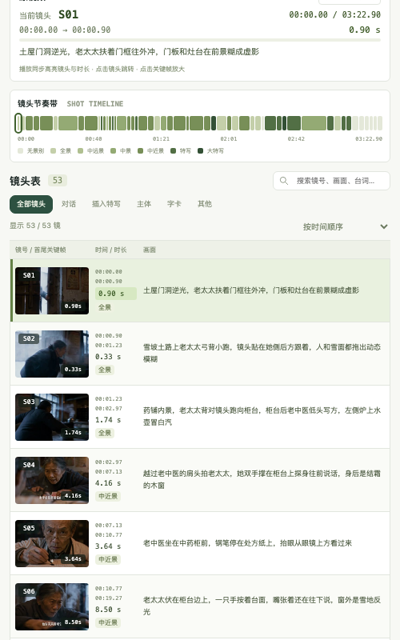
| video-shots | Shot breakdown: turns a finished film into a shot-by-shot table — duration, shot size, category, camera move, frame description, rhythm role. Cuts and durations are measured by ffmpeg; the model only judges what it should; 15 quality gates check every call. |
| video-sync | Composites a video with the shot data alongside it: footage on one side, the current shot's data on the other, switching at every cut with the list scrolling and highlighting itself. Landscape stacks, portrait sits side by side; the layout is one CSS file. |
| video-scrub | Strips metadata: rebuilds the film as a clean file carrying only picture and sound — GPS, device, account IDs and telemetry tracks all left behind. The hard part is the three layers ffprobe cannot see: SEI, the AAC DSE, and compressorname. Byte-for-byte picture by default, verified by 12 byte-level gates. |
AI video community
I run a paid group about AI video — workflows, tools, and how this stuff actually gets done.
Interested? Message me on Telegram @ahao_dev and mention github.
Install
git clone https://github.com/eternityspring/reelbench-skills.git
cd reelbench-skills
./scripts/install.sh
This symlinks the skills into ~/.claude/skills/ and/or ~/.codex/skills/ (whichever exists),
so git pull takes effect immediately.
./scripts/install.sh --claude      # Claude Code only
./scripts/install.sh --codex       # codex only
./scripts/install.sh video-shots   # one skill only
./scripts/install.sh --uninstall   # remove the symlinks
Requirements: node >= 18 and ffmpeg / ffprobe (macOS: brew install node ffmpeg).
No npm dependencies, no API keys — it runs on your current session.
Prefer a copy over a symlink? cp -r skills/video-shots ~/.claude/skills/ —
each skill is self-contained.
Example
demo-report/ is the real output of running the skill on demo-video.mp4
(a 202.9-second AI-generated short film, 啥是AI): 53 shots, 3.83 s average shot length,
15.7 cuts per minute, all 15 gates green. demo-report-en/ is the same pipeline run on a
287.4-second English excerpt with --lang en — an entirely English report: 46 shots, 6.25 s
average, and one 46.92 s take that scene detection never cut, because it genuinely never cuts.
The report is a single interactive page: an embedded player (playback highlights the current shot, click a shot to jump), a pace strip, a shot list you can search, filter and sort (list or card view, first and last keyframe side by side, click a frame to enlarge), distributions, cast, and the quality gates. No external dependencies — double-click it offline.
demo-report/
├── shots-report.html   ← clone and double-click
├── shots.json          ← the breakdown data for all 53 shots
├── shots.md            ← Markdown shot list
├── track.json          ← frame-difference motion curve (the machine's evidence)
└── frames/             ← first and last keyframe of every shot, 106 files
demo-scrub/ is what video-scrub produces — four pieces of text and no video, because its
output looks exactly like the source, which is the whole point. What is worth reading is the
reconciliation, above all half.txt: the textbook recipe leaves ffprobe
looking spotless while the bitstream still carries x264's encoder-settings SEI in 4 places and the
AAC DSE in 8 — no ffprobe command shows either of them.
What video-sync produces is at the bottom of this page — as a video, not a screenshot.
What it looks like
A 287.4-second English excerpt with its 46-shot breakdown, 1280×1296 (the source is 640×360,
blown up with --scale 2). The panel switches with every cut; the list scrolls up and the
highlight rides along:
If the player does not load, grab the file: demo-sync/demo-en-sync.mp4
This repo does not document an install step we could read. Check the README on GitHub.
Install with your agent
Paste this prompt into your agent. It reads this page and does the setup for you.
Read https://aiagentslisting.com/mcp/reelbench-skills to learn what the "Reelbench Skills" MCP server does and how to install it. Add it to my coding agent's MCP configuration as documented on that page, then confirm the server connects and list the tools it exposes.Agents can also browse this directory over MCP at https://aiagentslisting.com/api/mcp
This server doesn't publish a machine-readable tool manifest, and it doesn't expose a public endpoint we could ask. Connect the server locally to see what it exposes.
We could not run this server: it ships no npx package for our sandbox and no public endpoint. The four checks that need a live server are left out, and the grade tops out at B until one exists.
What's missing
- Installation methodRequiredThe README documents at least one way to install or connect.0/15
- Easy installA paste-ready client config (an mcpServers block) is documented.0/12
- Claimed by ownerThe maintainer proved ownership of this listing.0/4
All 5 checks (2 passed)
- Installation methodRequiredThe README documents at least one way to install or connect.0/15
- Has a READMERequiredThe repository ships documentation we could read.10/10
- Easy installA paste-ready client config (an mcpServers block) is documented.0/12
- Has a licenseThe repository declares a license.8/8
- Claimed by ownerThe maintainer proved ownership of this listing.0/4
- Verified liveNot checkableWe connected to the server and it answered a real MCP handshake.—
- Exposes toolsNot checkableThe server reports at least one tool, from its manifest or a live read.—
- Ships promptsNot checkableThe server exposes at least one prompt template.—
- Ships resourcesNot checkableThe server exposes at least one resource.—
Maintain this server? Claiming proves you own the listing and earns the last 4 points.
Claim this listingShow this grade in your README

Paste this line near the top of your repository's README. The badge always renders the current score.
[](https://aiagentslisting.com/mcp/reelbench-skills)Alternatives to Reelbench Skills
Nothing comparable is listed yet.
No tagged releases on record.
Send this prompt to your agent to leave a review
Connect to the AI Agents Listing MCP server at https://aiagentslisting.com/api/mcp using the HTTP transport and complete the sign-in when it asks. Then call the submit_review tool for the listing "reelbench-skills" with a rating from 1 to 5 and a short note on what worked and what did not.No reviews yet
Be the first to share your experience with this tool.
Subscribe to our newsletter
One email a week. New agents, MCP servers and skills, and what is actually getting traction.