
 GgauravJ05
Decklume — a Claude Code skill that turns any topic, notes or PowerPoint into a designed, animated
Decklume — a Claude Code skill that turns any topic, notes or PowerPoint into a designed, animated HTML presentation. 13 designer themes, 30 tested layouts, Magic Move transitions, presenter view and automated design QA.
·
Decklume — AI presentation maker for Claude Code
Turn any topic, notes or PowerPoint into a stunning, animated HTML presentation.
Story-first outlines · your slides in three styles side by side · 13 designer themes · Magic Move transitions · presenter view · vector PDF · automated design QA.
Live demos · Install · Themes · How it works · FAQ · Why I built it
Quick start
Inside Claude Code, run these one at a time:
/plugin marketplace add https://github.com/GgauravJ05/decklume/plugin install decklume@decklumeThen ask: "Make a 10-minute talk on how vaccines train the immune system." Needs Node.js 18+. Other ways to install are under Install.
Most AI-made slides look the same: a heading, three bullets, a purple gradient. Decklume is a Claude Code skill that gives Claude a real design system instead of adjectives. It has a fixed 16:9 canvas, a modular type scale, a 12-column grid, 30 tested slide layouts and thirteen complete themes. A QA gate renders every slide in a real browser and fails the deck on overflow, overlap, low contrast or tiny text before you ever see it.
It's built for students, teachers, researchers and founders: lectures, thesis defenses, class projects, case competitions, hackathon demos, pitch decks and conference talks.
"Make a 15-minute lecture on how sleep shapes memory for first-year psychology students."
The result is this 33-slide deck: press → to step through it,
Pfor the presenter view,Ofor the overview.
The story behind it: Designed, Not Generated: Why I Built Decklume (also on DEV).
[!NOTE] Decklume is actively developed and more features are coming soon. See the roadmap, and tell us what you'd like next.
Contents
- Quick start
- What you get
- Example decks
- Animations and transitions
- Install
- How it works
- Themes
- Layouts
- Presenting
- Command-line tools
- Decklume vs. other slide skills
- FAQ
- Troubleshooting
- Roadmap
- Contributing
What you get
| Story first | Claude writes a slide-by-slide outline with an assertion headline on every slide ("Half the night is stage N2", not "Sleep stages"). You approve it before any design happens. |
| Show, don't ask | Your own title and content slides, rendered in three themes on one comparison page. Pick A, B, C, or mix them. |
| 13 designer themes | Editorial, cinematic, Swiss, academic, consulting, product launch, brutalist, Japanese minimal, playful, chalkboard, engineering blueprint, newspaper and clinical. Each is complete across every layout. |
| 30 tested layouts | Title, section, statement, quote, list, cards, split, full-bleed, compare, timeline, steps, KPI, stats, chart, table, code, diagram, people, agenda, definition, gallery, closing, 2×2 matrix, pricing tiers, roadmap, problem → solution, magazine cover, bento grid, annotated image and chart story, plus a free-form canvas for hand-placed slides. |
| Magic Move | Elements glide between slides (Keynote-style) using the View Transitions API. Pair them by hand, or let auto Magic Move match titles, numbers and images. |
| Animation library | 10 slide transitions, 13 entrance effects (typewriter, count-up, SVG draw…), step builds with highlight sweeps, and line-by-line code walkthroughs. |
| Charts without libraries | Bar, horizontal bar, line and donut charts from data attributes, coloured by the theme, highlighting the point your headline makes. |
| Automated design QA | Overflow, clipped text, overlap, type size, WCAG contrast, font loading, leaked placeholder text, broken images, 16:9 on phones, AI-slop patterns, plus a contact sheet of every slide. |
| Presenter view | Notes, timer, clock and next slide in a second window, synced live. Also overview grid, jump-to-slide, blackout and fullscreen. |
| Edit in the browser | Press E, click any text, ⌘/Ctrl+S saves a clean HTML file. |
| Share anywhere | A single self-contained HTML file, a vector PDF with selectable text (a 33-slide deck is about 1.1 MB), PNG per slide, or a live link. |
| PowerPoint import | Reads .pptx, including bullet levels, tables, images in groups, speaker notes and native chart data. |
Example decks
Four complete decks, each made for a different room. Open one and use the arrow keys; press P for the presenter view.
| Deck | For | Theme | What it shows |
|---|---|---|---|
| How Sleep Shapes Memory | Students and teachers | Folio | All 30 layouts, builds, Magic Move, speaker notes |
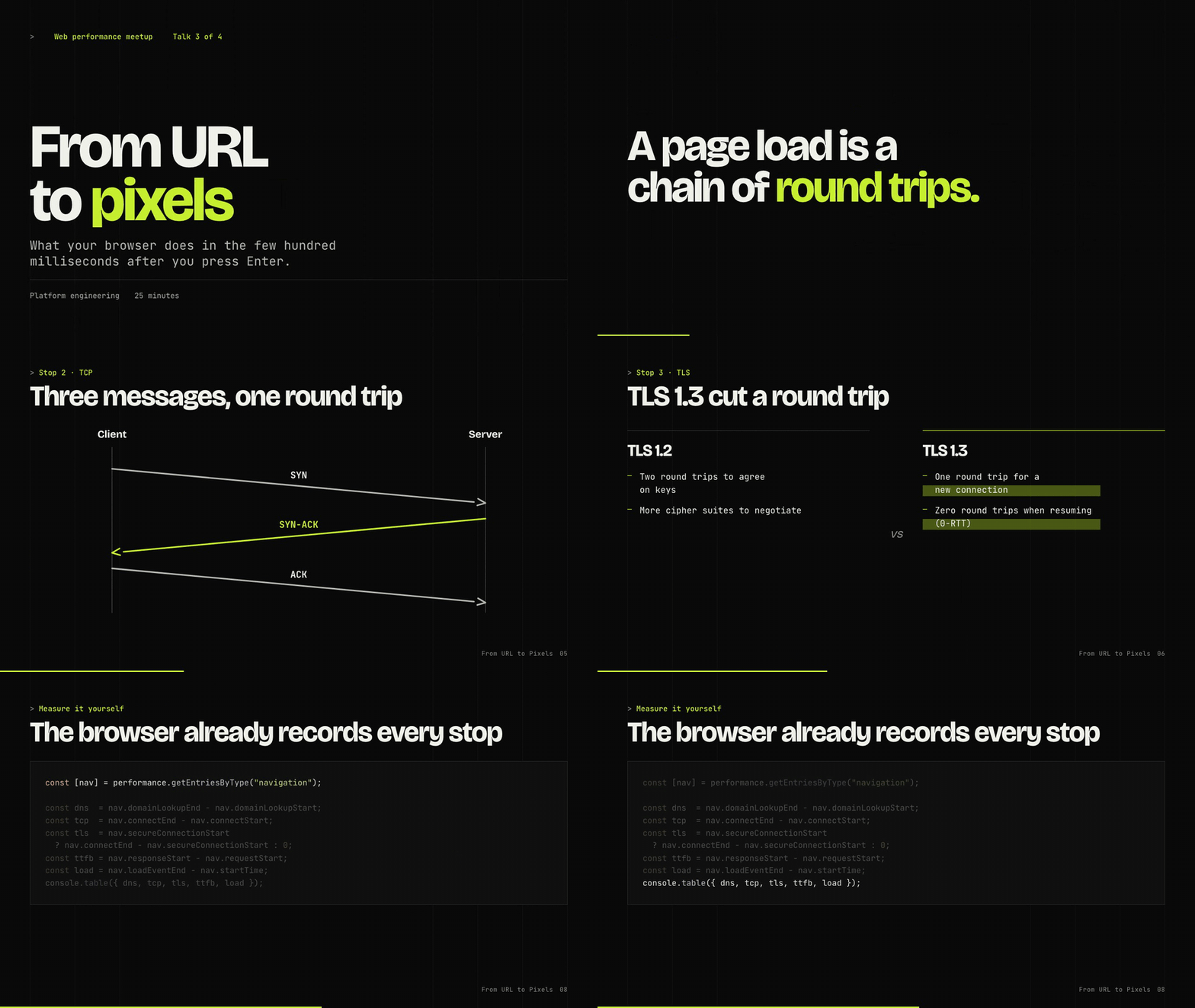
| From URL to Pixels | Engineers | Volt | Push/wipe/flip/iris transitions, a self-drawing diagram, code walkthroughs |
| Does Retrieval Practice Beat Rereading? | Researchers | Campus | A thesis defense with a MathML formula, count-up and highlight builds (fictional study, labelled) |
| Orbit Notes: Seed Pitch | Founders | Aurora | Auto Magic Move carrying a traction number between slides (fictional company, labelled) |
Sources live in examples/; every deck passes the design QA gate.
Animations and transitions
Motion is declared in plain HTML and choreographed by the engine. The full guide is in
references/motion.md.
---
transition: push            # deck default: fade, push, rise, cover, zoom, wipe, iris, blur, flip, morph, none
---
<section class="slide l-kpi" data-transition="iris">
  <p class="big-number num" data-anim="count">1,250<span class="unit">ms</span></p>
</section>

<li class="step" data-anim="highlight">The phrase that matters</li>

<pre class="code" data-lines="1-3|5|7-9"><code>…</code></pre> <!-- one range per press -->| Slide transitions | fade · push · rise · cover · zoom · wipe · iris · blur · flip · morph · none, reversed automatically when going back |
| Entrances | fade · rise · drop · left · right · scale · pop · blur · wipe · iris · flip · type (typewriter) · count (count-up) · draw (SVG strokes) |
| Builds | any entrance on a .step, plus highlight; data-dim dims earlier points |
| Code | data-lines walkthroughs focus one range of lines per press |
| Always safe | reduced motion is respected; PDF, PNG and QA always show the finished slide |
Install
As a Claude Code plugin (recommended)
Run these one at a time inside Claude Code:
/plugin marketplace add https://github.com/GgauravJ05/decklume/plugin install decklume@decklumeThen ask for a presentation, or call it directly with /decklume:decklume.
As a standalone skill
git clone https://github.com/GgauravJ05/decklume.git
cp -R decklume/skills/decklume ~/.claude/skills/
Then use /decklume, or just ask Claude for a presentation.
Requirements: Node.js 18+. Design QA, style previews and PDF export use
Playwright, which installs itself once into ~/.cache/decklume (never into your
project). Everything else, including PowerPoint import, needs only Node.
Other coding agents
The skill is plain Markdown plus Node scripts. Point any agent with file and
shell access at skills/decklume/SKILL.md.
How it works
 Brief ──▶ Storyline ──▶ Style discovery ──▶ Build ──▶ QA gate ──▶ Deliver
  1 round    you approve    3 themes, your      single    must pass,    PDF · PNG ·
of Qs the outline own slides HTML contact sheet live link- Brief. One round of questions: purpose, audience, speaker-led or reading deck, length, assets.
- Storyline. An outline table: layout, assertion headline and content for every slide, paced for the talk's length.
- Style discovery. Claude writes your title slide and two key content
slides once, and
preview.mjsrenders them in three contrasting themes side by side. You can also ask for a custom theme designed for your brand. - Build. Claude writes only slide content using layout classes;
build.mjsinlines the engine, theme and fonts into one HTML file. - QA gate.
qa.mjsrenders every slide and must pass with zero errors. Claude then reviews the contact sheet like a designer. - Deliver. It opens the deck and offers PDF, PNG or a live link.
Prompts that work well:
Make a 10-minute thesis defense deck from my abstract and results in ./thesis.md
Turn lecture-04.pptx into a Chalk-themed deck and keep my speaker notes
Pitch deck for our hackathon project — dark, techy, 8 slides, end with the demo link
Case competition deck from this analysis, consulting style, numbered exhibits
Explain the French Revolution to 10th graders in 15 slides, playful but clear
Themes

Every theme is complete across all 30 layouts and passes the same QA. Open the live demos →
| Theme | Best for | Preview |
|---|---|---|
| Folio: editorial serif on warm paper | keynotes, humanities, thesis defenses | 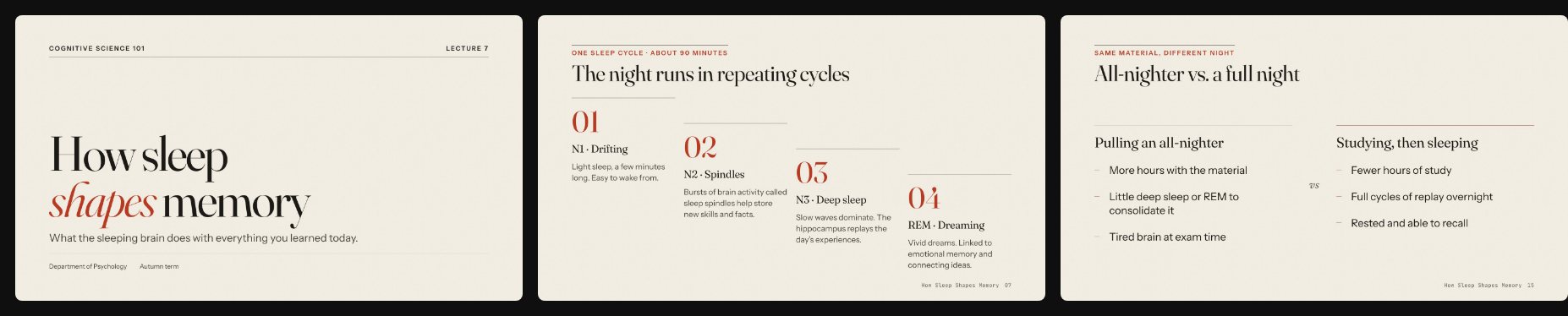 |
| Nocturne: dark cinematic | conference keynotes, storytelling | 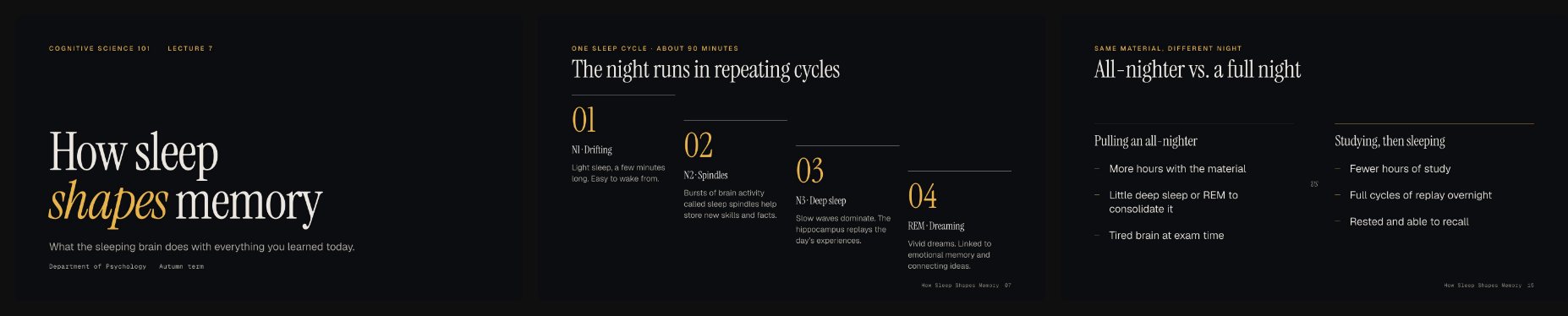 |
| Grid: Swiss International Style | business reviews, design talks, pitches | 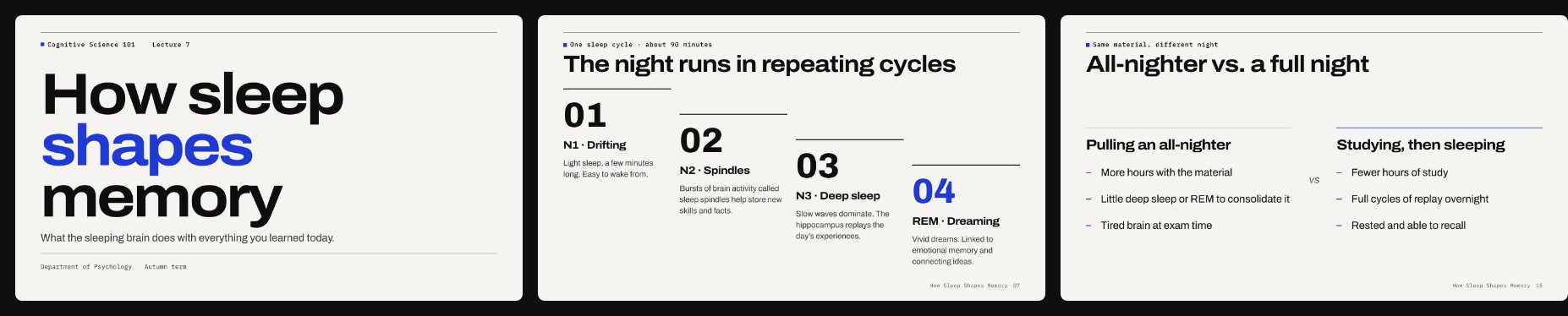 |
| Campus: academic, reading-first | lectures, seminars, study guides | 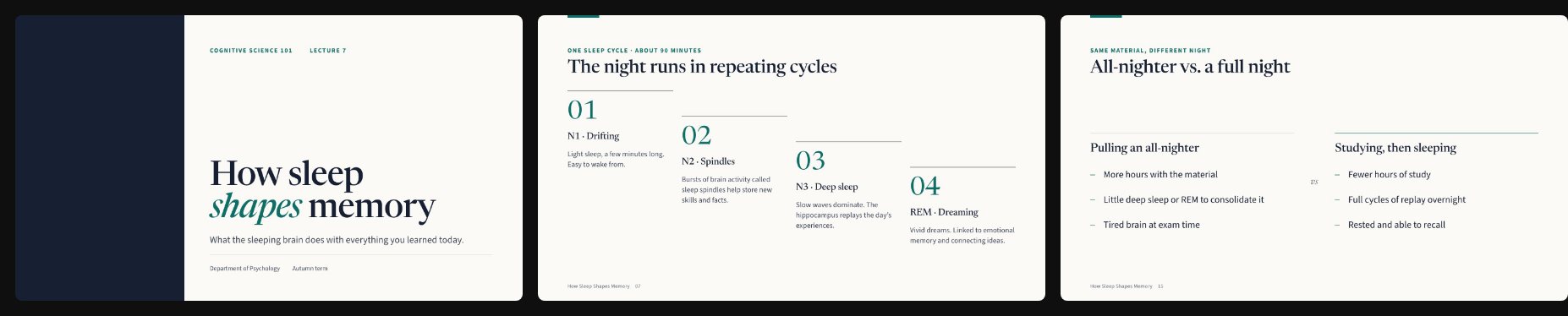 |
| Atlas: consulting, numbered exhibits | case competitions, strategy, finance | 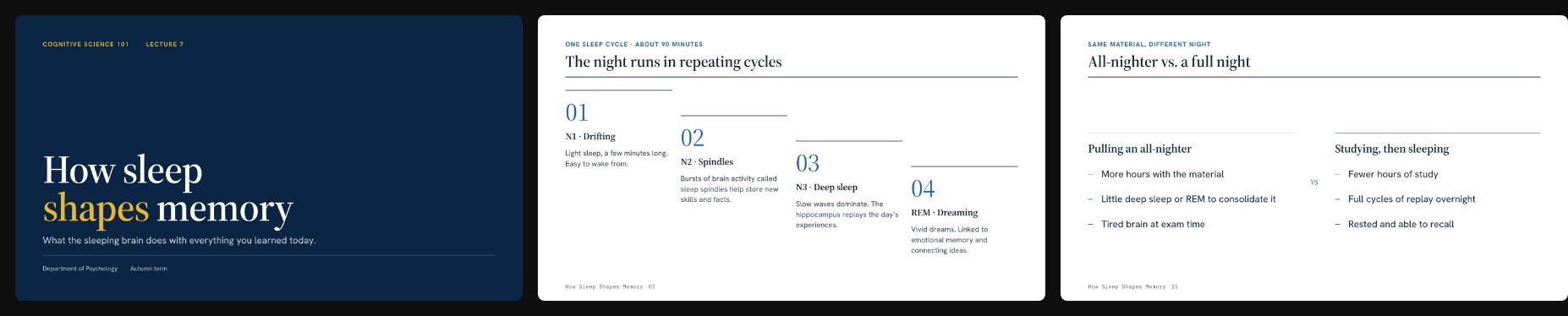 |
| Aurora: product-launch glow | launches, demo days, AI announcements | 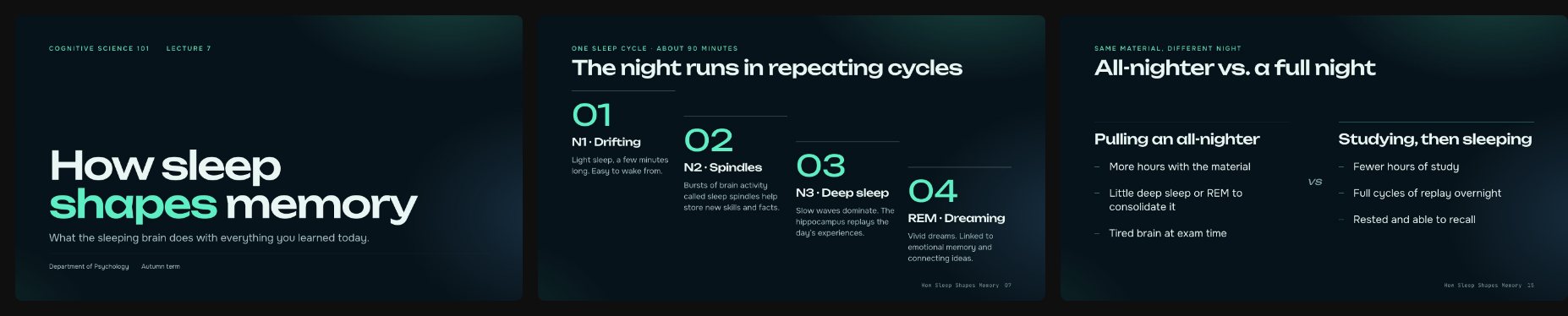 |
| Volt: brutalist terminal | dev talks, hackathons, open source | 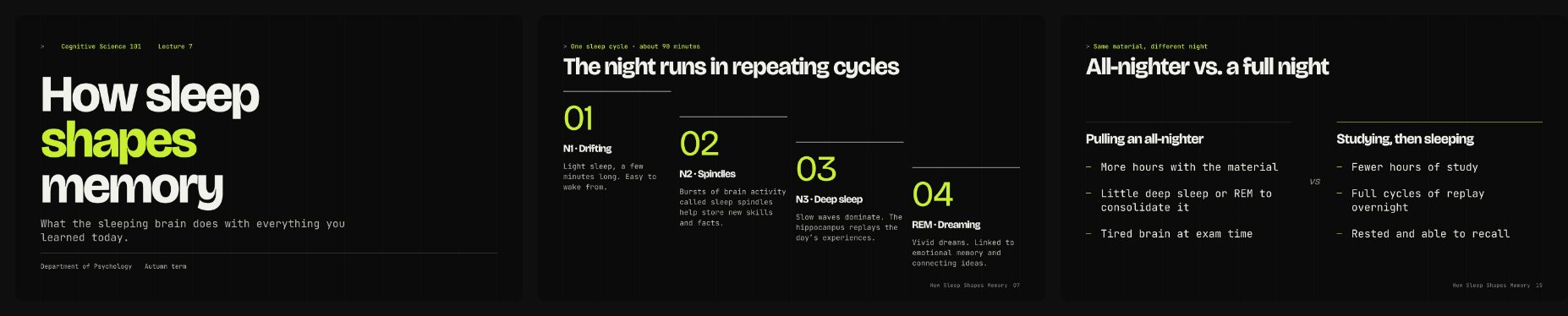 |
| Ma: Japanese minimal | design, architecture, philosophy | 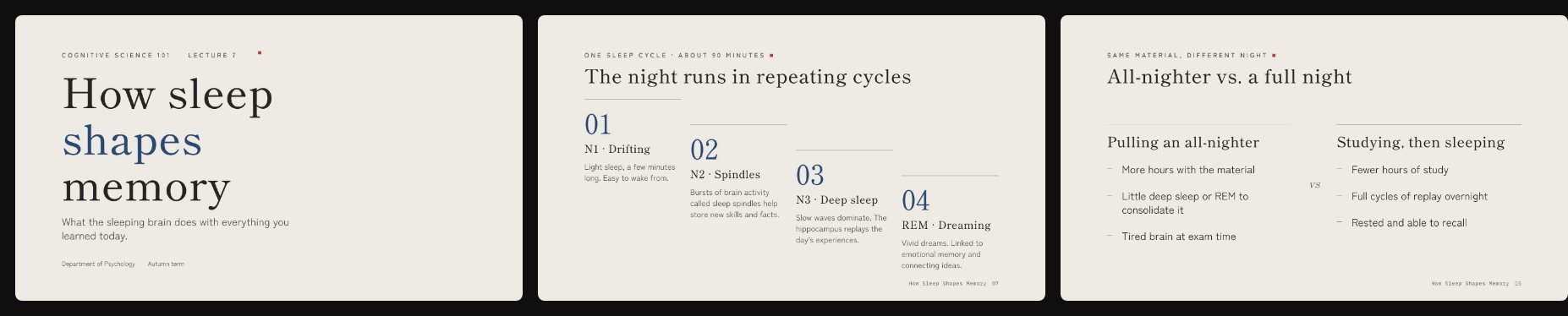 |
| Bloom: warm and playful | workshops, school and club talks | 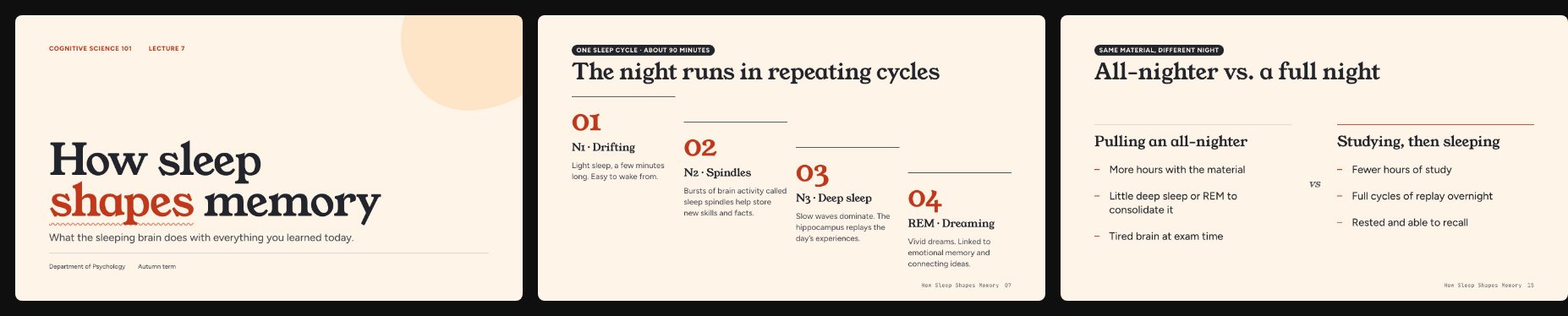 |
| Chalk: classroom blackboard | lessons, tutoring, maths and science | 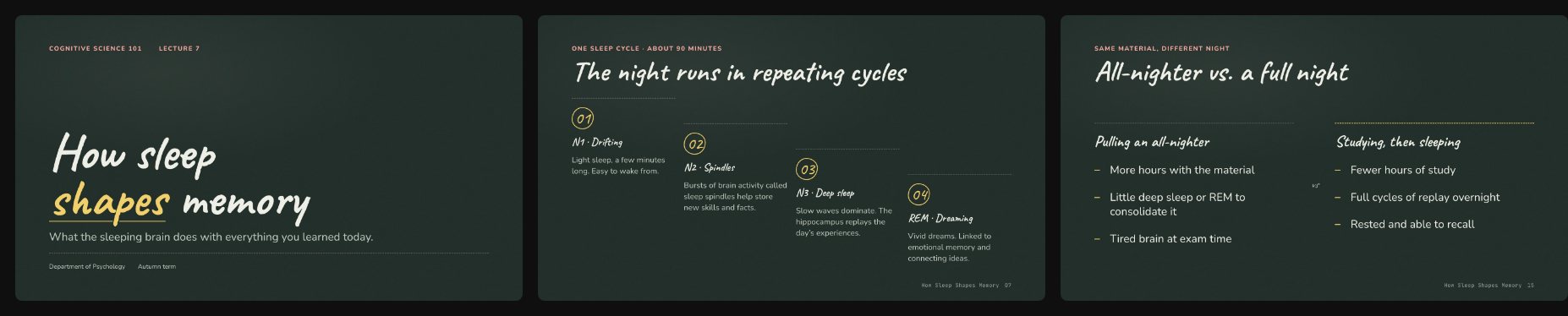 |
| Blueprint: engineering drawing | system design, architecture, STEM | 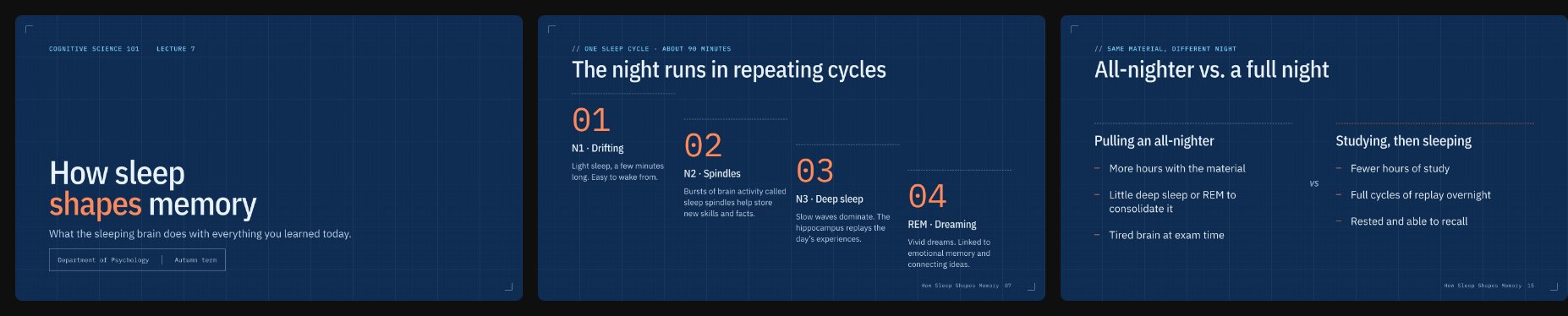 |
| Broadsheet: newspaper front page | reports, policy, journalism, history | 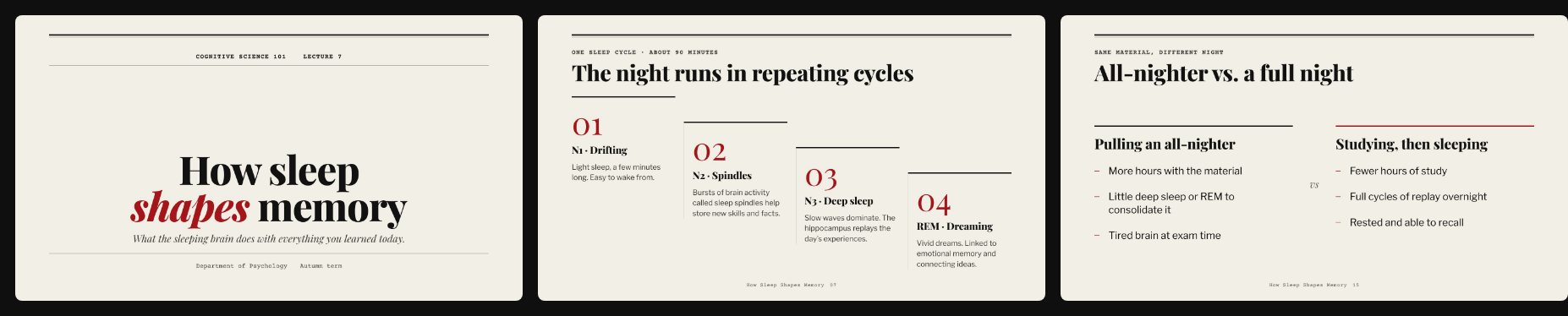 |
| Clinic: clean and reassuring | healthcare, public health, life sciences | 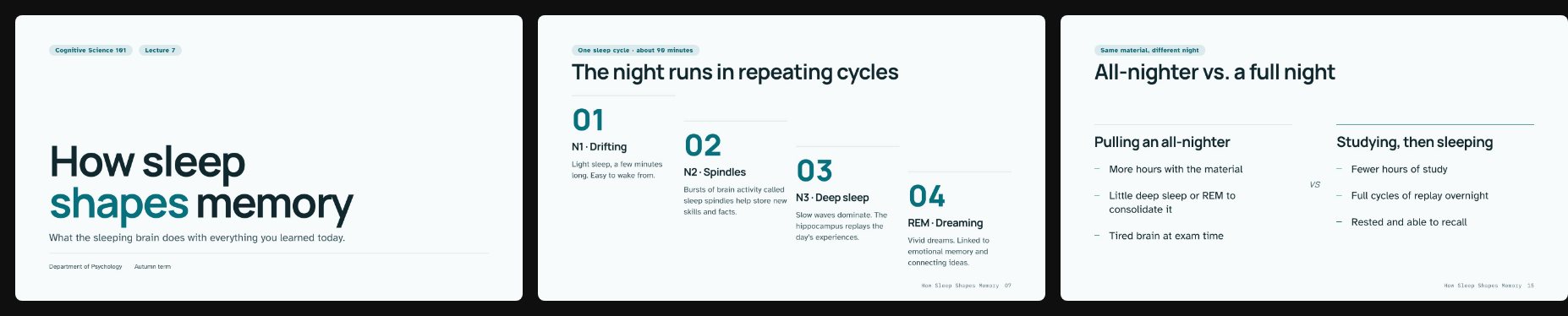 |
Need something else? Claude can design a custom theme for your brand or
subject. See references/custom-themes.md.
Layouts
Slides are written as semantic HTML with one layout class each. The engine does the rest:
<section class="slide l-kpi">
  <p class="eyebrow">Short on sleep</p>
  <p class="big-number num" data-morph="stat">1 in 3</p>
  <p class="lead">US adults regularly sleep less than the recommended seven hours.</p>
  <p class="source">Source: US Centers for Disease Control and Prevention.</p>
</section>
l-title · l-section · l-statement · l-quote · l-list · l-cards ·
l-split · l-bleed · l-compare · l-timeline · l-steps · l-kpi ·
l-stats · l-chart · l-table · l-code · l-diagram · l-people ·
l-agenda · l-define · l-gallery · l-closing · l-free
Each layout's markup and content limits are in
references/layouts.md.
Presenting
| Key | Action |
|---|---|
→ Space / ← | Next step or slide / back |
O | Overview grid (click to jump) |
P | Presenter window: notes, timer, next slide |
12 Enter | Jump to slide 12 |
F · B | Fullscreen · blackout |
E then ⌘/Ctrl+S | Edit text in the browser, save the file |
G | Show the 12-column grid overlay |
? | All shortcuts |
Swipe works on phones and tablets, and the slide always stays 16:9.
Command-line tools
Everything Claude runs, you can run too. Node 18+, no install step.
S=skills/decklume/scripts

node $S/build.mjs talk.deck.html                 # → talk.html (one self-contained file)
node $S/build.mjs talk.deck.html --theme grid --inline-assets --watch
node $S/build.mjs --list-themes

node $S/preview.mjs sample.deck.html --themes folio,nocturne,grid --png
node $S/qa.mjs talk.html                          # design QA + contact sheet
node $S/export.mjs talk.html                      # vector PDF
node $S/export.mjs talk.html --png --scale 2      # retina PNG per slide
node $S/extract-pptx.mjs old.pptx out/            # PowerPoint → JSON + assets (no Python)
node $S/deploy.mjs talk.html                      # live link on Vercel
Decklume vs. other slide skills
How Decklume compares with frontend-slides, another popular open-source Claude Code skill for HTML presentations:
| frontend-slides | Decklume | |
|---|---|---|
| How design is controlled | Prose guidance + style recipes the model translates by hand | Design tokens, 30 tested layouts, themes as code |
| Style previews | 3 separate title-slide files | One comparison page with your title and content slides |
| Story | Asks for content | Approves an assertion-headline outline first |
| Themes | 12 presets + 34 bold recipes (title slide previewed) | 13 complete themes, every layout designed and tested |
| Motion | Entrance animations | Entrances + Magic Move + step builds, per-theme timing |
| Charts | — | Built-in SVG charts |
| Verification | Screenshot advice | Automated QA gate + contact sheet, CI-tested |
| Presenter mode | Notes via host | Presenter window with notes, timer and next slide |
| Screenshot images (~20 MB for 18 slides) | Vector with selectable text (~1.1 MB for 33 slides) | |
| PowerPoint import | Python script: text, images, notes | Pure Node: + bullet levels, tables, groups, native chart data |
FAQ
How do I make a presentation with Claude? Install Decklume (above) and ask: "Make a presentation about…". Claude handles the outline, style, build and QA.
Is it free? Yes, MIT-licensed and open source. You need Claude Code.
Can it convert my PowerPoint? Yes. Give it a .pptx. Text, bullet levels,
tables, images, notes and native charts come through, redesigned.
Does it work offline? The deck is a single HTML file. Fonts load from Google
Fonts the first time; after that the browser caches them. Use
--inline-assets to bake images into the file.
Can I edit the slides myself? Press E in the browser to edit text, or edit
the .deck.html source (plain HTML) and rebuild.
Will it make things up? The skill forbids inventing statistics, quotes or sources. Numbers come from your material or well-established facts, and QA flags placeholder text.
PowerPoint or Google Slides output? Decklume's native format is HTML (it's what makes Magic Move and the presenter view possible). Export to PDF for any platform that needs a file.
Troubleshooting
Playwright or Chromium won't download. QA, previews or export stop at
"Installing Playwright" or "Downloading Chromium". The one-time install
(about 150 MB, into ~/.cache/decklume) needs network access and free disk space.
Behind a proxy, set HTTPS_PROXY; with little space, set DECKLUME_CACHE to another
folder. Then delete the half-finished cache folder and run the command again.
QA failed. qa.mjs exits with ✗ FAILED and lists one line per problem.
Each line gives the slide number, the rule ([overflow], [contrast], [font]…)
and where on the slide it is. Screenshots, report.json and the contact sheet
(contact-sheet.png) are saved next to the deck in <deck>.qa/; failing slides are outlined in red.
Fonts look wrong when presenting offline. Slides fall back to system fonts because web fonts load from Google Fonts. Open the deck once while online so the browser caches them, and present from that same browser.
/plugin install can't find decklume. The install says the plugin wasn't
found because the marketplace isn't registered yet. Run
/plugin marketplace add https://github.com/GgauravJ05/decklume first, then
/plugin install decklume@decklume.
Roadmap
Decklume 0.2.0 is the latest release, and more features are on the way. These are on the list now (directions, not dated promises):
- PowerPoint export: a
.pptxwith your speaker notes, for when you have to hand in a PowerPoint file. - More themes, built and QA-tested across every layout like the current thirteen.
- More layouts and chart types, for kinds of slide the current 30 layouts can't show well.
- More example decks for more subjects and audiences.
Have an idea? Request a feature or request a theme. Watch or star the repo to hear when new releases ship.
Contributing
Contributions are very welcome, especially new themes, layouts and example
decks. Read CONTRIBUTING.md. Every theme must pass npm test
and the QA gate on the showcase deck.
npm test                 # build + browser runtime tests
npm run build:examples   # rebuild examples
npm run build:site       # rebuild live demos and gallery images
Acknowledgements
Typefaces from Google Fonts under the SIL Open Font License.
If Decklume helped you present something, a star helps other students find it.
MIT © 2026 GgauravJ05
This repo does not document an install step we could read. Check the README on GitHub.
Install with your agent
Paste this prompt into your agent. It reads this page and does the setup for you.
Read https://aiagentslisting.com/mcp/decklume to learn what the "Decklume" MCP server does and how to install it. Add it to my coding agent's MCP configuration as documented on that page, then confirm the server connects and list the tools it exposes.Agents can also browse this directory over MCP at https://aiagentslisting.com/api/mcp
This server doesn't publish a machine-readable tool manifest, and it doesn't expose a public endpoint we could ask. Connect the server locally to see what it exposes.
We could not run this server: it ships no npx package for our sandbox and no public endpoint. The four checks that need a live server are left out, and the grade tops out at B until one exists.
What's missing
- Installation methodRequiredThe README documents at least one way to install or connect.0/15
- Easy installA paste-ready client config (an mcpServers block) is documented.0/12
- Claimed by ownerThe maintainer proved ownership of this listing.0/4
All 5 checks (2 passed)
- Installation methodRequiredThe README documents at least one way to install or connect.0/15
- Has a READMERequiredThe repository ships documentation we could read.10/10
- Easy installA paste-ready client config (an mcpServers block) is documented.0/12
- Has a licenseThe repository declares a license.8/8
- Claimed by ownerThe maintainer proved ownership of this listing.0/4
- Verified liveNot checkableWe connected to the server and it answered a real MCP handshake.—
- Exposes toolsNot checkableThe server reports at least one tool, from its manifest or a live read.—
- Ships promptsNot checkableThe server exposes at least one prompt template.—
- Ships resourcesNot checkableThe server exposes at least one resource.—
Maintain this server? Claiming proves you own the listing and earns the last 4 points.
Claim this listingShow this grade in your README

Paste this line near the top of your repository's README. The badge always renders the current score.
[](https://aiagentslisting.com/mcp/decklume)Alternatives to Decklume
Nothing comparable is listed yet.
v0.2.0Decklume 0.2.0: 30 layouts, 13 themesRelease notesv0.1.0Decklume 0.1.0Release notes
Send this prompt to your agent to leave a review
Connect to the AI Agents Listing MCP server at https://aiagentslisting.com/api/mcp using the HTTP transport and complete the sign-in when it asks. Then call the submit_review tool for the listing "decklume" with a rating from 1 to 5 and a short note on what worked and what did not.No reviews yet
Be the first to share your experience with this tool.
Subscribe to our newsletter
One email a week. New agents, MCP servers and skills, and what is actually getting traction.