
 jangtrinh
AI agent operating system for Blender 5.2: bpy knowledge base, AGENT_OK execution contract, 3D-print
AI agent operating system for Blender 5.2: bpy knowledge base, AGENT_OK execution contract, 3D-print production gate, worked keyboard and desktop-robot builds.
·
DESIGN:OS 3D Blender

An MCP server and agent skill for Blender 5.2. Your coding agent models, renders and checks mechanical parts on your machine: four tools, an AGENT_OK contract, and a 3D-print production gate. Specs are locked to millimeters. Exports are STL and glTF.
FREE + source-available (PolyForm Shield 1.0.0).
Quickstart · What it makes · How it works · Install · Limits
Quickstart
In Claude Code:
/plugin marketplace add jangtrinh/design-os-3d-blender
/plugin install design-os-3d-blender@design-os-3d-blender
From a clone (Codex, Gemini CLI, Antigravity, Cursor, or a standalone MCP client):
git clone https://github.com/jangtrinh/design-os-3d-blender.git
cd design-os-3d-blender
python3 scripts/self_check.py
pip install .
Point your MCP client at the installed command, and set BLENDER_BIN to your Blender 5.2 binary:
{
  "mcpServers": {
    "design-os-3d-blender": {
      "command": "design-os-3d-blender",
      "env": {
        "BLENDER_BIN": "/Applications/Blender.app/Contents/MacOS/Blender"
      }
    }
  }
}
On Linux the binary is often /usr/bin/blender. The first tool will tell you if it cannot find it. If you use uv, uv run design-os-3d-blender from this repository starts the same server, with no need to publish a package.
Ask for a part in plain English. A typical pass validates a spec.json, runs a headless bpy script, and stops on one line: AGENT_OK or AGENT_FAIL.
What it makes
These are real builds from this repository, made in Blender 5.2 through the agent pipeline.
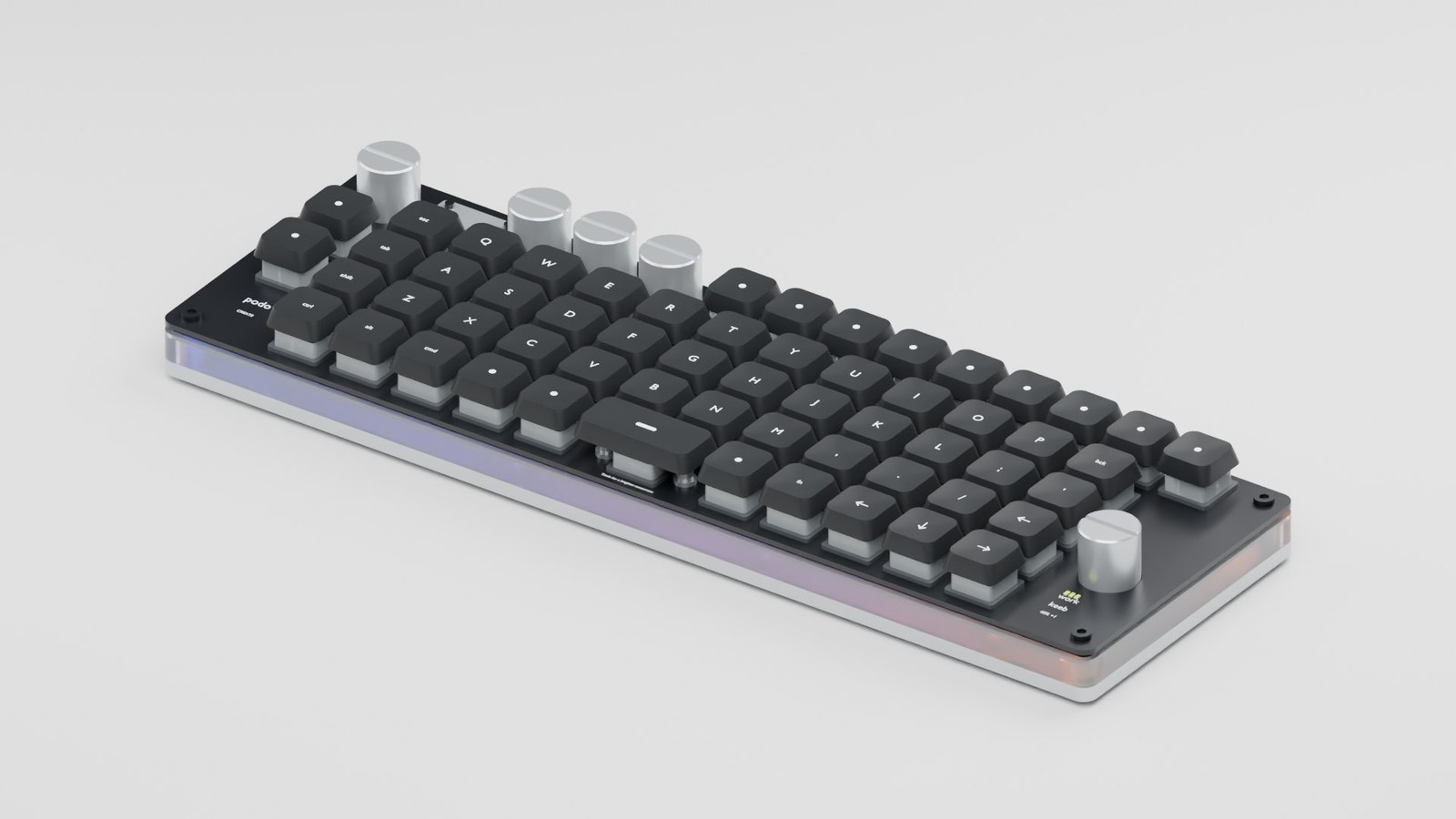
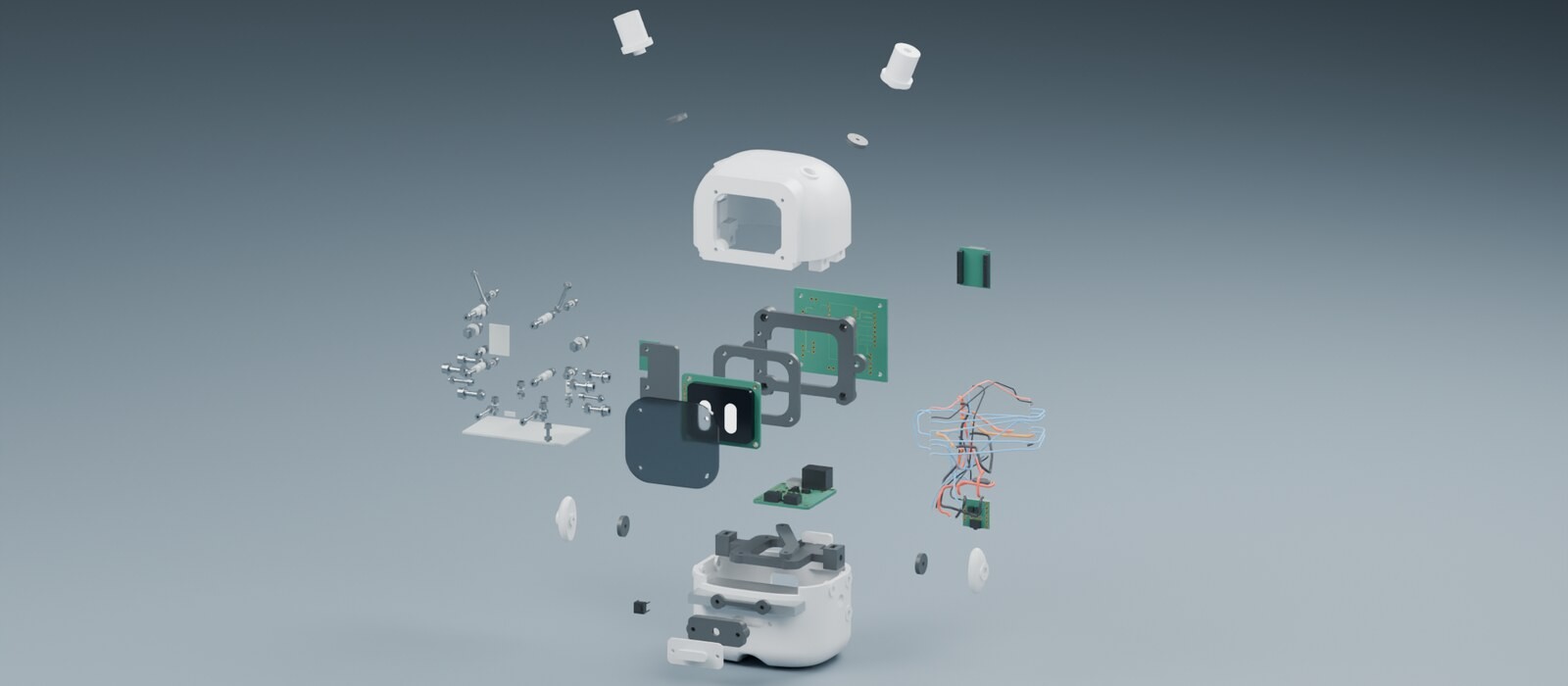
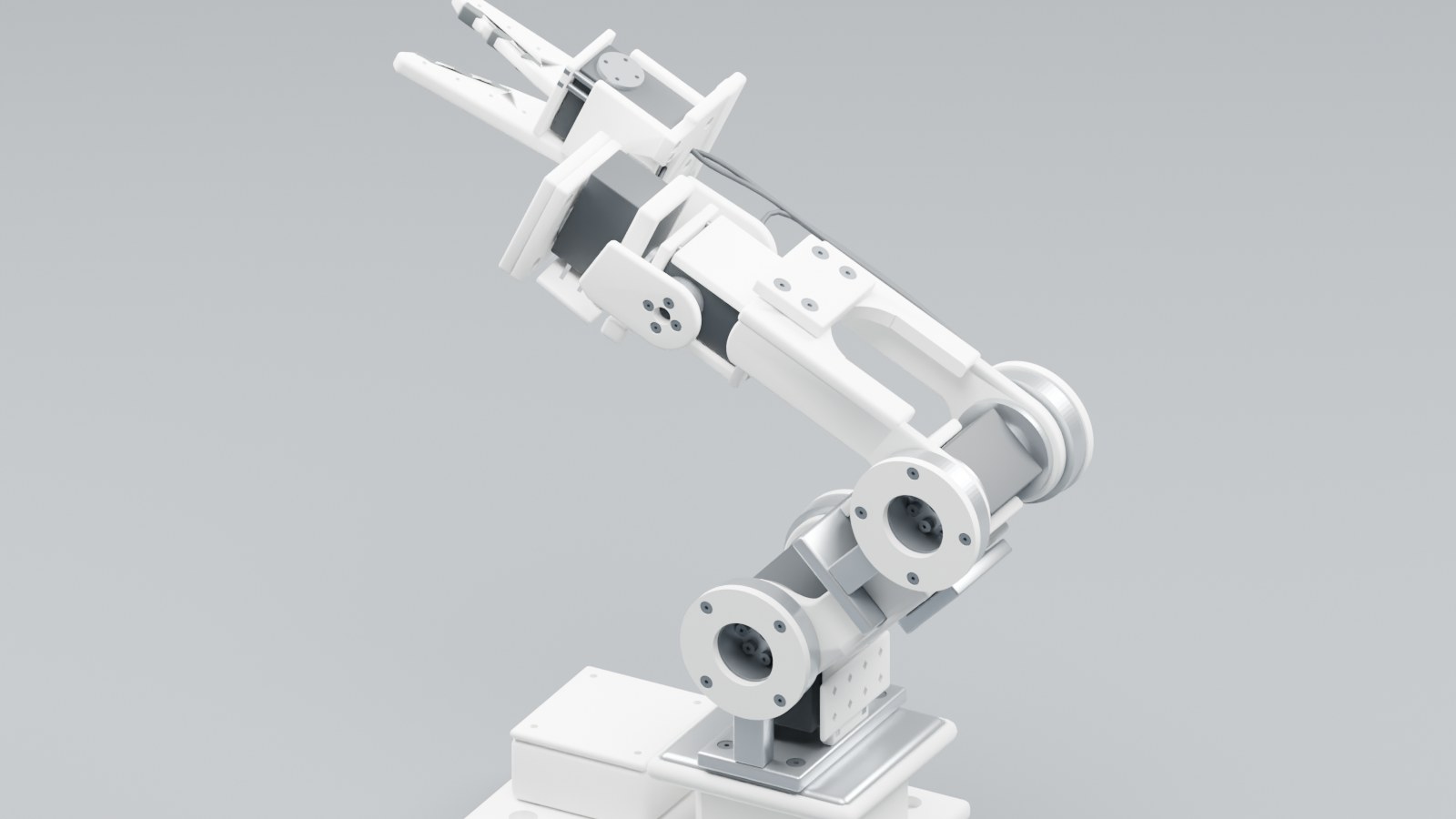
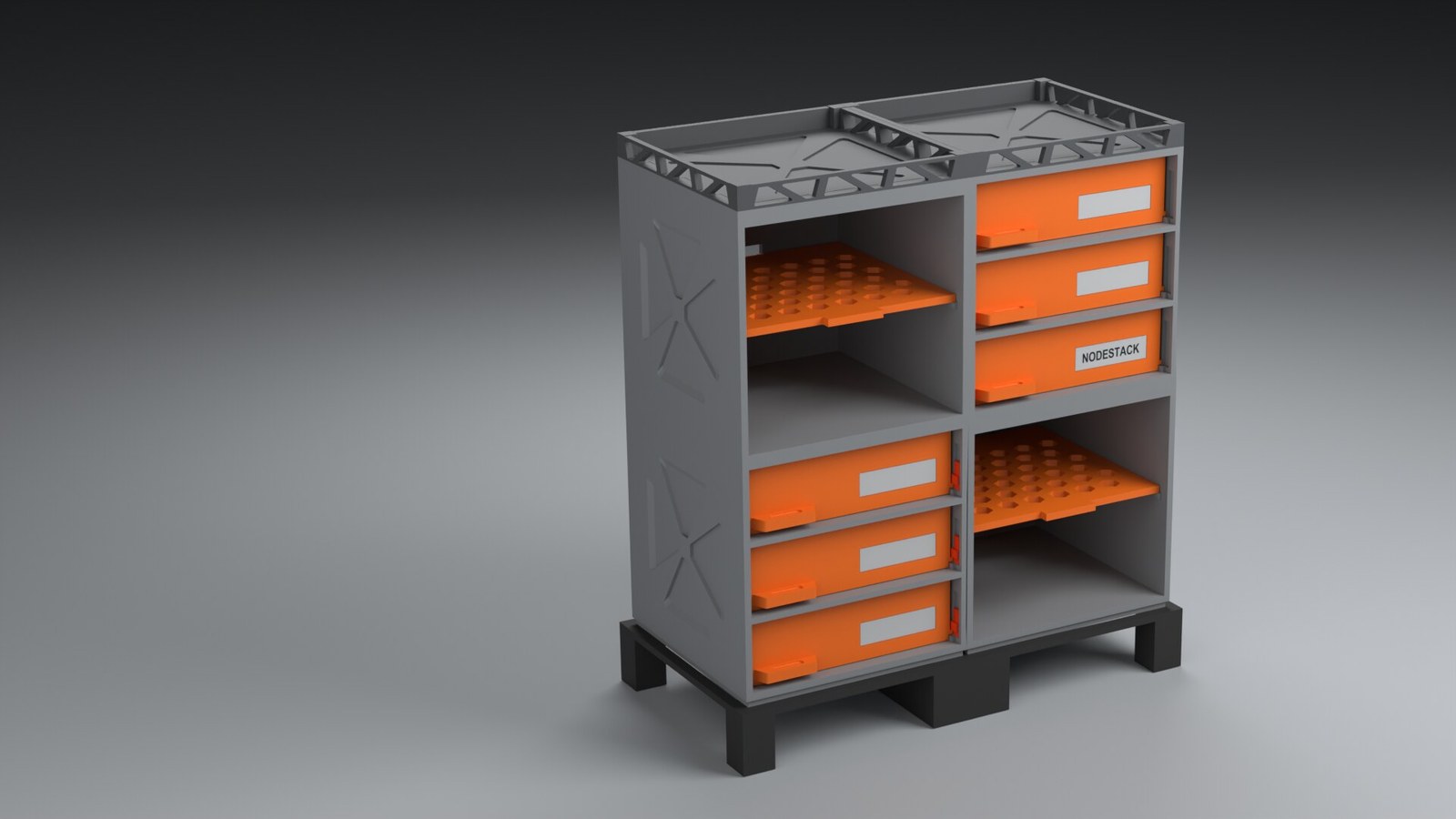
| Build | What it is | In this repo |
|---|---|---|
| CK-001 | A compact keyboard, from photo and spec to a printable kit | docs/reviews/ck-001/r02 |
| DC-01 | A desk robot: printed parts, a carrier board, an assembly film | docs/reviews/dc-01/r03 |
| Robot arm | A printable arm, with gated plates | builds/robot-arm-print-assembly |
| Nodestack | Modular industrial storage | docs/reviews/nodestack/r03 |
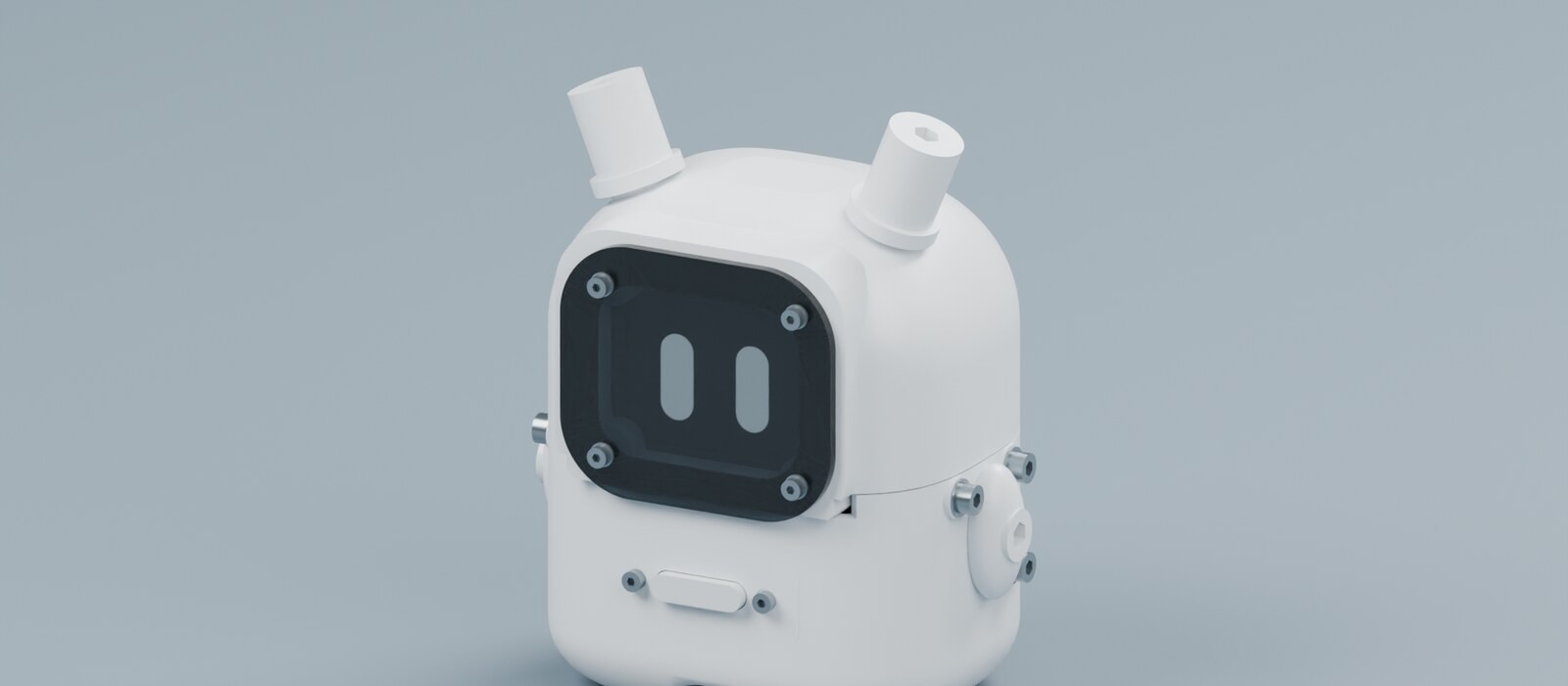
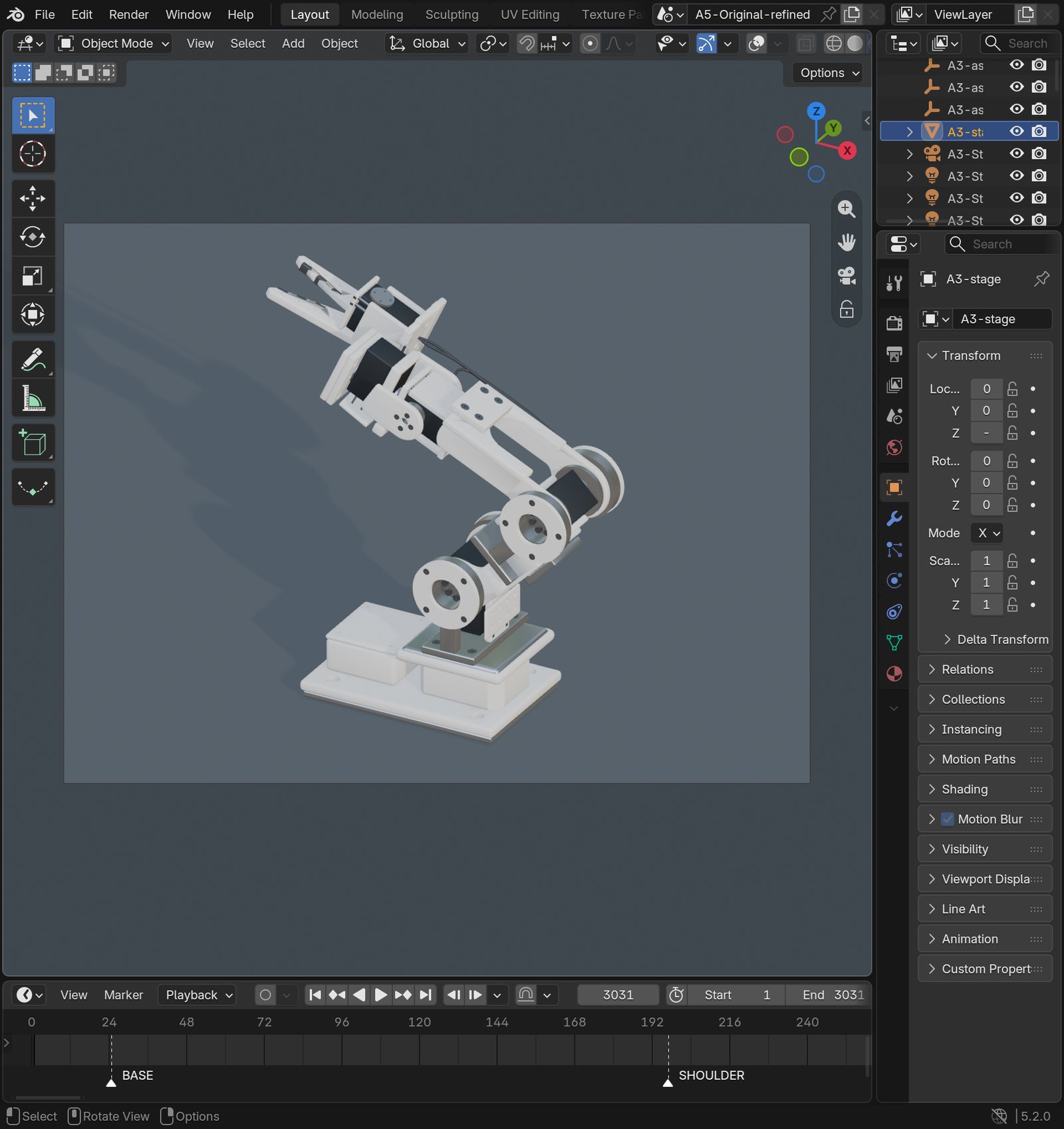
DC-01 assembled, and the printable robot arm open in a real Blender 5.2 window. Print plates for the arm are in docs/images/readme/builds/print-plates.jpg and docs/media/robot-arm-print-plates.png.
How it works

The MCP server exposes four tools. That is the count in src/design_os_3d_blender_mcp/server.py on this branch:
| Tool | What it does |
|---|---|
blender_runtime_status | Host, Python, and whether a Blender 5.2 binary is on the path. Call this first. |
query_blender_knowledge | Search the verified bpy 5.2 knowledge base in knowledge/ before writing a script. |
validate_part_spec | Check a spec.json: units in mm, target dimensions, tolerance, minimum wall. |
execute_blender_pass | Run a headless pass and read the AGENT_OK or AGENT_FAIL line. |
Two prompts (design_parametric_part, review_geometry_gate) and two resources (blender://knowledge/index, blender://specs/bracket-example) sit next to the tools. They are not extra tools.
Every executed pass ends with one machine-readable line. Exit codes alone are not a verdict. The 3D-print production gate checks manifold geometry, wall thickness and millimeter-locked bounds. Worked specs live in specs/ and builds/.
The Claude Code, Codex and other agent plugins install the same skill, skills/design-os-3d-blender/SKILL.md. /doctor is a read-only diagnostic. python3 scripts/self_check.py is the offline repository check: it prints ok: design-os-3d-blender self-check passed (design-os-3d-blender) and exits 0 when the manifests and contracts match.
Nothing in the server sends data off your machine. See PRIVACY.md.
Install
Choose the setup that matches your agent. Every option uses the same skill at skills/design-os-3d-blender/SKILL.md.
Claude Code
/plugin marketplace add jangtrinh/design-os-3d-blender
/plugin install design-os-3d-blender@design-os-3d-blender
OpenAI Codex
git clone https://github.com/jangtrinh/design-os-3d-blender.git /tmp/design-os-3d-blender
mkdir -p ~/.codex/skills/design-os-3d-blender ~/.codex/prompts
cp -R /tmp/design-os-3d-blender/skills/design-os-3d-blender/* ~/.codex/skills/design-os-3d-blender/
cp /tmp/design-os-3d-blender/prompts/doctor.md ~/.codex/prompts/design-os-3d-blender-doctor.md
rm -rf /tmp/design-os-3d-blender
Gemini CLI and Google Antigravity
git clone https://github.com/jangtrinh/design-os-3d-blender.git /tmp/design-os-3d-blender
mkdir -p ~/.gemini/skills/design-os-3d-blender
cp -R /tmp/design-os-3d-blender/skills/design-os-3d-blender/* ~/.gemini/skills/design-os-3d-blender/
rm -rf /tmp/design-os-3d-blender
OpenCode, Cursor, Windsurf and other agent harnesses
git clone https://github.com/jangtrinh/design-os-3d-blender.git /tmp/design-os-3d-blender
mkdir -p ~/.agents/skills/design-os-3d-blender
cp -R /tmp/design-os-3d-blender/skills/design-os-3d-blender/* ~/.agents/skills/design-os-3d-blender/
rm -rf /tmp/design-os-3d-blender
Verify or uninstall
Verify:
python3 scripts/self_check.pyOr run /doctor inside Claude Code or Codex to inspect installed skill paths, plugin manifests, and whether Blender is reachable.
Uninstall the skill copies:
rm -rf ~/.claude/skills/design-os-3d-blender ~/.codex/skills/design-os-3d-blender ~/.gemini/skills/design-os-3d-blender ~/.agents/skills/design-os-3d-blenderPrompt recipes live in docs/cookbook.md. More setup notes are in docs/antigravity-setup.md and docs/upstream-agent-integration.md.
Limits
- Sheet-metal or paperboard folding, where 2D crease patterns govern the topology: use
design-os-origami. - Organic character sculpting or a full game-character rig that needs a sculptor's pass.
- 2D vector UI motion: use
design-os-svg-animation.
Watch
A FREE, source-available (PolyForm Shield) agent pipeline for Blender 5.2. Videos from the design:os by Jang channel (Vietnamese, with English terms):
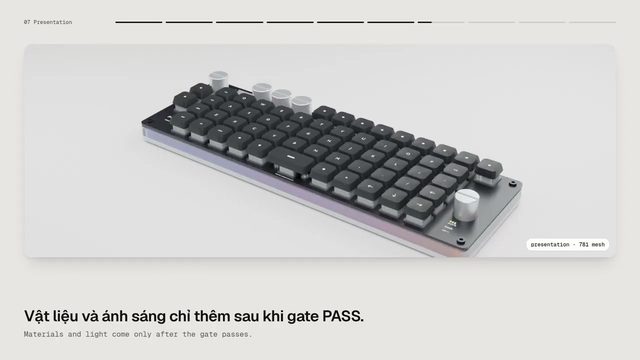
- How to use design os 3d blender repo - ep 1 (2:57). Episode 1: building a keyboard (CK-001) end to end: photo, spec, gates, STL and GLB export. Vietnamese.
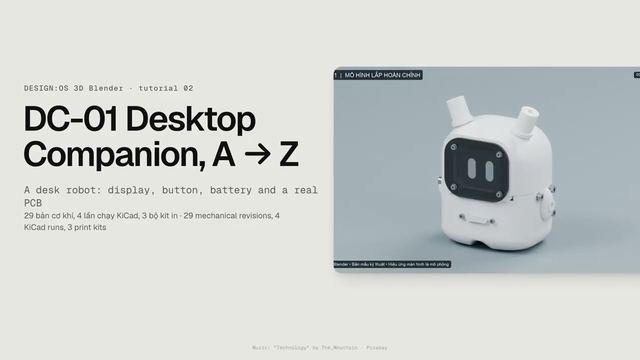
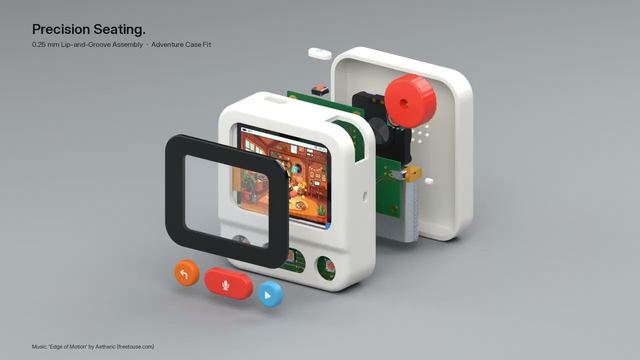
- How to use design os 3d blender repo - ep 2 (5:34). Episode 2: the DC-01 desk robot with 29 mechanical revisions, four gated runs and a printable kit. Vietnamese.
- Fanmade 3D model for Nowa planet - by design os 3d blender (0:27). A 27-second fan-made 3D model of the Nowa desktop product, built with design-os-3d-blender.
More: design:os by Jang on YouTube.
DESIGN:OS
This is one of the DESIGN:OS tools. The others: Studio, CLI, Bridge, SVG Animation, Code2Flow, Knowledge Builder and more on jangtrinh.github.io.
Docs: jangtrinh.github.io/design-os-3d-blender · Changelog: CHANGELOG.md · Index for AI agents: llms.txt
Contributing and license
CONTRIBUTING.md·CODE_OF_CONDUCT.md·SECURITY.md·PRIVACY.md- PolyForm Shield 1.0.0. FREE to use and modify, including for paid client work; you may not resell it or build a competing product from it.
Built by
Built by Jang Trịnh, creative technologist and autonomous system architect. More projects, case studies and writing at jang.work.
GitHub · LinkedIn · Hub · YouTube · X
Listed on

Also listed in the Official MCP Registry (io.github.jangtrinh/design-os-3d-blender), the awesome-mcp-servers list by TensorBlock and SkillsMP.
If design-os-3d-blender saves you time, a star on GitHub helps other engineers and AI agents find it.
Pick your client and paste the snippet. Each one is the same server, written the way that client expects it.
- Run the command below in your terminal.
- Restart Claude Code, then check the connection with /mcp.
- Open your client's MCP config file, usually mcp.json.
- Merge this block into it.
- Restart the client to pick up the server.
- Run the command below in your terminal.
- Reload VS Code and check the MCP section of the Extensions view.
- Open ~/.codex/config.toml.
- Append this block.
- Restart Codex to pick up the server.
claude mcp add design-os-3d-blender -- design-os-3d-blender{
"mcpServers": {
"design-os-3d-blender": {
"env": {
"BLENDER_BIN": ""
},
"command": "design-os-3d-blender"
}
}
}code --add-mcp '{"name":"design-os-3d-blender","env":{"BLENDER_BIN":""},"command":"design-os-3d-blender"}'[mcp_servers.design-os-3d-blender]
command = "design-os-3d-blender"Runs locally on your device. Your client starts the server itself, so nothing has to be hosted.
Install with your agent
Paste this prompt into your agent. It reads this page and does the setup for you.
Read https://aiagentslisting.com/mcp/design-os-3d-blender to learn what the "Design Os 3d Blender" MCP server does and how to install it. Add it to my coding agent's MCP configuration as documented on that page, then confirm the server connects and list the tools it exposes.Agents can also browse this directory over MCP at https://aiagentslisting.com/api/mcp
This server runs locally, so we can't read its tool list over the web yet.
We could not run this server: it ships no npx package for our sandbox and no public endpoint. The four checks that need a live server are left out, and the grade tops out at B until one exists.
What's missing
- Has a licenseThe repository declares a license.0/8
All 5 checks (4 passed)
- Installation methodRequiredThe README documents at least one way to install or connect.15/15
- Has a READMERequiredThe repository ships documentation we could read.10/10
- Easy installA paste-ready client config (an mcpServers block) is documented.12/12
- Has a licenseThe repository declares a license.0/8
- Claimed by ownerThe maintainer proved ownership of this listing.4/4
- Verified liveNot checkableWe connected to the server and it answered a real MCP handshake.—
- Exposes toolsNot checkableThe server reports at least one tool, from its manifest or a live read.—
- Ships promptsNot checkableThe server exposes at least one prompt template.—
- Ships resourcesNot checkableThe server exposes at least one resource.—
Show this grade in your README

Paste this line near the top of your repository's README. The badge always renders the current score.
[](https://aiagentslisting.com/mcp/design-os-3d-blender)Alternatives to Design Os 3d Blender
Nothing comparable is listed yet.
v0.1.0v0.1.0 — Blender agent OS + robot-arm demoRelease notes
Send this prompt to your agent to leave a review
Connect to the AI Agents Listing MCP server at https://aiagentslisting.com/api/mcp using the HTTP transport and complete the sign-in when it asks. Then call the submit_review tool for the listing "design-os-3d-blender" with a rating from 1 to 5 and a short note on what worked and what did not.- JTJang Trịnh
Subscribe to our newsletter
One email a week. New agents, MCP servers and skills, and what is actually getting traction.