
 oil-oil
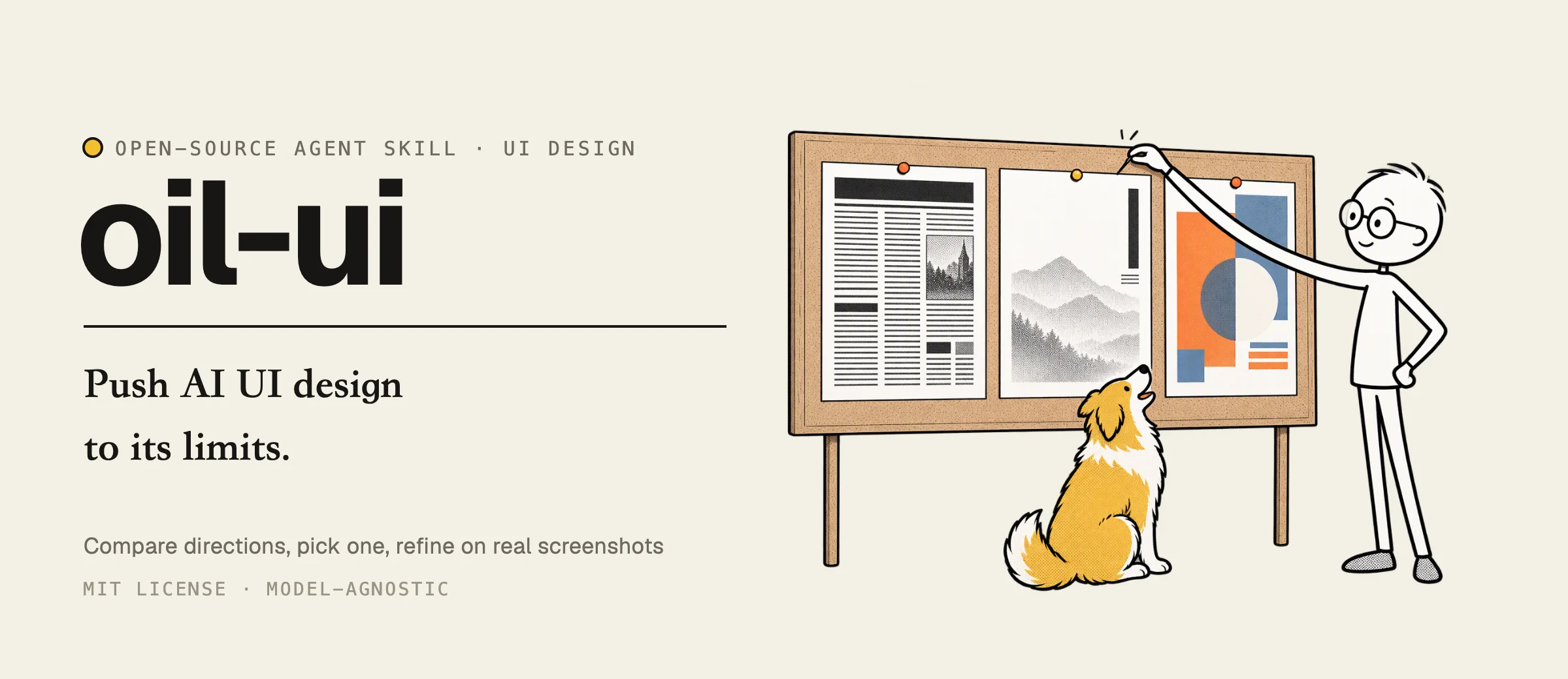
Push AI UI design to its limits: explore distinct directions, compare them side by side, and refine
Push AI UI design to its limits: explore distinct directions, compare them side by side, and refine against real screenshots. 把 AI 的 UI 设计能力推到极限。
·
English · 中文 · 日本語 · 한국어 · Deutsch · Español
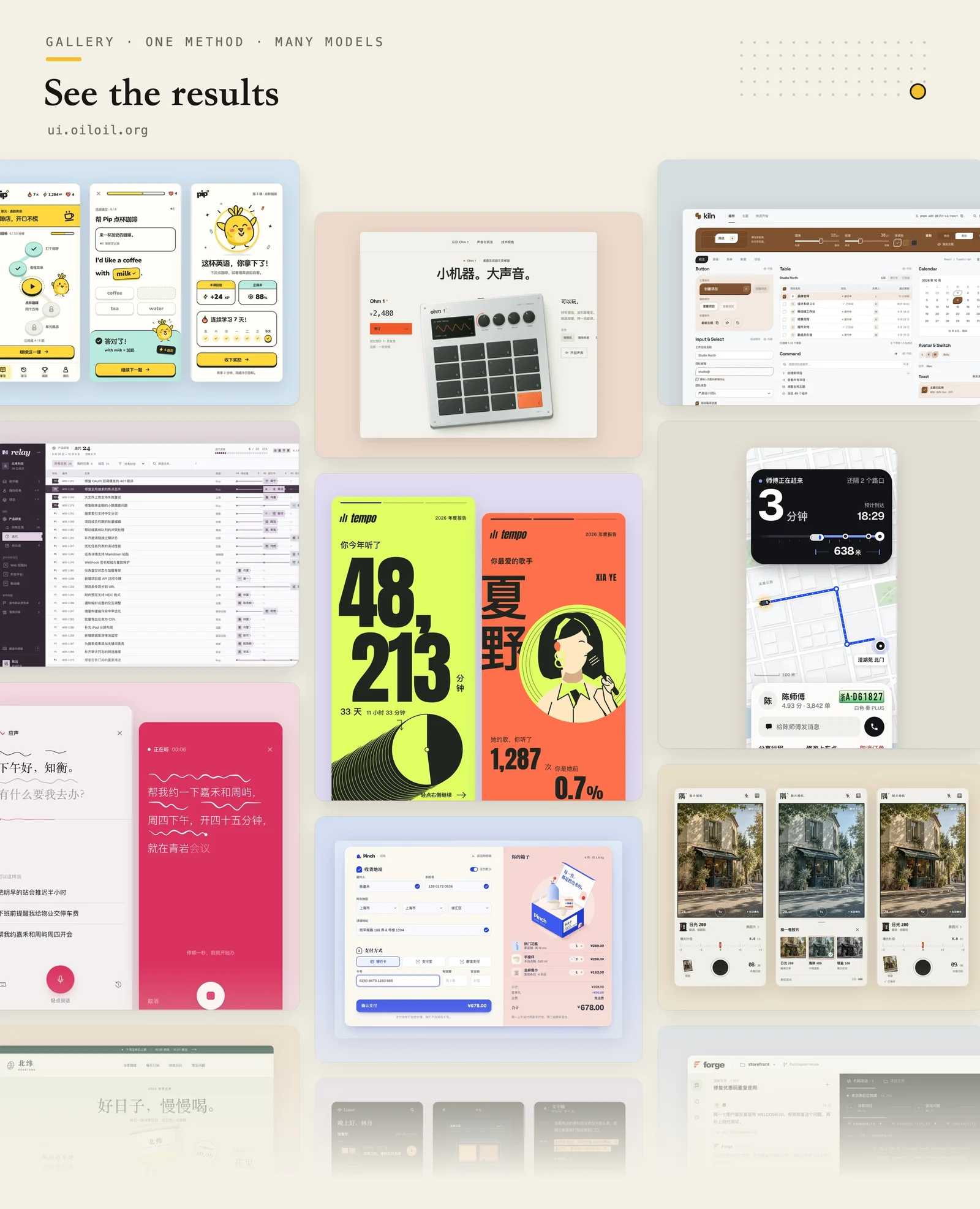
Oil UI is an interface & UI/UX design skill for AI coding agents. It recommends one clear visual direction and refines it against real-browser screenshots, or explores 3 genuinely distinct directions side by side when you ask to compare. Browse 117 live websites, apps, dashboards, and components at ui.oiloil.org.
npx skills add oil-oil/oil-uiCompatible with: Claude Code, Cursor, Codex, Windsurf, Cline, Antigravity, OpenCode, GitHub Copilot, Roo Code, DeepSeek Harness (dsh-oil-ui), Kimi Code, Trae, and any SKILL.md-compatible agent.
| Without Skill (Same Model & Brief · 83/100, 5/6 checks) | With Oil UI (Same Model & Brief · 88/100, 6/6 checks) |
|---|---|
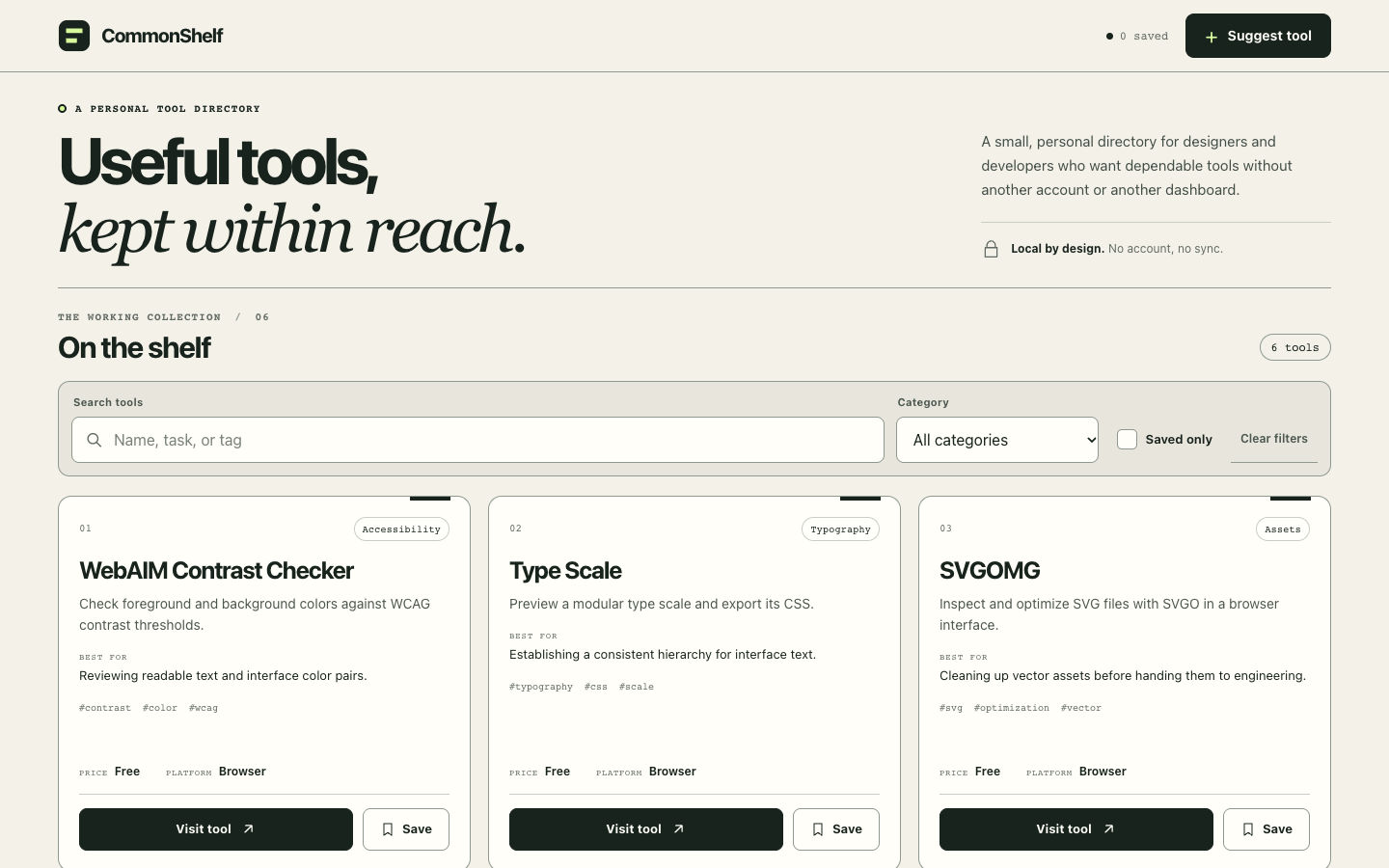 | 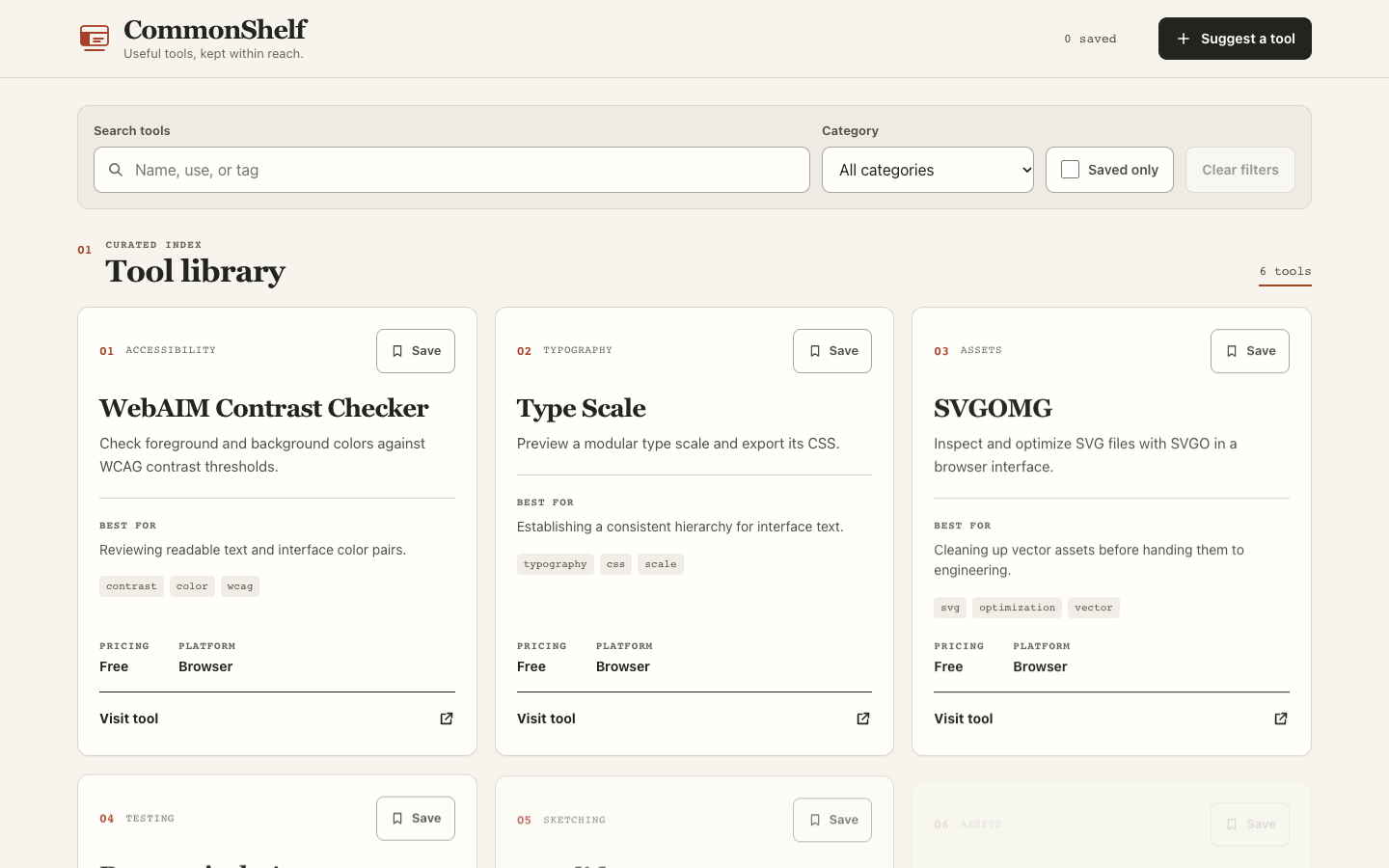 |
| Opening slogan pushes the working tool directory down; small faint labels and mobile error-dialog clipping (15-run blind test →). | Working search and category filter start immediately above the fold; clear card hierarchy, 3/3 runs passed all 6 functional checks (87.0 avg). |
Installation
Run in your terminal:
npx skills add oil-oil/oil-uiOr send this sentence to an agent that can install skills:
Install this skill for me: run npx skills add oil-oil/oil-uiIt works right after installation with zero configuration. When a newer version is available, your agent mentions it at the end of a reply; ask it to update whenever you want. If you already have Oil UI Pro installed, you don't need the open-source edition—installing both makes them compete for the same requests.
If you use DeepSeek Harness, install the native plugin dsh-oil-ui (dsh plugin --profile web add github:oil-oil/dsh-oil-ui; it bundles the free edition and automatically detects a local Oil UI Pro installation).
Usage
Tell your agent what you want to build, review, or redesign:
- “Use oil-ui to explore a few design directions for this course booking product and build pages I can preview.”
- “Create three designs with different typography, colors, and compositions. Put them on a comparison page so I can choose.”
- “Polish this page using the project’s existing design guidelines.”
- “Review this homepage and explain what to change and how. Leave the files untouched.”
- “Recreate this page from the screenshot and add a mobile layout too.”
Share any brand assets, screenshots, or existing codebase you have. It can start without references and only asks questions when the deliverable itself is ambiguous. Intermediate candidates, screenshots, and media caches stay in .oil-ui; final code and production assets are written directly to your project.
How it designs
- Understand what the product is. Before drawing anything, it names the product category, finds two or three peers with distinctive styles, studies why their choices work, and decides what to keep or break away from.
- Turn “premium” and “clean” into real decisions. It sets a concrete tone from the subject, audience, and brand voice—lively or calm, polished or raw, dense or airy—and turns it into visible choices for typefaces, whitespace, and color proportion.
- Start each direction from something concrete. Ideas come from a material, a setting, an object, or the visual language of another craft—not vague adjectives like “minimal” or “bold.”
- Decide who the first screen is for. On pages where people browse, shop, or get work done, screen one starts with the content and controls. Only pages meant to persuade get a choreographed opening layout, settled before copy is written.
- Make explicit comparisons truly different. When you ask for 3 directions, layout, typography, color, and key imagery may share at most one trait between any two. It squints at light/dark shapes side by side and reworks the layout if two look alike.
- Leave one moment people remember. Instead of decorating every block, it makes one or two interactions memorable—a tap response, a payment confirmation, AI in progress, or a 404 page—while keeping the rest quiet.
- You decide what looks right. It recommends one direction for confirmation by default, or generates a single comparison page when asked so you can pick and steer before full implementation.
- Trust the real screen. When a page is built, it opens desktop and mobile viewports to inspect real screenshots, dispatches an isolated reviewer without build-history bias, and finishes with a subtraction pass.
For existing-codebase UI renovations, DESIGN.md consolidation, multi-round 9/10 review loops, or 19 coded card prototypes, see Oil UI Pro. Full differences are listed below.
Benchmarks & Playbooks
- 4 UI Design Skills Tested (15 Blind Runs & Live Demos): Same model, same task brief, 15 independent generations across Oil UI,
frontend-design,UI UX Pro Max,Impeccable, and a no-Skill control, with desktop/mobile screenshots and live HTML demos. - Refreshing Existing Project UI Without Breaking Logic: How to diagnose live screens, renovate across three controlled steps (tidy noise, upgrade layout, rework flow), cut clicks, and extract a repo-wide
DESIGN.md. - Fixing Generic "AI Slop" UI: A subtraction checklist for stripping out glowing eyebrow pills, 4px left accent bars, triple-nested cards, and invented KPI metrics.
- Agent & Scenario Guides: Claude Code UI Design · OpenAI Codex UI Design · SaaS Landing Pages · Dashboards & Workspaces · Interactive Walkthrough
Built-in style comparison page
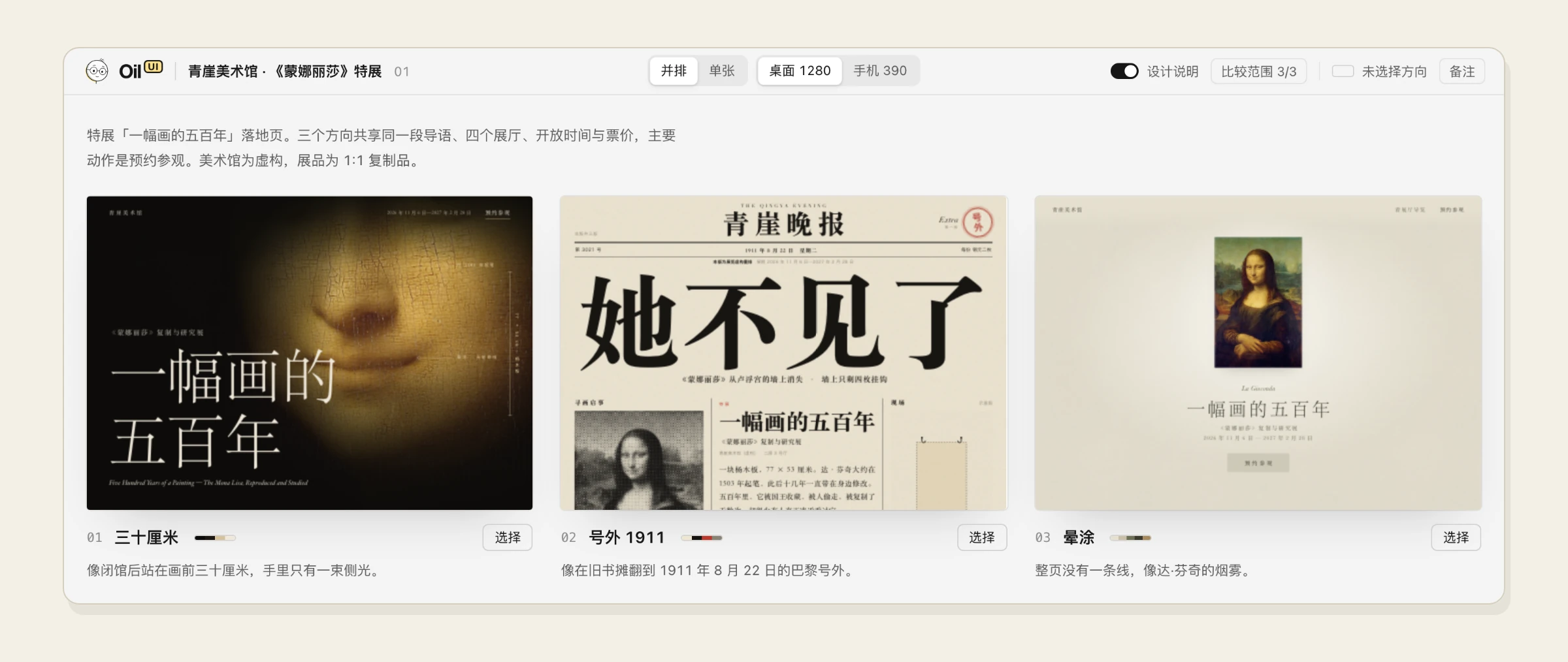
When you want to compare designs, it puts them side by side on one page. Candidates can be HTML files, images, or running local dev servers, with the current version placed first as a baseline. Switch between desktop and mobile viewports, open each candidate at actual size, browse with arrow keys, click “Select” on your favorite, and paste the copied prompt back into your agent.
Open source and Pro
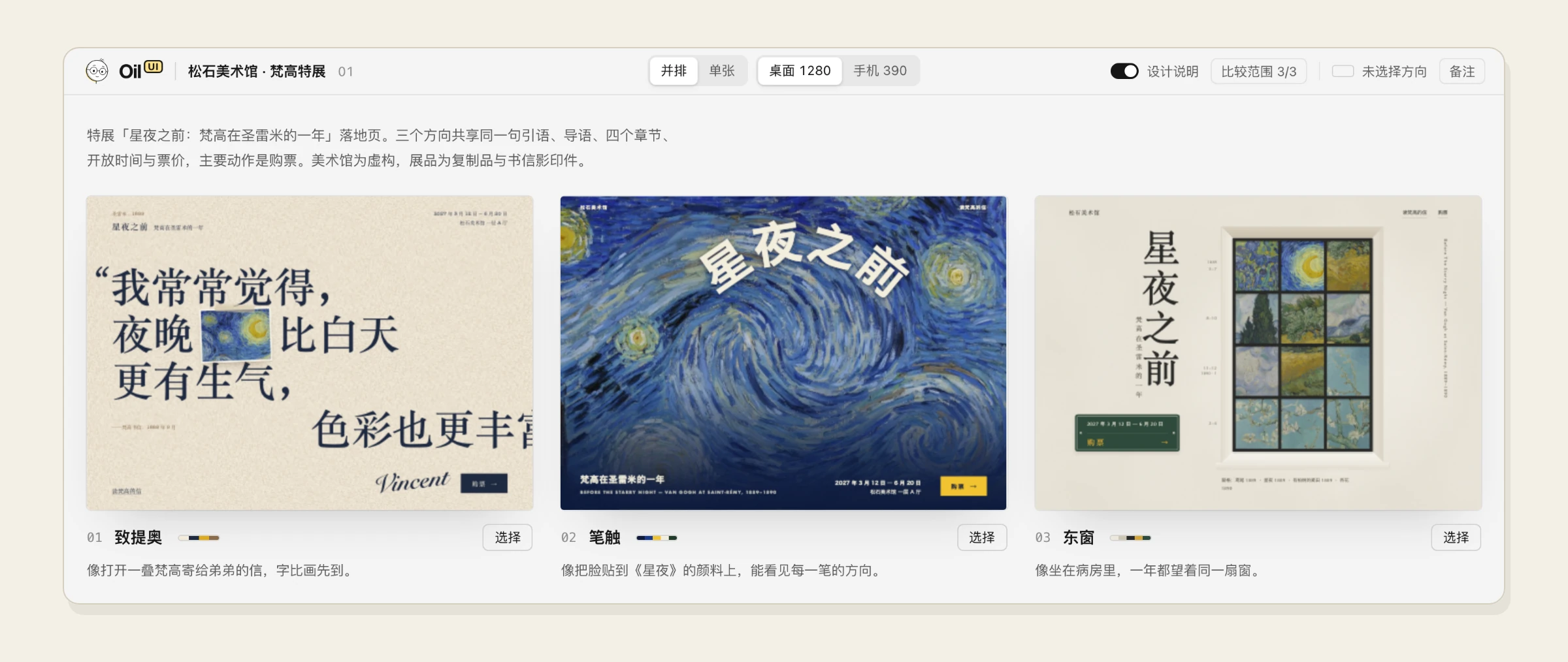
The open-source version takes a new page from a blank start to a distinctive design. Pro builds on that: it makes interfaces easier to use, renovates existing projects without breaking logic, and raises the bar with stricter multi-round review and polishing.
| Oil UI (open source) | Oil UI Pro | |
|---|---|---|
| Design direction: product category, tone, distinct directions, comparison page | ✓ | ✓ |
| Visuals: hierarchy, typography, color, spacing, imagery, and motion | ✓ | ✓ |
| Memorable moments and scroll storytelling (parallax, continuous shots) | ✓ | ✓ |
| Screenshot recreation | ✓ | ✓ |
| Pacing, feel, generated assets, and real-time 3D for mini-games | ✓ | ✓ |
| Independent review | Visual scoring and a lightweight UX walkthrough | Repeated review and revision aiming for 9/10; checks whether directions overlap; autonomous risk probes and same-path UX rechecks |
| Polish: checks for AI design defaults, a detail checklist, and how to simplify | ✓ | |
| Usability: interactions and states, forms, dialogs and popovers, desktop and mobile layouts | ✓ | |
| Dashboards and tools: workspace layouts chosen for the product, with one style throughout | ✓ | |
| Existing projects: separate approaches for a UI refresh, a flow fix, and a new feature | Tells you which one you need | ✓ |
| Prototype to production code: a mapping table, built with the project's own components and libraries, checked side by side against the prototype | Doesn't paste the prototype's code wholesale | ✓ |
| Design system: record DESIGN.md for new projects, merge conflicting rules into one | Points out the conflicts | ✓ |
| From one page to a full set: page map, a reference page per page type, cross-page consistency checks, splitting work across agents | ✓ | |
| Revisions: turn "make it feel more premium" into concrete changes, before/after for every round, keep confirmed parts intact, say when the direction itself is wrong | ✓ | |
| Polish a single component to the extreme | ✓ | |
| 19 card prototypes with code and spatial expansion containers | ✓ | |
| Effects such as light trails, dot patterns, and flowing gradients | ✓ | |
| Scene layouts, visuals, and state checks for mini-games | ✓ |
Oil UI Pro costs $9.99: a one-time purchase with lifetime updates (+ 100 image generation credits). Get it at ui.oiloil.org/pro, or run npx github:oil-oil/oil-cli install oil-ui-pro to let your agent guide sign-in, payment, and installation.
Version checks
Each time it is used, the Skill checks for a newer version at most once every 10 minutes. It only reads the public version list at ui.oiloil.org and uploads nothing from your project. By default it only notifies you; nothing is downloaded or replaced unless you explicitly ask to update. Results are cached in ~/.local/state/oil/ (XDG_STATE_HOME when set; %LOCALAPPDATA%\oil\ on Windows). Requires Python 3; set OIL_NO_UPDATE_CHECK=1 to disable.
Use with
- oil-motion: Turn generated videos or frame sequences into web animation controlled by scrolling or dragging, such as product teardowns or camera fly-throughs.
- oil-tone: Rewrites headings, descriptions, and intro copy so they read naturally and clearly in Chinese or English.
License
Install with your agent
Paste this prompt into your agent. It reads this page and does the setup for you.
Read https://aiagentslisting.com/mcp/oil-ui to learn what the "Oil Ui" MCP server does and how to install it. Add it to my coding agent's MCP configuration as documented on that page, then confirm the server connects and list the tools it exposes.Agents can also browse this directory over MCP at https://aiagentslisting.com/api/mcp
From the project README
npx skills add oil-oil/oil-uiThis server runs locally, so we can't read its tool list over the web yet.
We could not run this server: it ships no npx package for our sandbox and no public endpoint. The four checks that need a live server are left out, and the grade tops out at B until one exists.
What's missing
- Easy installA paste-ready client config (an mcpServers block) is documented.0/12
- Claimed by ownerThe maintainer proved ownership of this listing.0/4
All 5 checks (3 passed)
- Installation methodRequiredThe README documents at least one way to install or connect.15/15
- Has a READMERequiredThe repository ships documentation we could read.10/10
- Easy installA paste-ready client config (an mcpServers block) is documented.0/12
- Has a licenseThe repository declares a license.8/8
- Claimed by ownerThe maintainer proved ownership of this listing.0/4
- Verified liveNot checkableWe connected to the server and it answered a real MCP handshake.—
- Exposes toolsNot checkableThe server reports at least one tool, from its manifest or a live read.—
- Ships promptsNot checkableThe server exposes at least one prompt template.—
- Ships resourcesNot checkableThe server exposes at least one resource.—
Maintain this server? Claiming proves you own the listing and earns the last 4 points.
Claim this listingShow this grade in your README

Paste this line near the top of your repository's README. The badge always renders the current score.
[](https://aiagentslisting.com/mcp/oil-ui)Alternatives to Oil Ui
Nothing comparable is listed yet.
v0.33.4Release notesv0.33.3Release notesv0.33.2Release notesv0.33.1Release notesv0.33.0Release notesv0.32.0Release notesv0.31.0Release notesv0.30.0Release notesv0.29.1Release notesv0.29.0Release notesv0.28.0Release notesv0.27.1Release notesv0.27.0Release notesv0.26.0Release notesv0.25.0Release notesv0.24.2Release notesv0.24.1Release notesv0.24.0Release notesv0.23.9Release notesv0.23.8Release notes
Send this prompt to your agent to leave a review
Connect to the AI Agents Listing MCP server at https://aiagentslisting.com/api/mcp using the HTTP transport and complete the sign-in when it asks. Then call the submit_review tool for the listing "oil-ui" with a rating from 1 to 5 and a short note on what worked and what did not.No reviews yet
Be the first to share your experience with this tool.
Subscribe to our newsletter
One email a week. New agents, MCP servers and skills, and what is actually getting traction.