
 karloows
A clan of orcs that crafts and orchestrates the software development lifecycle for AI coding agents.
A clan of orcs that crafts and orchestrates the software development lifecycle for AI coding agents.
·
Orchraft
Never write a branch name, commit message, or PR description by hand again.
Nothing touches git until you say go, chief.
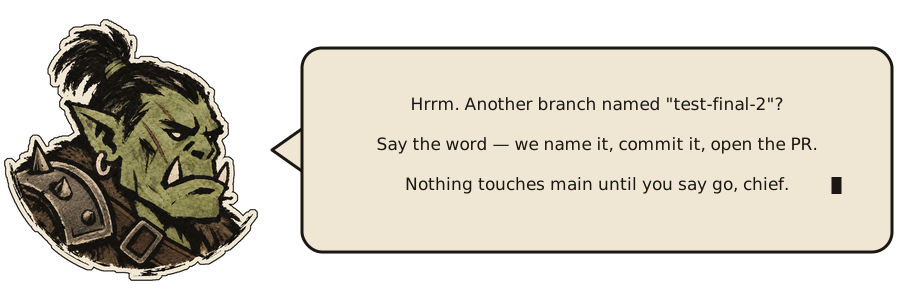
The orc talks back. Here's an illustrative exchange, start to finish:
chief ▸ the login crashes on a null token — fix it

orc   ▸ We read before we swing: the guard was missing in
        src/auth/session.ts. Patched it.
        Validation: `npm test -- auth` → passed.

        Nothing committed. Say the word when you want it shipped.

chief ▸ ship it

orc   ▸ 🚢 Grah! War party launched. PR #123 holds the beach for review, chief. ✨

        Branch: `fix/login-null-token`
        Commit: `fix(auth): guard null login token`
        PR: https://github.com/example/repo/pull/123
        Validation: `npm test -- auth`
You already write the fix. Then comes the part nobody enjoys: naming the branch, writing the commit, drafting the PR description, remembering what's still open. That's the chore orchraft hauls — grounded in your repo's real diff and history, not invented, and nothing touches git or GitHub until you say go. Built first for the solo dev with no one else to hand the busywork to.
The name joins orchestration and craft. The orc does the crafting.
Clan Laws
- The chief decides. No commit, push, merge, or PR comment happens without
your go-ahead in the current turn, by default
(
context/policies/approval-policy.md). Opt intoAutonomous Modethere if you want routine mutations pre-authorized — merge, force-push, delete, and issue close/reopen stay gated either way. - Your stronghold, your rules. We read your project's policies, templates, and CI config first. Our bundled policies are only defaults.
- No bluffing. Branch names, commits, reviews, and explanations come from the real diff, history, and docs.
- Any stack. No assumptions about language, CI provider, or hosting.
The War Band So Far
Each skill is one tool in the clan's kit. These are forged today; more are on the anvil as we cover the rest of the lifecycle.
| Skill | Clan role | What it does |
|---|---|---|
shaman | 🪶 Shaman | Runs a read-only preflight for skills, policies, GitHub access, tools, config, and hooks. |
forgehand | 🔨 Forgehand | Implements requested code changes and runs focused validation without shipping work. |
warplan | 🗺️ Tactician | Drafts an implementation plan grounded in this repo's own conventions and precedent before any code is written. |
quest | 📌 Quest-Giver | Triages, creates, or updates a GitHub issue before implementation starts. |
ship | 🚢 Raid Captain | Creates a policy-compliant branch, commit, push, and pull request from the actual diff. |
roast | 🔥 Trialmaster | Reviews the pull request against your repo's policies and posts findings as inline comments with fixes and copy-paste AI prompts. |
warpath | ⚔️ Warpath | Repeats fix → ship → roast until the latest review reports zero findings; never merges. |
land | 🏰 Haulmaster | Checks mergeability and CI, merges with the method your repository allows or your config names, syncs the base branch, and cleans up the branch. |
yap | 🗣️ Scout | Explains a PR, file, error, policy, or dependency, citing real sources instead of guessing. Read-only. |
lore | 📜 Loremaster | Adds or fixes code comments and docstrings across a diff, file, or PR to match your repo's lore policy. |
chronicle | 📚 Chronicler | Drafts or updates standalone Markdown docs — feature write-ups, design docs, README/ROADMAP sections — grounded in the real diff, code, or history. |
runes | 📖 Rune-Reader | Summarizes the live state of a branch, PR, checks, and standing review findings. Read-only. |
reckoning | 🗂️ Reckoner | Lists every review finding consciously declined rather than fixed, across the whole repo's pull requests. Read-only. |
plunder | 💰 Quartermaster | Reports real repo-wide shipping signal — PRs opened, findings roast caught and their fixed/declined fate, time-to-land. Read-only. |
muster | 🧭 Warden | Reports actionable open-PR state — failing/pending checks, merge conflicts, unresolved review threads — across every repo you own. Read-only. |
herald | 📯 Herald | Drafts release notes from the pull requests actually merged, plus any commit pushed straight to the base branch, then writes them into the GitHub release once you approve. |
warchief | ⚔️ War Council | Chooses the next lifecycle role without treating orchestration as approval for mutations. |
watchtower | 👁️ Watchtower | Surfaces a short read-only nudge about actionable PR state. |
Developer Roles
Ask for work using these Orc role names. The skills are portable; named subagents are optional host adapters. Roles never grant permissions or bypass approval gates.
| Role | Use it for | Agent or skill |
|---|---|---|
| Forgehand | Implementing code changes | Portable forgehand skill; named subagent where supported |
| Tactician | Planning implementation | Claude Code subagent orchraft:tactician; read-only warplan |
| Quest-Giver | Turning reports into issues | quest |
| Loremaster | Comments and docstrings | Claude Code subagent orchraft:loremaster; workspace edits only |
| Trialmaster | Reviewing code or pull requests | Claude Code subagent orchraft:trialmaster; read-only roast review |
| Scout | Explaining code, diffs, errors, or policies | Claude Code subagent orchraft:scout; read-only yap |
| Chronicler | README, ROADMAP, and design documents | Claude Code subagent orchraft:chronicler; workspace edits only |
| Rune-Reader | Branch, PR, checks, and review status | Claude Code subagent orchraft:rune-reader; read-only runes |
| Shaman | Setup and integration preflight | shaman; read-only |
| Haulmaster | Landing an approved pull request | land |
| Herald | Preparing release notes | herald |
| Warchief | Choosing the next lifecycle step | warchief |
| Warpath | Repeating fix → ship → roast until clean | warpath |
For example: “Use the Forgehand to fix this bug” or “Have the Trialmaster
review this pull request.” In Claude Code, invoke them as
orchraft:forgehand, orchraft:trialmaster, orchraft:tactician, and the
other listed agents. Direct skill names remain supported. Agents that can edit
workspace files still stop before commit, push, PR, issue, release, and merge
mutations.
Today's march is warplan → quest → lore → chronicle → ship →
roast → fix → ship → roast (repeat until clean) → land → herald, with yap available at any
point.
What A March Looks Like
Asking for a fix gets you the fix and nothing more, as in the example at the
top of this page. Asking to ship is what sends it: ship it in the current
turn authorizes that whole run — branch, commit, push, and pull request.
The gate sits between the work and git, not inside ship: a request to fix,
address, or resolve something is approval to edit, never to commit. It does
not carry forward either — the next push to that branch needs the word again.
roast posts no review, land merges nothing, and quest closes no issue
until you say so.
Status
Stable enough to build on. The public surface is the skill names, the policy
filenames and what they promise, and the .orchraft.jsonc keys — a breaking
change to any of those comes with a major version bump, so an upgrade never
moves the ground under an installed copy.
Requirements
- Local
gitand file access — enough forloreandchronicleon a diff or file, and forwarchief, which routes to the right skill without reading GitHub state itself. - A host sandbox that permits Git metadata writes and network access for
mutation workflows, or a host that supports per-command escalation. Some
hosts keep
.gitread-only even when workspace files are writable;shipandlandreport that boundary rather than bypassing it. - A GitHub MCP connector configured for the session, authenticated with
write access (not just read) for
ship,roast,land, andquest— they create/update pull requests, post reviews, merge, and manage issues.ghinstalled and authenticated works as a fallback when the MCP connector is unavailable mid-session. ghwith write access forheraldto publish release notes, since the GitHub MCP connector can't write releases. Drafting them needs only read access.- Read-only GitHub access is enough for
runes,reckoning,plunder,watchtower,yap, andwarplanwhen they're only reading PR/issue state, not changing it. ghinstalled and authenticated formuster, specifically — it enumerates every repo you own viagh api user/repos, which no MCP tool in this session exposes directly. Read-only access is enough; it never writes.jqfor the two ambient hooks (watchtower-nudge.shandmain-commit-nudge.sh) to parse their JSON input — both degrade to silence, not an error, when it's missing.
Layout
skills/: canonical agent skills, read directly by Claude Code, Codex, Grok Build, Devin, and (as a packaged plugin) Cursor once orchraft is installed — no per-ecosystem symlink layer.agents/: optional host adapters for safe local implementation, planning, review, explanation, documentation, and status work. Portable behavior stays inskills/..claude-plugin/: Claude Code plugin manifest and marketplace..cursor-plugin/: Cursor plugin manifest and self-hosted marketplace, installed via Cursor's Customize → From GitHub Repository GUI orcursor-agent's/pluginslash command..codex-plugin/and.agents/plugins/marketplace.json: Codex CLI plugin manifest and marketplace, reading the sameskills/..grok-plugin/: Grok Build plugin marketplace, reading the sameskills/.hooks/: aSessionStarthook that runswatchtower's status checks automatically (a plain script, not a model call) so the nudge shows up without asking for it, and aPreToolUsehook that nudges — never blocks — when agit commit/pushis about to run directly against the repository's default branch. The only ambient behaviors here — every other skill is invoked on purpose.context/policies/: reusable approval, branch, commit, config, lore, docs, review, sandbox, and PR writing policies.context/formats/: reusable tracking-card, pull request, and issue formats..orchraft.example.jsonc: a starting point holding every setting at its default, with the accepted values in comments. Copy it to.orchraft.jsonc(or.orchraft.json) and edit what you want to change;context/policies/config-policy.mddocuments each setting and how it ranks against your repository's own settings. Optional — the skills work with no config file at all.context/personality.md: the orc's character and voice, and where it applies.evals/:claude plugin evalcases that check skill behavior (e.g.shiprefusing to commit without a request) rather than file syntax.scripts/check-rosters.sh: a CI check that fails when a doc's skill list or skill count drifts fromskills/.assets/: art used by this README.orc.pngis the mascot in the header,orc-intro.svgis the animated banner, andorc-armor.pngis the original illustration that banner embeds — kept as the source of the artwork, not referenced directly by any page.
Edit the canonical skill files in skills/ directly.
To enable external tracking-card context in a target project, copy
context/formats/tracking-card.md into that project's context/formats/
directory. Sessions can then read and draft cards in that format. If the
project also configures an MCP connector or local tracker command, sessions
can synchronize progress when the user enables it.
Install As A Claude Code Plugin
/plugin marketplace add karloows/orchraft
/plugin install orchraft@orchraft
If the install reports that the plugin isn't active yet, run
/reload-plugins (or /reload-plugins --force if it warns about the prompt
cache).
The skills load as /orchraft:shaman, /orchraft:forgehand, /orchraft:warplan,
/orchraft:quest, /orchraft:ship,
/orchraft:land, /orchraft:roast, /orchraft:yap, /orchraft:lore,
/orchraft:chronicle, /orchraft:runes, /orchraft:reckoning,
/orchraft:plunder, /orchraft:muster, /orchraft:herald,
/orchraft:warpath, /orchraft:warchief, and /orchraft:watchtower. They read
context/policies/ from your repo when present and fall back to the
policies bundled with the plugin.
The plugin also installs these compatible-host subagents: orchraft:forgehand,
orchraft:trialmaster, orchraft:tactician, orchraft:scout,
orchraft:loremaster, orchraft:chronicler, orchraft:rune-reader, and
orchraft:warpath.
Codex and Zed use the same roles through portable skills and their native
delegation features. Use requests such as “Use the Tactician to plan this
change” or “Have the Trialmaster review this diff.” Remote-mutating roles such
as Quest-Giver, Raid Captain, Haulmaster, and Herald remain skills so their
approval gates stay explicit.
To try a local checkout without installing, run
claude --plugin-dir /path/to/orchraft.
Install As A Codex Plugin
codex plugin marketplace add karloows/orchraft
codex plugin add orchraft@orchraft
The skills load from the packaged skills/ directory and read
context/policies/ from your repo the same way. Codex can delegate these
workflows through its native subagent support; the Claude-specific agents/
files are not required.
Install As A Grok Build Plugin
grok plugin marketplace add karloows/orchraft
grok plugin install orchraft --trust
The skills load the same way as in Claude Code and Codex, from the same
skills/ files, and read context/policies/ from your repo the
same way.
Install As A Cursor Plugin
Cursor installs plugins through its Customize panel, or through the
cursor-agent CLI's interactive /plugin slash command — neither is a
single scriptable shell command like codex plugin add:
- In the editor: open Customize, choose From GitHub Repository,
enter
karloows/orchraftto import it as a marketplace source, then findorchraftin the imported marketplace and install it. - In
cursor-agent: run/pluginand follow its prompts to addkarloows/orchraftas a marketplace and installorchraftfrom it.
The skills load the same way as in Claude Code, Codex, and Grok Build, from
the same skills/ files, and read context/policies/ from your repo the
same way. This install path hasn't been verified against a real Cursor app
yet — say so if you confirm or refute it.
Install As A Devin Plugin (Formerly Windsurf)
Windsurf is now Devin Desktop. Devin reads orchraft's existing
.claude-plugin/plugin.json, so no Devin-specific manifest is needed:
devin plugins install karloows/orchraftThat adds orchraft to your personal scope, which Devin Desktop and the
Devin CLI both use; installed plugins show on Desktop's Customize →
Plugins page. The skills load as /orchraft:ship, /orchraft:roast, and
the rest, from the same skills/ files. This install path hasn't been
verified against a real Devin install yet — say so if you confirm or refute
it.
Two things to know before installing. Devin injects a plugin's root
AGENTS.md into every session as an always-on rule, and no manifest
setting turns that off — so orchraft's AGENTS.md, which is written for
people working on orchraft itself, will sit in the context of every
project where the plugin is active. And Devin's docs don't say whether it
runs hooks from a Claude-format plugin, so don't count on the ambient
watchtower nudge there.
Zed
orchraft doesn't ship a Zed extension, so nothing installs it into your
projects. To use it with the built-in Zed Agent, copy the skills you want
into your project's .agents/skills/ and context/ into your project
root — see
Copy Into A Project. Zed then offers them as
invokable skills. External agents you run inside Zed, such as Claude Code
or Codex, ignore Zed's loader; install orchraft into that agent instead,
using its install section above.
ship, roast, land, and quest still need the GitHub access listed
under Requirements to open pull requests, post reviews,
merge, and manage issues.
opencode
opencode can't install a Claude Code plugin, so a script installs the pieces in opencode's own layout. Clone orchraft, then run the script from inside that checkout with your project's path:
git clone https://github.com/karloows/orchraft
cd orchraft
scripts/install-opencode.sh /path/to/your/project
It copies skills/ to .agents/skills/ (the files orchraft ships are overwritten on every run; files from older revisions are not removed) and
context/ to the project root, and converts agents/*.md into
.opencode/agents/ subagents. Every agent without the Agent tool in its
Claude definition gets task: deny; the read-only ones also get edit: deny
and ask before any shell command outside a short list of
git/gh/ls commands. That is
a guardrail, not a sandbox: an allowed command can still redirect output or write through an option such as git log --output=, so
the agent's own instructions remain the rule. opencode appends agent rules
after your project's, so these shell rules win over a project shell deny for
the same command (a denied ls * becomes allowed, other denies become
ask); if you rely on hard denies, add them to the generated agent files
too.
warpath is the one agent that delegates: to forgehand, and to
trialmaster for read-only analysis before roast. opencode's default
experimental.subagent_depth of 1 stops a subagent from starting another, so
set it to 2 in your own opencode config; the installer never edits that
file.
A context/ or agent file that already exists in the project is kept, not
overwritten, so your edited policies survive a re-run.
What opencode 2.2.5 does with these files, from its own docs at the
v2.2.5 tag:
skills.mdx
lists .agents/skills as a project skills location,
agents.mdx
loads Markdown agents from .opencode/agents/<name>.md, and
instructions.mdx
loads a project AGENTS.md. The one check, on opencode 2.2.5: after running
the installer on a scratch project, opencode debug agents --standalone run in
that project listed the eight converted agents (chronicler, forgehand, loremaster,
rune-reader, scout, tactician, trialmaster, warpath) with the
edit, shell, and subagent permission rules written as above. Skill and
AGENTS.md loading, and any model run, were not checked here.
The watchtower and main-branch commit nudges are ported:
scripts/opencode-plugin/orchraft-hooks.js is installed alongside copies of
hooks/*.sh at .opencode/hooks/, and shells out to those same scripts
(Bun.$, available globally since the plugin runs under Bun) instead of
reimplementing their bash/git/gh checks in JS. ctx.session.hook("context", ...) runs the watchtower check once per session (gated on that hook, not a
session.created subscription, so it still runs for a session resumed with
opencode --continue after a server restart, which never fires
session.created) and injects it into that model request's system prompt.
ctx.tool.hook("execute.after", ...) appends the main-branch commit nudge to
the built-in shell tool's result.
Unlike the Claude Code PreToolUse hook this ports, which warns before the
git commit/push runs, the opencode nudge fires after it: execute.before
has no result yet for the main-branch nudge to append text to, and the model
only ever sees a tool's result, not a pre-execution hook's return value. So on
opencode this is an after-the-fact note that a commit or push to the base
branch already happened, not a chance to reconsider first.
Checked live against the installed opencode 2.2.5 binary: the object-return
style documented at opencode.ai/docs/plugins
(export const Foo = async ({directory, ...}) => ({hooks})) is rejected by
that build with Plugin must export a default definition with an id and an effect or setup function; a default export of {id, setup} loads with no
such warning, and a deliberate throw from inside setup after calling
ctx.tool.hook, ctx.session.hook, and checking ctx.event.subscribe
surfaced verbatim in the server log, confirming all three exist and accept
the hook/subscribe calls without error. ctx.location.directory was checked
the same way. ctx.event.subscribe is kept only for session.deleted, to
stop its per-session dedupe Set from growing for the life of a long-running
server.
opencode 2.2.5's built-in shell tool is registered as "shell", not
"bash" (confirmed against packages/core/src/tool/plugin/shell.ts at the
v2.2.5 tag). Its successful result is {output, content, metadata}, where
output is a structured object (exit/signal/truncated/...) and
content is an array of {type, text} parts, except for a backgrounded
command, whose result is a plain {output: <string>, shellID, ...} with no
content at all. The nudge is appended as a new content part when
content is that array, as a plain string concatenation onto content or
output otherwise, and the command's own call-level workdir (when the
model set one) is resolved and used as the nudge's working directory instead
of the plugin's fixed project directory, since a command can run in a
different worktree than the one the plugin started in.
First 60 Seconds
No command needed to see it work. As a Claude Code plugin install,
watchtower's SessionStart hook fires on your very next session start,
resume, clear, or compact in a repo with something actionable — an open PR
with failing or pending checks, merge conflicts, or unresolved review
threads, a clean PR ready for land, or a local branch with uncommitted
changes and no PR yet. It says nothing when there's nothing worth
interrupting for.
Copy Into A Project
For other agents, or to customize the files, copy the parts you need into a target project:
skills/for the canonicalshaman,forgehand,warplan,quest,ship,land,roast,yap,lore,chronicle,runes,reckoning,plunder,muster,herald,warpath,warchief, andwatchtowerworkflows.context/policies/for approval, branch, commit, lore, docs, review, and PR writing rules.context/personality.mdfor the orc voice the skills use in success lines.hooks/hooks.json,hooks/watchtower-nudge.sh, andhooks/main-commit-nudge.shfor the ambientwatchtowernudge and the direct-to-default-branch commit/push nudge. This directory is only auto-discovered when loaded as a Claude Code plugin; outside that, copy all three files tohooks/at your project root and copy thehooksobject fromhooks/hooks.jsoninto your own.claude/settings.json. Each command falls back from${CLAUDE_PLUGIN_ROOT}to${CLAUDE_PROJECT_DIR}, so it resolves either way without editing the path.
Copy context/ together with the skills. The skills fall back to
${CLAUDE_PLUGIN_ROOT}/context/ only when running as the plugin; outside it,
that path doesn't resolve.
Project-local instructions, PR templates, hooks, and CI checks should override these defaults.
Releases
Versioning and CHANGELOG.md are managed by
release-please. Merge the open
release PR to publish a new version; release-please writes the changelog
itself, so never edit CHANGELOG.md by hand.
Star History
License
Apache-2.0
This repo does not document an install step we could read. Check the README on GitHub.
Install with your agent
Paste this prompt into your agent. It reads this page and does the setup for you.
Read https://aiagentslisting.com/mcp/orchraft to learn what the "Orchraft" MCP server does and how to install it. Add it to my coding agent's MCP configuration as documented on that page, then confirm the server connects and list the tools it exposes.Agents can also browse this directory over MCP at https://aiagentslisting.com/api/mcp
This server doesn't publish a machine-readable tool manifest, and it doesn't expose a public endpoint we could ask. Connect the server locally to see what it exposes.
We could not run this server: it ships no npx package for our sandbox and no public endpoint. The four checks that need a live server are left out, and the grade tops out at B until one exists.
What's missing
- Installation methodRequiredThe README documents at least one way to install or connect.0/15
- Easy installA paste-ready client config (an mcpServers block) is documented.0/12
- Claimed by ownerThe maintainer proved ownership of this listing.0/4
All 5 checks (2 passed)
- Installation methodRequiredThe README documents at least one way to install or connect.0/15
- Has a READMERequiredThe repository ships documentation we could read.10/10
- Easy installA paste-ready client config (an mcpServers block) is documented.0/12
- Has a licenseThe repository declares a license.8/8
- Claimed by ownerThe maintainer proved ownership of this listing.0/4
- Verified liveNot checkableWe connected to the server and it answered a real MCP handshake.—
- Exposes toolsNot checkableThe server reports at least one tool, from its manifest or a live read.—
- Ships promptsNot checkableThe server exposes at least one prompt template.—
- Ships resourcesNot checkableThe server exposes at least one resource.—
Maintain this server? Claiming proves you own the listing and earns the last 4 points.
Claim this listingShow this grade in your README

Paste this line near the top of your repository's README. The badge always renders the current score.
[](https://aiagentslisting.com/mcp/orchraft)Alternatives to Orchraft
Nothing comparable is listed yet.
v1.3.0Release notesv1.2.1Release notesv1.2.0Release notesv1.1.0Release notesv1.0.3Release notesv1.0.2Release notesv1.0.1Release notesv1.0.0Release notes
Send this prompt to your agent to leave a review
Connect to the AI Agents Listing MCP server at https://aiagentslisting.com/api/mcp using the HTTP transport and complete the sign-in when it asks. Then call the submit_review tool for the listing "orchraft" with a rating from 1 to 5 and a short note on what worked and what did not.No reviews yet
Be the first to share your experience with this tool.
Subscribe to our newsletter
One email a week. New agents, MCP servers and skills, and what is actually getting traction.