
 Pexafy
Stock photo search for AI assistants — remote MCP server with OAuth, five tools, results rendered
Stock photo search for AI assistants — remote MCP server with OAuth, five tools, results rendered inline.
·
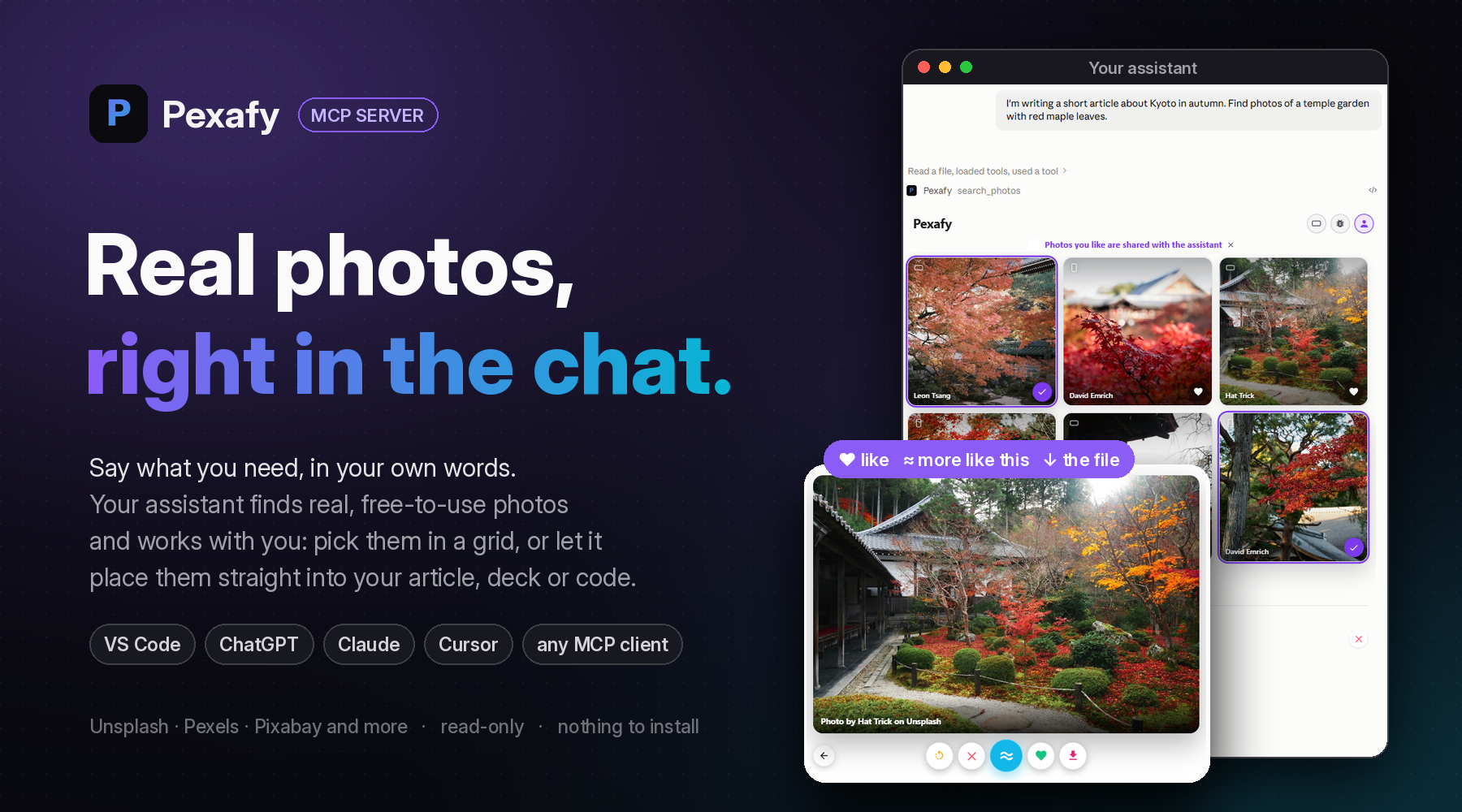







Ask for a photo the way you would describe it to a person.
Get real, free-to-use photographs back, inside the conversation, credits included.
Ask. Choose together. Put them to work.
🗣️ Ask, in your own wordsTell your assistant what you are working on, the way you would tell a colleague: “I'm writing a short article about Kyoto in autumn. Find photos of a temple garden with red maple leaves.” It writes the search; Pexafy matches the scene, not tags. |
🤝 Choose togetherSixteen photographs come back. Open one large, swipe, heart the keepers, press ≈ for more like it: your picks go back to the assistant, in your order. Or simply answer in words: “the third one, but wider”. |
🚀 Put them to workThe assistant carries on with them: the article with its photos in place, the slide, the landing page, the post. Each photograph keeps its licence and the credit line to display, and comes as an image file when the work needs one. |
With the grid, or without it
| In a chat that draws it | In an agent, a terminal or a script |
|---|---|
| ChatGPT, Claude, VS Code, Cursor. The photographs appear as a grid in the conversation. You see them, open them, like them; the assistant works from what you picked. | Claude Code, Codex, any MCP client. Each result arrives as a link with its licence and credit line. The assistant chooses, fetches the file and places it in your Markdown, HTML, slides or CMS. |
Add it in 30 seconds
| Where | How |
|---|---|
| VS Code | Install in VS Code, or code --add-mcp '{"name":"pexafy","type":"http","url":"https://mcp.pexafy.com/mcp"}' |
| VS Code Insiders | Install in VS Code Insiders |
| GitHub Copilot app | Install in the GitHub Copilot app |
| GitHub MCP Registry | Pexafy's page in the registry, with its install buttons |
| ChatGPT | Add Pexafy from ChatGPT's plugin directory |
| Claude | Customize → Connectors → Add custom connector, then https://mcp.pexafy.com/mcp |
| Claude Code | claude mcp add --transport http pexafy https://mcp.pexafy.com/mcp |
| Codex | codex mcp add pexafy --url https://mcp.pexafy.com/mcp |
| GitHub Copilot CLI | copilot mcp add --transport http pexafy https://mcp.pexafy.com/mcp |
| Cursor | Add to Cursor |
| Goose, Kiro, Gemini CLI, OpenCode, Cline, Zed… | One click or one command each, on pexafy.com/mcp |
| Any MCP client | Streamable HTTP at https://mcp.pexafy.com/mcp |
Zero friction: nothing to install, no API key. Most clients search right away, without an account. When you want your own account, ask the assistant to connect my Pexafy account: it opens Pexafy's sign-in page in your browser (OAuth), and nothing is pasted anywhere. ChatGPT and Claude ask you to sign in once; a free account is enough.
Five tools, all read-only
| Tool | What it does |
|---|---|
search_photos | Photographs described in one sentence, in any language, optionally only landscape, portrait or square. |
search_photos_by_image | Photographs that look like a picture (a link, an upload) or like a Pexafy photo: “like this, but at night”. |
get_photo_file_by_photo_id | One photograph as an image file, up to 1280 px wide, with its credit line. |
get_grid_selected_photos | The photographs you liked in the grid, in the order you chose. |
connect_account | Links your Pexafy account, right from the conversation. |
Where the photos come from
Pexafy searches its own index of millions of free-to-use photographs, collected from stock libraries such as Unsplash, Pexels and Pixabay. Every photograph is indexed by meaning, so a whole scene in one sentence beats a list of keywords. Each result names its source and licence and carries the credit line to display.
pexafy.com/mcp · Self-host & develop · Changelog · Privacy · MIT licence
ChatGPT, Claude, Codex, Cursor, GitHub Copilot and Visual Studio Code are trademarks of their respective owners.
This repo does not document an install step we could read. Check the README on GitHub.
Install with your agent
Paste this prompt into your agent. It reads this page and does the setup for you.
Read https://aiagentslisting.com/mcp/pexafy-mcp to learn what the "Pexafy Mcp" MCP server does and how to install it. Add it to my coding agent's MCP configuration as documented on that page, then confirm the server connects and list the tools it exposes.Agents can also browse this directory over MCP at https://aiagentslisting.com/api/mcp
Tools5
| Name | What it does |
|---|---|
search_photos | Use this when the user asks for a real photograph, or states a need that a photograph fills, and the picture is not already in the conversation. Call it when they ask outright: “find me photos of…”, |
search_photos_by_image | Use this when the user wants photographs that look like a picture, rather than ones described in words: a picture they link to, one the host passes to the tool as a file, or a Pexafy photo already fou |
get_photo_file_by_photo_id | Returns one photograph from an earlier Pexafy result as an image file, identified by its `photo_id`. A result's link points to the image; this tool returns the image itself, so the person does not nee |
get_grid_selected_photos | Returns the photographs the person liked (hearted) in the Pexafy results grid. Use it when the person refers to that selection rather than asking for new photos — for example “the images I selected”, |
connect_account | Asks the host to offer its own flow for connecting a Pexafy account, when none is attached. Use it when the person asks to connect, link or sign in to a Pexafy account — including from the account but |
Prompts1
| Name | What it does |
|---|---|
find_photos | Find free stock photographs of a scene you describe, in any language, with their credit lines. |
Resources1
| Name | What it does |
|---|---|
pexafy_results_grid | The photographs found, as a grid the reader works in: unnumbered thumbnails, a heart on each to like it, a shape filter in the head, and, on a tap, a swipe deck in the grid's own place — one photograp |
Read live from the server on November 15, 2026.
What's missing
- Easy installA paste-ready client config (an mcpServers block) is documented.0/12
- Claimed by ownerThe maintainer proved ownership of this listing.0/4
All 9 checks (7 passed)
- Installation methodRequiredThe README documents at least one way to install or connect.15/15
- Exposes toolsRequiredThe server reports at least one tool, from its manifest or a live read.15/15
- Has a READMERequiredThe repository ships documentation we could read.10/10
- Verified liveWe connected to the server and it answered a real MCP handshake.20/20
- Easy installA paste-ready client config (an mcpServers block) is documented.0/12
- Has a licenseThe repository declares a license.8/8
- Ships promptsThe server exposes at least one prompt template.8/8
- Ships resourcesThe server exposes at least one resource.8/8
- Claimed by ownerThe maintainer proved ownership of this listing.0/4
Maintain this server? Claiming proves you own the listing and earns the last 4 points.
Claim this listingShow this grade in your README

Paste this line near the top of your repository's README. The badge always renders the current score.
[](https://aiagentslisting.com/mcp/pexafy-mcp)Alternatives to Pexafy Mcp
Nothing comparable is listed yet.
v1.0.2Release notesv1.0.1Release notesv1.0.0Release notesv0.4.11Release notesv0.4.10Release notesv0.4.9Release notesv0.4.8Release notesv0.4.7Release notesv0.4.6Release notesv0.4.5Release notesv0.4.4Release notesv0.4.3Release notesv0.4.2Release notesv0.4.1Release notesv0.4.0Release notesv0.3.5Release notesv0.3.4Release notesv0.3.3Release notesv0.3.2Release notesv0.3.1Release notes
Send this prompt to your agent to leave a review
Connect to the AI Agents Listing MCP server at https://aiagentslisting.com/api/mcp using the HTTP transport and complete the sign-in when it asks. Then call the submit_review tool for the listing "pexafy-mcp" with a rating from 1 to 5 and a short note on what worked and what did not.No reviews yet
Be the first to share your experience with this tool.
Subscribe to our newsletter
One email a week. New agents, MCP servers and skills, and what is actually getting traction.